


 PowerMyMac


당신이 소설가, 저널리스트, 블로거 또는 학생이든, Mac에서 작가를 위한 최고의 앱 생각을 페이지에 얼마나 빠르고 깔끔하게 표현하는지에 큰 차이를 만들 수 있습니다. 이 도구들은 방해 없는 환경, 강력한 구성 기능, 마크다운 지원, 문법 제안, 그리고 Apple 기기 간 동기화를 제공합니다. 어떤 글쓰기 과정을 거치든, 워크플로우를 향상시키는 데 도움이 되는 앱이 있습니다. 이 가이드에서는 글쓰기를 위해 특별히 설계된 최고의 글쓰기 앱을 소개합니다. macOS 기본적인 워드 프로세싱을 넘어서는 기능들을 소개합니다. 자세히 살펴보죠!
내용 : 1부. 더 많이, 더 잘 쓰는 데 도움이 되는 Mac용 최고의 앱 8가지2부. 보너스: 중요 문서 손실 없이 캐시 지우기3 부. 결론
1부. 더 많이, 더 잘 쓰는 데 도움이 되는 Mac용 최고의 앱 8가지
작가들에게 유용한 도구는 정말 다양합니다. Mac에서 작가를 위한 최고의 앱들을 모아봤습니다. 이 앱들이 창의적인 작가들의 생산성 향상에 도움이 되기를 바랍니다.
1. 서사
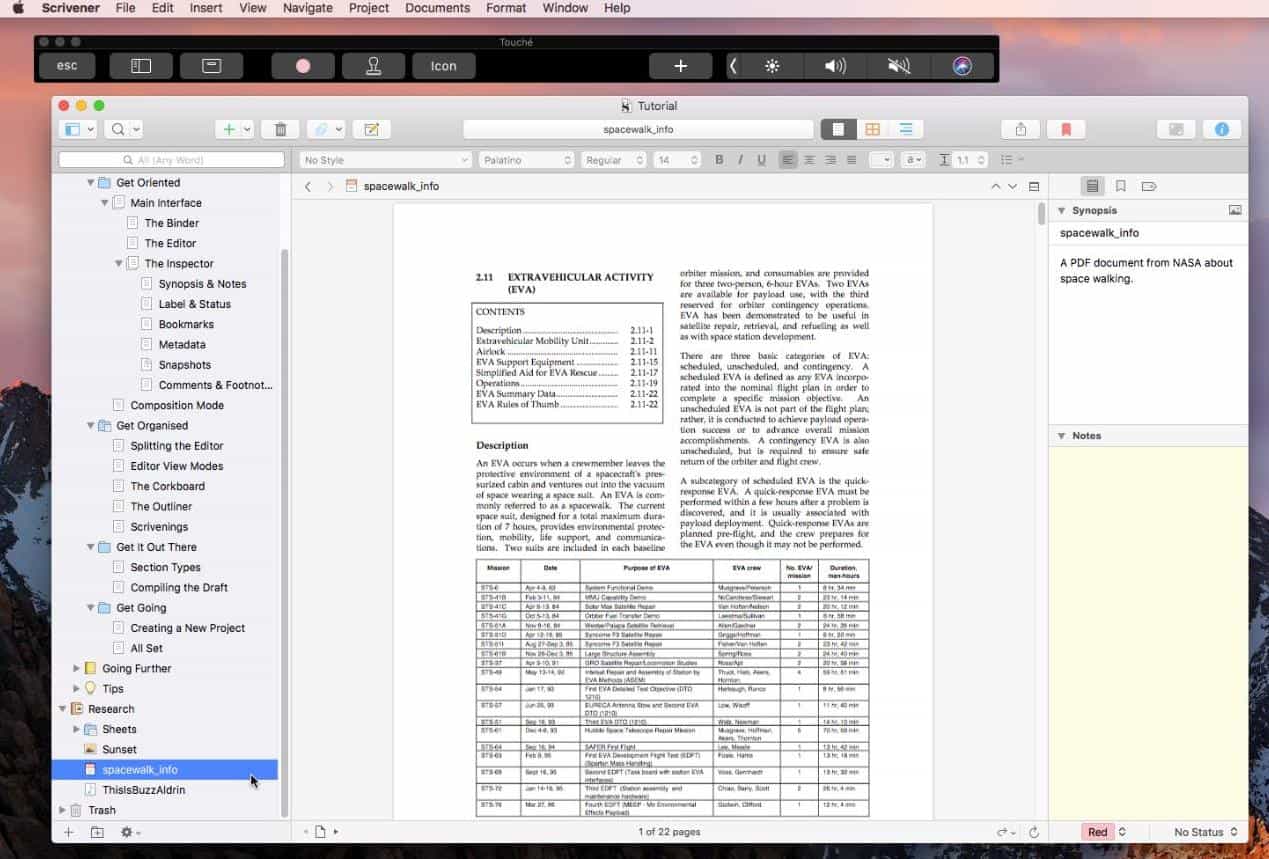
스크리브너(Scrivener)는 장편 작가를 위한 필수 도구로 널리 알려져 있습니다. 소설, 논문, 시나리오 등 어떤 작업을 하든 스크리브너를 사용하면 글을 관리하기 쉬운 단위로 나눌 수 있습니다. 강력한 코르크보드, 연구 바인더, 드래그 앤 드롭 기능을 통해 내러티브 구조를 완벽하게 제어할 수 있습니다. 또한 EPUB, PDF, DOCX 등 다양한 형식으로 내보낼 수 있어 출판 워크플로에 이상적입니다.
가격: $ 59.99 (XNUMX 회)
선택 이유:
- 대규모 복잡한 프로젝트에 적합합니다.
- 고도로 사용자 정의 가능한 인터페이스
- 내장된 연구 및 개요 도구
피해야 할 이유:
- 초보자를 위한 가파른 학습 곡선
- UI가 최신 앱에 비해 오래되어 보일 수 있습니다.
2. 율리시스
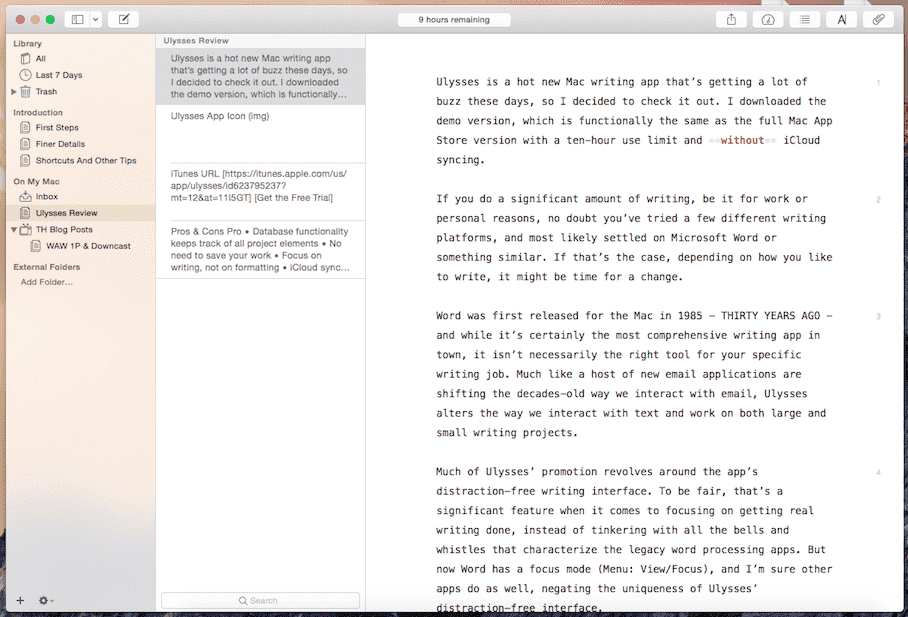
Mac에서 작가를 위한 최고의 앱을 찾고 계신가요? Ulysses가 바로 최고의 선택입니다. macOS에 기본으로 제공되는 아름다운 인터페이스와 깔끔하고 방해 없는 글쓰기 환경을 제공합니다. 마크다운을 사용하여 서식을 지정하고 모든 Apple 기기에서 iCloud 동기화를 지원합니다. 통합 라이브러리, 목표 추적, WordPress 및 Medium에 원활하게 게시할 수 있는 기능 덕분에 블로거와 콘텐츠 작가들에게 인기가 많습니다.
가격: 월 $ 5.99 또는 년 $ 49.99
선택 이유:
- 세련되고 최소한의 인터페이스
- 목표 설정 및 단어 수 추적
- 다양한 형식으로 쉽게 내보내기
피해야 할 이유:
- 구독 기반 가격
- 소설가를 위한 심층적인 개요 작성 도구가 부족합니다.
3. 페이지
Apple의 Pages 앱은 놀라울 정도로 강력한 워드 프로세서입니다. 아름다운 템플릿, iCloud 연동, 그리고 협업 기능을 제공하며, 이 모든 것이 Mac을 처음 사용하는 사용자에게 적합합니다. Scrivener만큼 화려한 기능은 없지만, 많은 사람들에게는 충분히 만족스럽습니다.
 관련 기사 : Mac용 상위 10개 워드 프로세서(무료 및 유료)
가격: 무료(Mac에 내장)
선택 이유:
- 무료이며 Mac에 기본 제공
- 기초에서 중급 수준의 글쓰기에 적합
- 실시간 공동
피해야 할 이유:
- 복잡한 글쓰기 프로젝트에는 적합하지 않습니다.
- 다른 것들에 비해 수출 옵션이 적습니다
4. 리브레오피스 라이터
LibreOffice Writer는 LibreOffice 제품군의 또 다른 워드 프로세싱 구성 요소로, Microsoft Office의 무료 대안인 오픈 소스입니다. macOS, Windows, Linux에서 사용할 수 있는 강력하고 다양한 기능을 갖춘 앱으로, 간단한 편지부터 이미지, 표, 참조가 포함된 복잡한 문서까지 모든 용도에 적합하도록 설계되었습니다.
가격: 무료(오픈소스)
선택 이유:
- 구독 없이 100% 무료
- 고급 서식 옵션이 필요한 사용자에게 적합합니다.
- 학업, 법률 또는 비즈니스 문서에 이상적입니다.
피해야 할 이유:
- 인터페이스가 최신 Mac 기본 앱에 비해 약간 오래된 느낌이 듭니다.
- 더 간단한 편집기에 익숙하다면 약간의 학습 곡선이 필요합니다.
- iCloud나 Google Docs에 비해 클라우드 동기화가 원활하지 않음
5. 곰
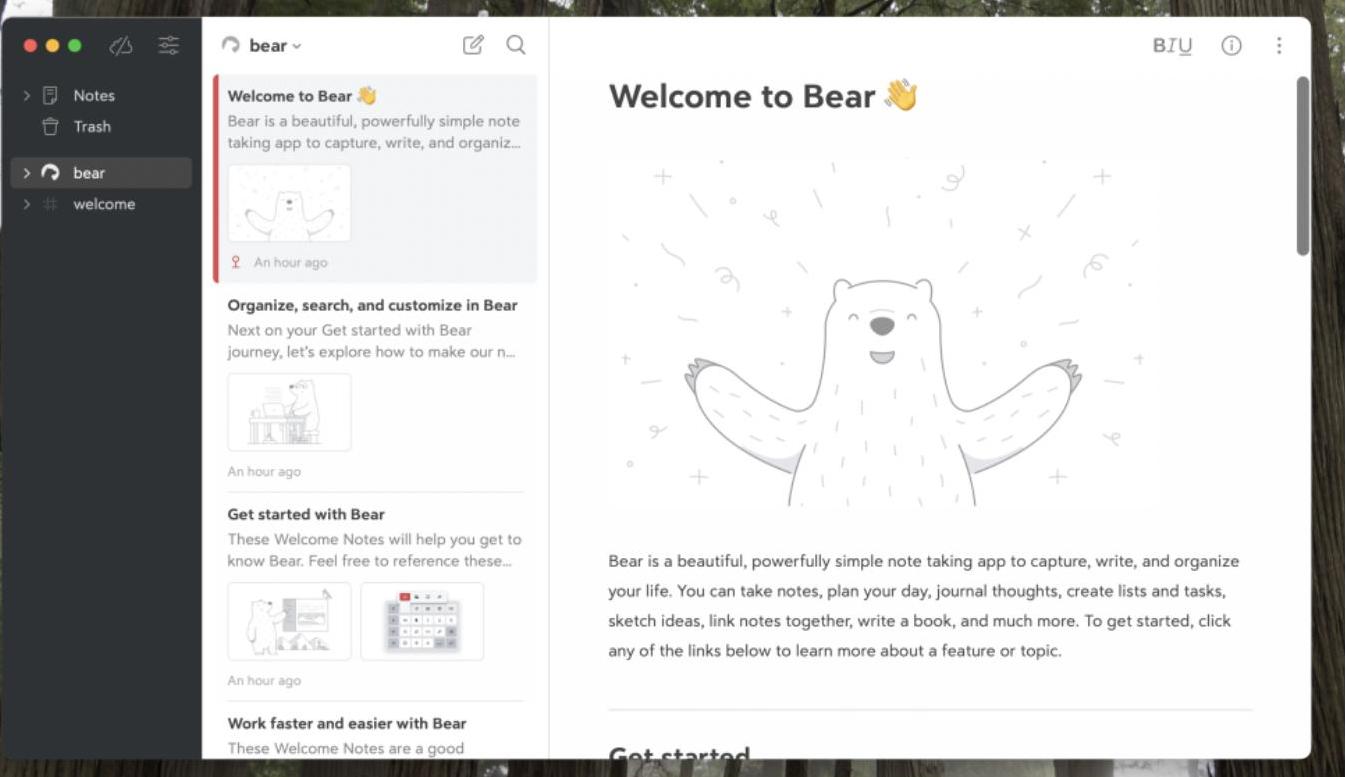
Bear는 Mac에서 작가를 위한 최고의 앱 중 하나이기도 합니다. 메모 작성자와 짧은 글을 쓰는 사람에게 적합한 유연한 글쓰기 앱입니다. 마크다운 기반 편집기와 해시태그 기반 구성 기능을 통해 간편하게 정리할 수 있습니다. Pro 버전은 동기화, 테마, 내보내기 옵션을 제공하여 일상적인 글쓰기에 훌륭한 동반자가 되어 줍니다.
가격: 무료, Pro의 경우 월 $1.49 또는 연 $14.99
선택 이유:
- 아름답고 직관적인 인터페이스
- 태그를 이용한 빠른 정리
- 메모와 짧은 콘텐츠에 적합합니다.
피해야 할 이유:
- 제한된 서식 도구
- 장문 프로젝트가 아닌 짧은 글쓰기에 가장 적합합니다.
6. 저자
Mac에서 최고의 작가 앱을 찾고 있는 Apple 사용자라면 Author가 제격입니다. Author는 macOS 사용자, 특히 학술 및 연구 중심의 글쓰기에 종사하는 사용자를 위해 특별히 설계된 무료 미니멀리스트 글쓰기 애플리케이션입니다. 깔끔하고 군더더기 없는 인터페이스에 개념 매핑 및 인용 관리와 같은 고급 도구를 통합하여 차별화를 꾀했습니다.
가격: 무료, 정식 버전은 19.99달러
선택 이유:
- 강력한 인용 도구를 사용하여 학술 및 연구 글쓰기에 맞춤화됨
- 복잡한 아이디어를 구성하는 데 도움이 되는 독특한 개념 매핑 기능
- 미니멀리스트 디자인은 집중적인 글쓰기 세션을 촉진합니다.
- AI 통합으로 지능형 글쓰기 지원 제공
피해야 할 이유:
- 내보내기 및 AI 기능은 유료 버전에만 제공됩니다.
- 고급 서식 옵션을 원하는 사용자에게는 인터페이스가 너무 단순할 수 있습니다.
7. 문법
Grammarly는 엄밀히 말하면 글쓰기 앱은 아니지만, 글쓰기를 다듬는 데 필수적입니다. Mac용 기본 앱은 모든 글쓰기 도구를 통합하여 문법, 구두점, 명확성, 어조를 검사합니다. 전문적인 글쓰기를 원하고 난처한 오타를 피하고 싶은 모든 사람에게 이상적입니다.
가격: 무료, 프리미엄은 월 12달러부터
선택 이유:
- 강력한 문법 및 스타일 검사
- 모든 글쓰기 플랫폼에서 작동합니다
- 톤과 명확성 제안
피해야 할 이유:
- 프리미엄은 비쌀 수 있습니다
- 모든 기능을 사용하려면 인터넷이 필요합니다.
8. 자유
Freedom은 Mac에서 작가들이 방해 요소를 차단하는 데 가장 적합한 앱 중 하나입니다. 모든 기기(Mac, Windows, iOS, Android)에서 웹사이트, 앱, 심지어 인터넷 전체를 차단하여 집중력을 유지하는 데 도움을 줍니다. Freedom 자체는 글쓰기 도구가 아니라, 이메일, 소셜 미디어, 또는 토끼굴에 갇히지 않고 글쓰기에 집중할 수 있도록 설계된 생산성 향상 도구입니다.
가격: 무료, 월 $8.99, 연 $39.99 또는 프리미엄의 경우 일회성 $99.50 결제
선택 이유:
- 집중력과 글쓰기 시간을 크게 향상시킵니다.
- 사용하기 쉽고 고도로 사용자 정의 가능
- 모든 기기에서 작동하므로 방해 요소가 주변에 따라다니지 않습니다.
피해야 할 이유:
- 엄격하게 느껴질 수도 있습니다(그것이 요점이기도 하죠!)
- 일부 기능은 유료입니다(예: 일정 예약 또는 반복 세션)
2부. 보너스: 중요 문서 손실 없이 캐시 지우기
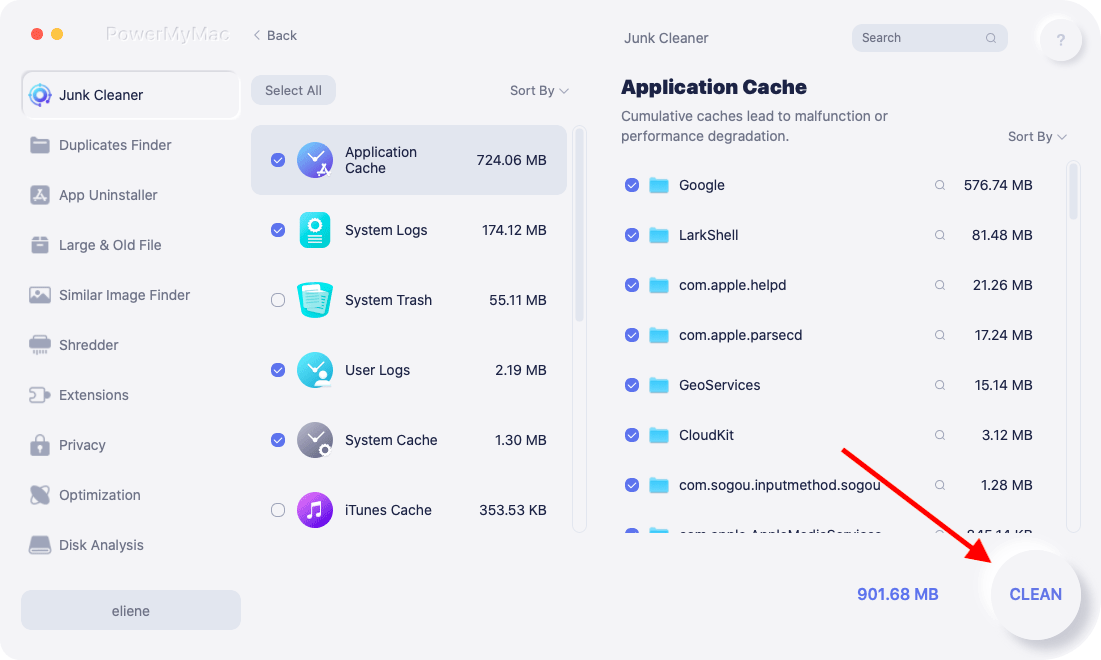
위에서 언급한 Mac 작가를 위한 최고의 앱들은 글쓰기 시간을 더욱 쉽고 즐겁게 만들어 줍니다. 하지만 앱을 너무 많이 다운로드하면 Mac이 느려질 수 있습니다. 캐시를 삭제하면 도움이 될 수 있지만, 수동으로 삭제하면 중요한 앱 데이터가 삭제될 위험이 있습니다. 바로 이 부분입니다. iMyMac PowerMyMac 들어 온다.
PowerMyMac은 중요한 문서는 건드리지 않고 시스템 및 앱 캐시를 포함한 불필요한 파일을 안전하게 제거하는 올인원 Mac 클리너입니다. 스마트 스캔 기능은 삭제해도 안전한 파일을 식별하며, "정리" 버튼을 누르기 전에 모든 파일을 검토할 수 있습니다. 초안이나 연구 자료가 손실될까 봐 걱정하지 않고 더 빠른 Mac을 원하는 작가에게 안성맞춤입니다.
관련 기사 : Mac에서 수동 또는 자동으로 캐시를 지우는 방법
PowerMyMac에는 앱 제거, CPU/메모리 사용량 모니터링, 확장 프로그램 관리 모듈도 포함되어 있습니다. PowerMyMac은 기기를 새것처럼 작동하게 유지해 줍니다.
3 부. 결론
적절한 글쓰기 앱을 사용하면 생산성을 완전히 바꿀 수 있습니다. Scrivener로 소설 초안을 작성하든, Ulysses로 블로그를 운영하든, Grammarly로 편집하든, Mac에서 작가를 위한 최고의 앱들을 활용하면 더 빠르고, 더 잘, 더 집중해서 글을 쓸 수 있습니다. iMyMac PowerMyMac과 같은 도구를 사용하여 스마트한 시스템 관리와 함께 사용하면 방해 없이 창의력을 발휘할 수 있습니다. 자신의 워크플로에 맞는 도구를 선택하고 가장 잘하는 일, 즉 글쓰기에 집중하세요.


