


 Video Converter


Een oud videoformaat genaamd 3GP WebM wordt vaak gebruikt op 3G-mobiele telefoons. Het WebM-formaat is de ideale optie als u veel .3gp-bestanden op uw computer hebt opgeslagen en deze online wilt publiceren voor weergave en distributie op vrijwel elk apparaat. WebM, een open multimediabestandsformaat dat oorspronkelijk voor het web is ontwikkeld, biedt realtime video van hogere kwaliteit en wordt vaak gebruikt op bekende websites zoals YouTube. Probeer de volgende applicatie te gebruiken om het converteren van .3gp-bestanden te vereenvoudigen. 3GP naar WebM aanzienlijk eenvoudiger.
Inhoud: Deel 1. Hoe converteer ik een 3GP-bestand naar WEBM?Deel 2. De snelste tool om 3GP naar WEBM te converteren.Deel 3. Online converters om 3GP gratis naar WEBM te converterenDeel 4. Conclusie
Deel 1. Hoe converteer ik een 3GP-bestand naar WEBM?
Het 3GP-containerformaat is een digitaal bestandsformaat dat veel gebruikt wordt op mobiele apparaten. Het comprimeert de video met het MPEG-4-formaat en de audio met AMR-NB of AAC-LC. 3GP-bestanden zijn compact, waardoor ze een uitstekende keuze zijn voor mobiele apparaten, die vaak beperkte opslagruimte en bandbreedte hebben.
WEBM is een open source multimediaformaat voor het web, waarvoor geen royalty's verschuldigd zijn. Om een hoge compressie te bereiken, maakt het gebruik van de VP9-videocodec en de Opus-audiocodec. De meest populaire webbrowsers en multimediaspelers kunnen WEBM-bestanden afspelen, wat ondanks de bescheiden bestandsgrootte een hoogwaardige streamingkwaliteit oplevert en ook adaptieve streaming mogelijk maakt.
Deel 2. De snelste tool om 3GP naar WEBM te converteren.
In vergelijking met online video-converters, die soms storende reclames, beperkingen qua bestandsgrootte en onvoorspelbare netwerkverbindingen hebben, iMyMac-video-omzetter Het biedt ongetwijfeld een effectievere methode voor het批量 converteren van 3GP-bestanden naar WebM. De applicatie is uitgebreid en eenvoudig te gebruiken dankzij de gebruiksvriendelijke GUI en overzichtelijke structuur. Naast WebM kan het u ook helpen bij andere formaten. converteer 3G2 naar MP3, MP4, GIF en meer.
Met een krachtige videoconversie-engine, dit 3GP-converter Uw mediabestanden kunnen tot wel zes keer sneller worden geconverteerd dan de industriestandaard, met behoud van de hoogste video- en audiokwaliteit. U zult ontdekken dat converteren van 3GP naar WebM nog nooit zo eenvoudig is geweest.
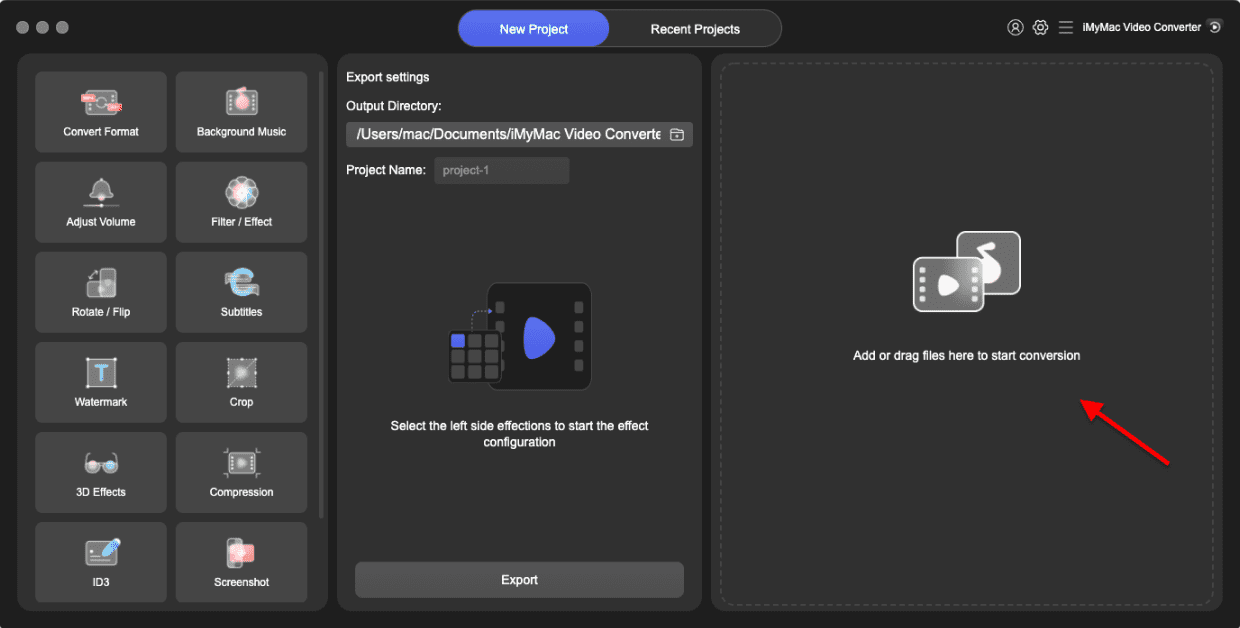
Mocht u zich afvragen hoe iMyMac Video Converter in principe werkt en hoe u het programma kunt gebruiken om 3GP naar WebM te converteren, dan wordt hieronder beschreven.
- Start de Mac- of Windows-versie van het iMyMac Video Converter-programma op uw computer. Log in op uw account nadat u klaar bent.
- Het slepen en neerzetten van het 3GP-bestand op het scherm van het systeem is een extra mogelijkheid.
- Wanneer u op 'Formaat converteren' klikt, verschijnt er een keuzelijst waarmee u het type bestand kunt selecteren waarnaar het origineel moet worden geconverteerd, bijvoorbeeld WebM.
- Dankzij de gebruikersinterface is het nu eenvoudiger om wijzigingen in bestanden te vinden. De bestanden kunnen naar eigen inzicht worden bewerkt.
- Door Opslaan te kiezen, kunt u al uw wijzigingen opslaan.
- Selecteer een conversieoptie in de werkbalk om het conversieproces te starten.
Deel 3. Online converters om 3GP gratis naar WEBM te converteren
Cloudconvert.com
Cloudconvert is een gratis bestandsconverter die ook 3GP-bestanden naar WebM-bestanden kan converteren. Het programma ondersteunt vrijwel alle soorten multimediabestanden, e-books, werkbladen en presentaties. Ook het converteren van gecomprimeerde bestanden wordt ondersteund. Cloudconvert is een veelzijdige online bestandsconverter. Je hebt met het programma controle over de kwaliteit van de geconverteerde bestanden. De proefversie voldoet meestal wel, tenzij je op één dag een groot aantal bestanden of enorme audio-/videobestanden moet converteren.
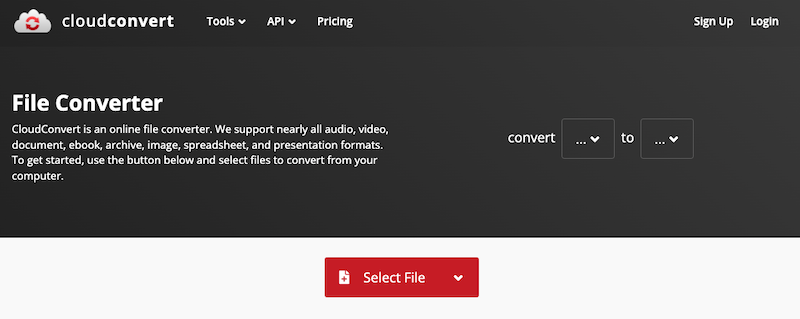
- Open cloudconvert.com in uw browser en selecteer uw 3GP-bestand door op "Select File" te klikken. 3GP-videomateriaal kan worden geladen via invoer vanaf uw eigen computer, een link of een online service.
- Selecteer bij de optie "Converteren naar" de optie WebM. Door op het moersleutelsymbool naast de uitvoerformaatoptie te klikken, kunt u het H264-profiel/niveau, de beeldverhouding, de videocodec, de resolutie, de framesnelheid en andere aspecten van uw film wijzigen.
- Klik op Converteren om de online 3GP naar WebM videoconversie te starten.
- Klik op 'Ontvangen' om het WebM-bestand gratis te downloaden zodra de conversie is voltooid.
Convertio.co
Convertio is een fantastische online applicatie waarmee je 3GP-bestanden naar WebM kunt converteren. Je kunt met deze webtool ook naar diverse andere formaten converteren. Er worden geen online resources gebruikt, omdat de bestandsconversie op afstand plaatsvindt. De meeste video- en audioconversies zijn binnen twee minuten voltooid. Convertio is een uitstekende online tool voor het transcoderen van video- en audiobestanden. Bestanden tot 100 MB kunnen gratis worden geconverteerd. De kosten van de premium-versie voor het converteren van grotere bestanden zijn redelijk.
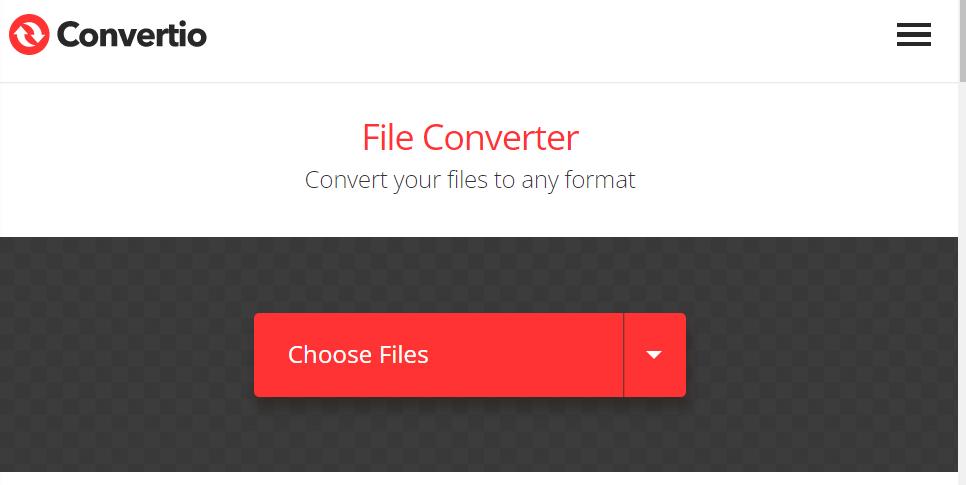
- Ga naar convertio.co in de browser op je pc. Converteerbare 3GP-bestanden zouden in de app-interface moeten worden weergegeven.
- Selecteer WebM als uw gewenste bestandsindeling. Om de instellingen van een bestand te bewerken, het te roteren of bij te snijden, klikt u op 'Parameters'.
- De procedure begint uiteindelijk nadat u op de knop Converteren hebt geklikt.
Freeconvert.com
Veel mensen hebben FreeConvert, een online applicatie voor videoconversie, gebruikt om 3GP-bestanden gratis naar WebM-bestanden te converteren. Ook andere bestandstypen, zoals foto's, muziek, e-books, documenten, video's en meer, worden ondersteund. Je 3GP-bestanden kunnen worden geüpload vanaf een lokaal apparaat, Google Drive, Dropbox of een video-URL. Om je 3GP-bestanden naar WebM te converteren, upload je ze naar onze converter en selecteer je 'Converteren naar WebM'.
- Ga naar de website om Freeconvert te starten.
- Klik op 'Bestanden kiezen' en selecteer vervolgens 'Openen' om de video te kiezen die u naar een WebM-bestand wilt converteren. U kunt ook een bestand rechtstreeks vanaf uw apparaat, een URL, Dropbox of Google Drive uploaden. Klik op de pijl naar rechts naast het pictogram 'Bestanden kiezen' om een optie te selecteren.
- Selecteer het tandwielpictogram om de video- en audio-instellingen te wijzigen. Klik vervolgens op Instellingen toepassen.
- Klik op WebM-conversie. Wanneer de conversie is voltooid, klikt u op WebM downloaden.
Deel 4. Conclusie
Dit bericht gaf de nodige informatie over de ideale tool om 3GP naar WebM te converteren. Kies dus de tool die volgens jou het beste bij jouw behoeften past. Op basis van de feiten wordt iMyMac Video Converter echter nog steeds sterk aanbevolen.


