


 PowerMyMac


Если вы пользователь macOS и вам нужно выдающееся резюме, то найти подходящее — непростая задача. конструктор резюме для Mac Это крайне важно. Независимо от того, предпочитаете ли вы чистые, минималистичные шаблоны или креативные, визуально насыщенные макеты, правильный инструмент поможет вам создать профессиональное резюме за считанные минуты. В этом руководстве мы рассмотрим лучшие конструкторы резюме, которые безупречно работают на Mac, и как оптимизировать вашу систему для беспроблемного создания дизайна.
Содержание: Часть 1. Зачем использовать конструктор резюме?Часть 2. 6 лучших конструкторов резюме для пользователей Mac.Часть 3. Бонус: Оптимизация вашего Mac для создания резюме.Часть 4. Итог
Часть 1. Зачем использовать конструктор резюме?
Создание резюме с нуля в Word или Страницы Создание резюме может отнимать много времени, особенно если вы не уверены в форматировании, структуре или в том, чего ожидают рекрутеры. Конструктор резюме упрощает этот процесс, предлагая профессионально разработанные шаблоны, интеллектуальное форматирование и функцию перетаскивания. Эти инструменты идеально подходят для пользователей, которым нужно быстро создать современное резюме без ошибок и без навыков дизайна.
Большинство конструкторов резюме также включают полезные подсказки и советы в режиме реального времени, основанные на вашей отрасли, что повышает ваши шансы на прохождение через системы отслеживания кандидатов (ATS). Многие платформы даже позволяют предварительно просматривать резюме в режиме реального времени, экспортировать его в PDF и легко настраивать разделы. Кроме того, если вы используете Mac, вы оцените адаптивный дизайн, визуальные элементы, готовые для экранов Retina, и интуитивно понятные инструменты перетаскивания, которые органично вписываются в среду macOS.
Выбрав программу для создания резюме для Mac, вы экономите время, повышаете свои шансы получить приглашение на собеседование и гарантируете, что ваше резюме будет выглядеть безупречно и профессионально на любом устройстве.
Часть 2. 6 лучших конструкторов резюме для пользователей Mac.
Представляем вашему вниманию лучшие конструкторы резюме для Mac, выбранные за их совместимость, простоту использования и современный дизайн. Все они безупречно работают на macOS.
1. Canva
Canva — это платформа для графического дизайна, которая также является популярным инструментом для создания резюме для пользователей Mac. Canva — это отличный инструмент. создатель аватара Кроме того, это позволяет пользователям создавать потрясающие графические дизайны, включая фотографии профиля. Сервис предлагает интерфейс с функцией перетаскивания и тысячи шаблонов, включая резюме, адаптированные для таких отраслей, как технологии, дизайн, маркетинг и многое другое. Canva работает в браузере или через собственное приложение для macOS, и все шаблоны полностью настраиваются с помощью шрифтов, цветов, значков и разделов.
Цены: Бесплатно при покупке дополнительного тарифного плана Pro (12.99 долларов США в месяц)
Плюсы:
- Современные, настраиваемые шаблоны резюме
- Простой интерфейс перетаскивания
- Работает в Safari, Chrome или в настольном приложении.
Минусы:
- Для использования некоторых шаблонов и функций требуется тарифный план Pro.
- По умолчанию не оптимизировано для ATS.
2. Резюме.ио
Resume.io — это специализированный конструктор резюме, ориентированный на простоту использования и профессиональные результаты. Этот сервис для создания резюме предлагает пошаговое написание, форматирование в реальном времени и множество вариантов экспорта. Идеально подходит для соискателей, которые хотят создавать резюме, легко проходящие проверку ATS (системы автоматического отбора кандидатов). Отлично работает в Safari или Chrome на macOS.
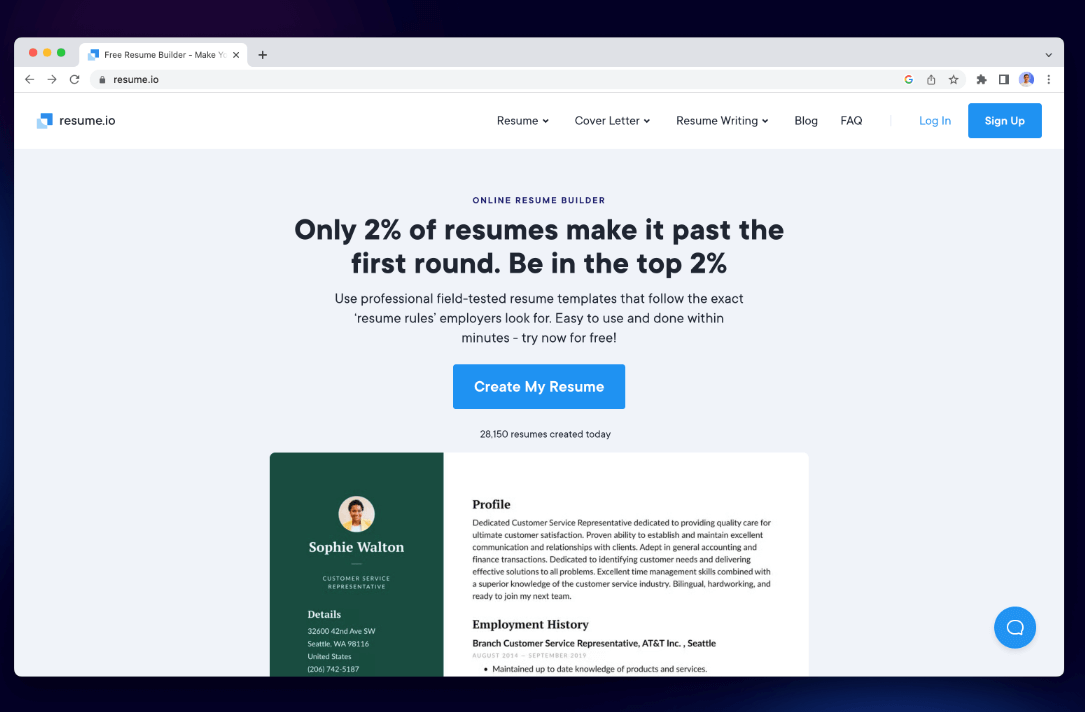
Цены: Бесплатно (только для текстовых сообщений), Премиум от 2.95 долларов в неделю
Плюсы:
- Шаблоны, удобные для ATS
- Пошаговое создание резюме
- В комплект входит конструктор сопроводительных писем.
Минусы:
- Для загрузки PDF-файлов требуется платный тарифный план.
- Возможности настройки шаблона несколько ограничены.
3. Новое резюме
Novorésumé — это умный конструктор резюме для Mac, сочетающий в себе дизайн и функциональность. Благодаря таким разделам, как «Достижения», «Языки» и «Навыки межличностного общения», он идеально подходит для соискателей, стремящихся выделиться. Интерфейс лаконичен, а шаблоны хорошо адаптируются к дисплеям Retina. Кроме того, в процессе создания резюме предлагаются советы и рекомендации.
Цены: Доступна бесплатная версия; премиум-версия стоит от 16 долларов в месяц.
Плюсы:
- Расширенные разделы резюме
- Удобный для экранов Retina пользовательский интерфейс
- Подсказки по написанию текста в режиме реального времени
Минусы:
- В бесплатной версии ограниченное количество шаблонов.
- Возможность настройки PDF-файлов доступна только в платном тарифном плане.
4. Возобновить гений
Resume Genius — это простой и удобный для начинающих конструктор резюме для Mac, который помогает вам в каждом разделе резюме с помощью вопросов и готовых подсказок. Он идеально подходит для пользователей, которым нужна помощь в составлении маркированных списков или форматировании для ATS (систем отслеживания кандидатов). Он ориентирован на быстрое и функциональное создание резюме — отлично подходит, если вы спешите или нуждаетесь в вдохновении для формулировок и оформления.
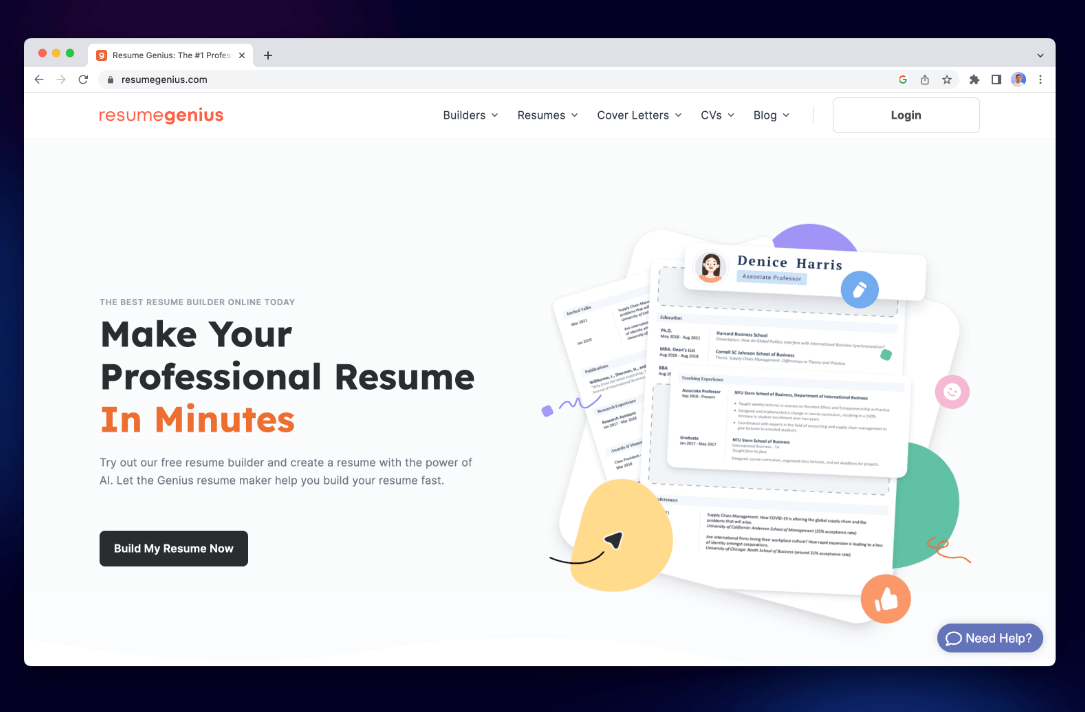
Цены: Создание приложения бесплатно; загрузка стоит 2.95 доллара (14-дневный пробный период), затем 23.95 доллара в месяц, если не отменить подписку.
Плюсы:
- Очень удобен для новичков
- Шаблоны, соответствующие стандарту ATS
- Предварительно подготовленные предложения по контенту
- Без проблем работает в браузерах Mac.
Минусы:
- Доступ к PDF-файлу платный.
- Ограниченная настройка дизайна
- Автоматическое продление подписки застает некоторых пользователей врасплох.
5. Зети
Zety — это мощный веб-конструктор резюме для Mac, предлагающий готовые блоки контента и современные шаблоны. Он идеально подходит для пользователей, которым нужна помощь или руководство при составлении резюме. Платформа хорошо работает в браузерах macOS и помогает как в написании резюме, так и сопроводительных писем.
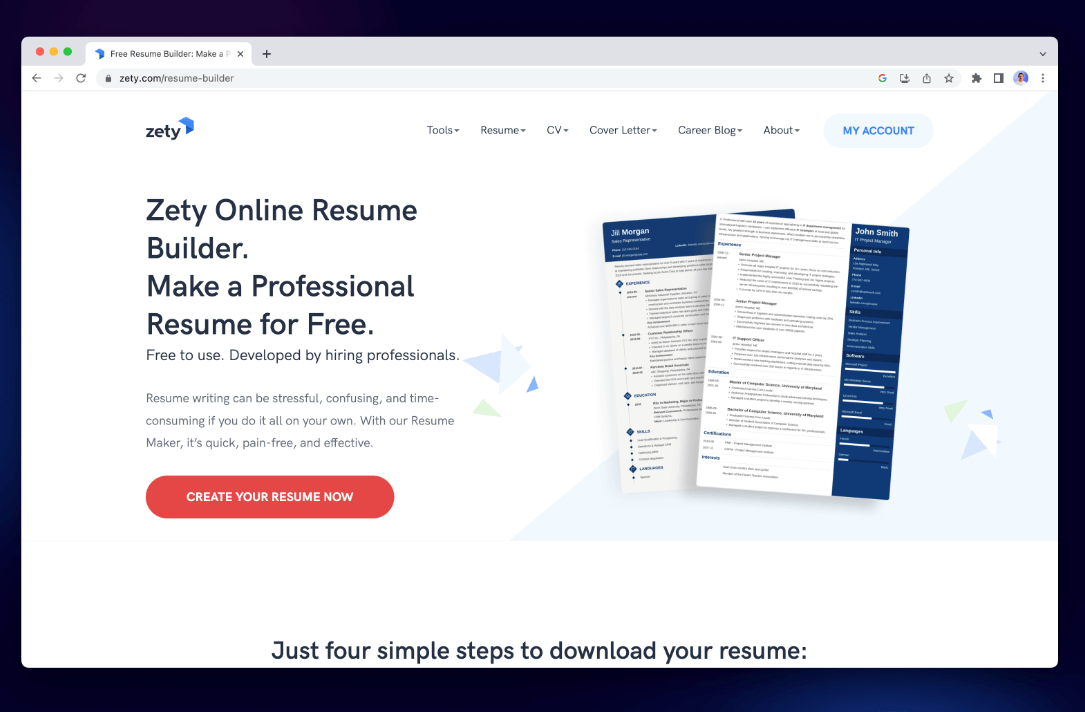
Цены: Бесплатно для сборки; платная загрузка (примерно 2.70 доллара в неделю)
Плюсы:
- Встроенные подсказки по контенту
- Чистый, современный дизайн.
- Отлично подходит для начинающих
Минусы:
- Необходимо оплатить экспорт.
- Ограниченный контроль над мелкими деталями компоновки.
6. Инженер по резюме
CV Engineer — это удобный и востребованный среди рекрутеров конструктор резюме для Mac, разработанный для создания профессионального резюме примерно за 10 минут. CV Engineer предлагает простые, удобные для ATS шаблоны и позволяет пользователям добавлять разделы, настраивать форматирование и экспортировать резюме в виде качественных PDF-файлов. Он идеально подходит для пользователей Mac, которым нужен быстрый и простой инструмент, обеспечивающий при этом результаты профессионального качества. Приложение бесплатное, с возможностью дополнительных покупок внутри приложения для разблокировки дополнительных функций и стилей резюме.
Цены: Создание шаблонов бесплатно; загрузка и премиум-шаблоны стоят 5.99 долларов (единовременно), или можно оформить подписку за 6.99 долларов в месяц, с возможностью пожизненной подписки за 17.99–29.99 долларов, если подписка не будет отменена.
Плюсы:
- Встроенные в приложение рекомендации от специалиста по подбору руководящих кадров.
- форматирование, совместимое с ATS
- Шаблоны, экспорт в PDF и возможность добавления фотографий (по желанию).
- Бесплатное использование с возможностью дополнительных покупок внутри приложения.
Минусы:
- Встроенные покупки могут разблокировать дополнительные шаблоны или функции.
- Ограниченные возможности настройки дизайна по сравнению с такими инструментами, как Canva.
Часть 3. Бонус: Оптимизация вашего Mac для создания резюме.
Создание резюме может быть не таким сложным процессом, как видеомонтаж, но наличие адаптивной системы может существенно изменить ситуацию, особенно при использовании таких инструментов дизайна, как Canva, или при экспорте больших файлов. iMyMac PowerMyMac это интеллектуальная утилита для macOS, которая очищает системные ненужные файлыОптимизирует оперативную память, отслеживает работу процессора и повышает производительность системы. Это полезный помощник при работе над творческими или рабочими задачами, например, при использовании программы для создания резюме на Mac.
Ключевые особенности:
- Умный очиститель: Быстро удаляет системный мусор, файлы кэша и временные данные, освобождая ценное дисковое пространство.
- Программа удаления приложений: Полностью удаляет нежелательные приложения и их остаточные файлы.
- Duplicate Finder: Находит и удаляет дубликаты файлов, занимающие место на диске.
- Файловый шредер: Надежно удаляет конфиденциальные файлы без возможности восстановления.
- Защита конфиденциальности: Удаляет историю просмотров, файлы cookie и следы приложений для защиты ваших данных.
- Performance Monitor: Отслеживает использование процессора, памяти и хранилища в режиме реального времени.
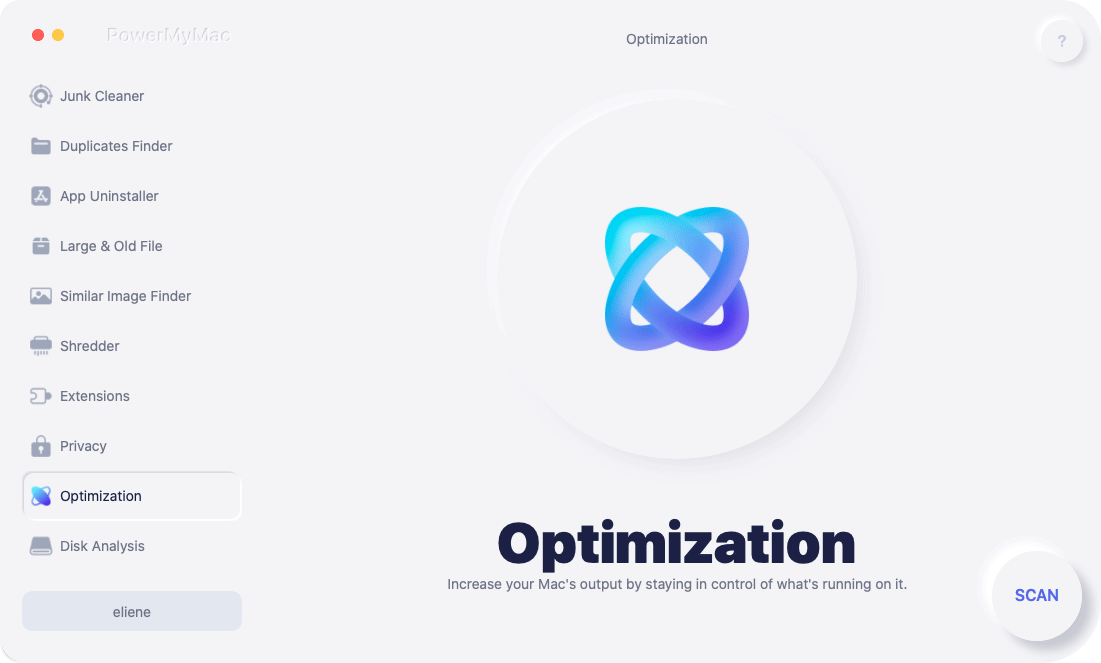
Замедление работы из-за нехватки памяти или фоновых приложений может нарушить ваш рабочий процесс. Запуск PowerMyMac перед созданием резюме гарантирует быструю, чистую и бесперебойную работу системы. Например, экспорт большого PDF-файла или работа с шаблонами Canva высокого разрешения будут выполняться плавнее после освобождения оперативной памяти и очистки системы от ненужных файлов.
Часть 4. Итог
Выбор подходящей программы для создания резюме на Mac может сэкономить вам часы и привести к созданию безупречного резюме, которое поможет вам получить работу. Хотя для создания резюме не требуются высокопроизводительные характеристики, оптимизированный Mac значительно упрощает этот процесс. Такие инструменты, как PowerMyMac, гарантируют бесперебойную работу вашей системы, предоставляя вам лучшие условия для уверенного создания, редактирования и экспорта резюме.
Поэтому выберите программу для создания резюме, которая подходит вашему рабочему процессу и стилю, и не забудьте немного подправить свой Mac, прежде чем нажать «Скачать PDF». Чистый и быстрый Mac позволит вам сосредоточиться на главном: получении приглашения на собеседование.


