While TP files maintain excellent video quality, they often come with compatibility issues, making them difficult to play, edit, or share across devices and platforms. For this reason, converting TP files into a more accessible and widely supported format becomes essential. In this article, we’ll explore the key differences between TP and AVI formats, then walk you through how to convert TP to AVI. Whether you're a casual user or someone who works with large video files frequently, we’ll help you choose the right method that suits your needs.
内容: Part 1. Difference Between TP and AVI FormatPart 2. Convert TP Files to AVI on Windows/MacPart 3. Convert TP Files to AVI Online部分4。 结论
Part 1. Difference Between TP and AVI Format
TP and AVI are both video file formats, but they serve very different purposes and offer contrasting features.
TP, or Transport Stream Packet, is a format primarily used for recording high-definition television broadcasts. These files are typically captured by TV tuner cards and include not only the video and audio streams but also metadata like program information and channel data. TP 文件 are structured to be resilient during data transmission, allowing for recovery from errors or dropped data when streamed over networks. This makes them ideal for broadcast purposes, but not very efficient for playback on everyday media players or devices. TP files are often large in size and may require specialized software for smooth playback or conversion.
In contrast, AVI, which stands for Audio Video Interleave, is a much more universally supported container format developed by Microsoft. It is commonly used for local video playback and editing. AVI files store audio and video data in a way that allows synchronous playback, and the format supports various codecs, making it highly flexible. AVI files are widely compatible with media players, editing programs, and even older hardware.
While TP is optimized for streaming environments and maintaining broadcast integrity, AVI is optimized for accessibility, playback consistency, and editing performance. Converting from TP to AVI essentially shifts your video from a broadcast-ready format to one that’s ready for personal or professional use across a wide range of platforms.
Part 2. Convert TP Files to AVI on Windows/Mac
How to convert TP to AVI? iMyMac视频转换器 is a professional-grade yet user-friendly video conversion software that works seamlessly on both Windows and Mac platforms. It's designed to handle a wide variety of file formats—including TP—and convert them into more practical formats such as AVI. This makes it a powerful solution for anyone looking to process high-quality videos from HDTV recordings with ease.
这个工具的好处是你还可以 编辑您的视频 使用它。例如,您可以旋转、修剪、剪切或裁剪视频。您还可以选择使用该工具编辑饱和度、色调、亮度和其他设置。
iMyMac视频转换器的主要功能:
- Supports 1000+ formats: Including TP, AVI, MP4, MOV, MKV, and more.
- 高速转换: Thanks to hardware acceleration and multithreading.
- 批量转换: Convert multiple files at once to save time.
- 视频编辑工具: Basic editing options such as trimming, cropping, adding watermarks, adjusting brightness/contrast, and inserting subtitles.
- 无损转换: Maintains original video quality while optimizing file size.
Step-by-Step Guide to Use iMyMac
Let's explore how you can use iMyMac Video Converter to convert TP to AVI effortlessly.
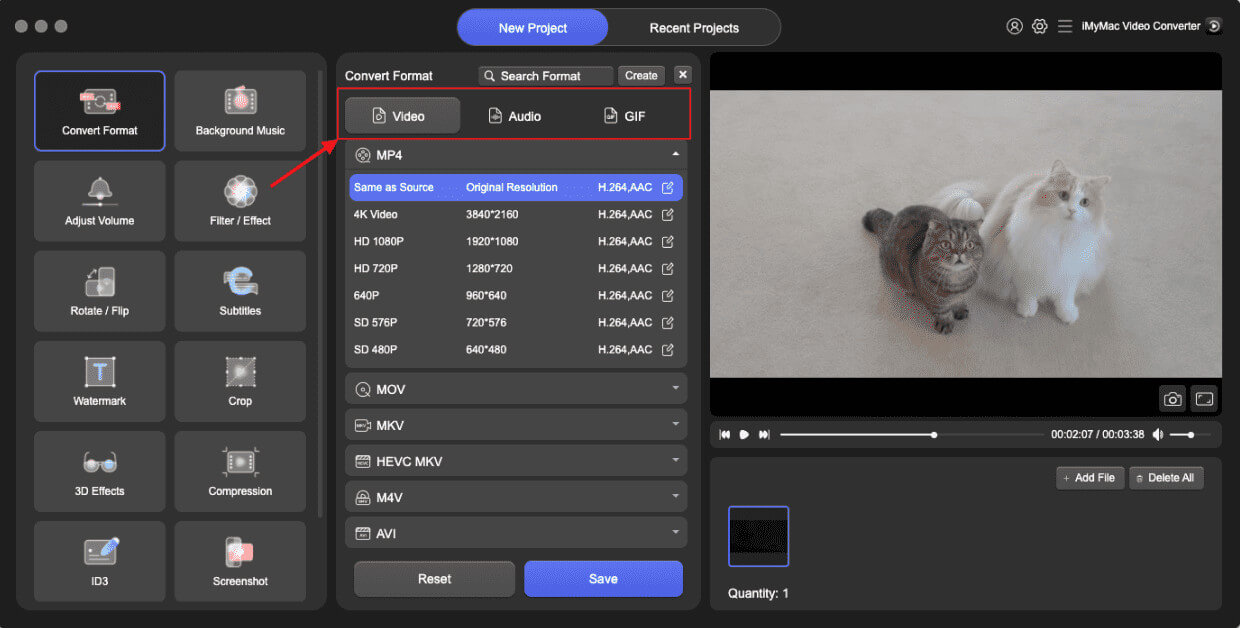
- 在计算机上启动 Mac 或 Windows 版本的 iMyMac Video Converter 程序。 完成后登录您的帐户。
- 将 TP 文件拖放到系统显示屏上是另一种选择。
- 单击“转换格式”后,将显示一个下拉选项,允许您选择要将原始文件转换为的文件类型,例如 AVI。
- 得益于用户界面,查找文件更改变得更加简单。您可以对文件进行任何所需的更改。
- 通过选择“保存”,您可以保存所有修改。
- 从工具栏中选择一个转换选项以开始转换过程。
Part 3. Convert TP Files to AVI Online
If you're looking for a quick, no-installation-needed solution, several online free video converters can convert TP to AVI. Here are three popular and reliable options:
1。 CloudConvert
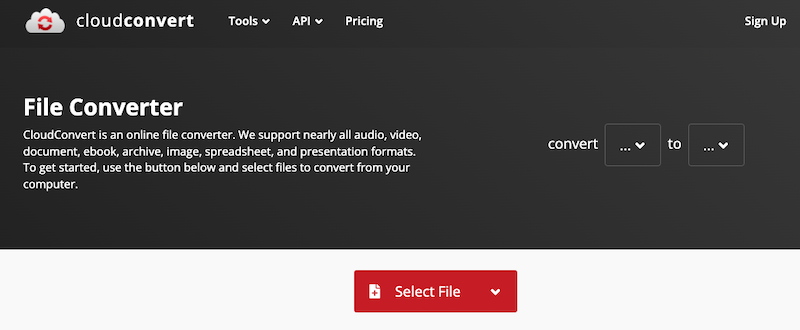
CloudConvert is a robust web-based file conversion service that supports a wide range of formats, including TP and AVI. CloudConvert also integrates with cloud storage services like Google Drive, Dropbox, and OneDrive, making file handling easier. While it’s ideal for occasional conversions, it may not handle very large files as efficiently as desktop software.

2。 Convertio
Convertio is a cloud-based tool designed for quick and easy file conversions. It supports over 300 file types and offers optional customization like codec and quality settings. Uploads can come from your local drive or cloud storage. Files are automatically deleted after 24 hours, ensuring user privacy.
3.在线转换
Online-Convert offers a detailed video conversion platform with advanced settings. It supports TP to AVI conversion and allows users to tweak video resolution, aspect ratio, frame rate, and audio quality.
部分4。 结论
Converting TP to AVI improves compatibility, usability, and playback performance across a wide range of devices and platforms. While online tools like CloudConvert, Convertio, and Online-Convert offer quick fixes, they are best suited for small files and occasional use. For those dealing with large video files or requiring high-quality, fast, and customizable conversions, iMyMac Video Converter stands out as the best choice. It’s feature-rich, reliable, and optimized for both performance and ease of use. Whether you’re archiving HD recordings or preparing files for editing, converting TP files to AVI has never been easier.