


 PowerMyMac


Het maken van indrukwekkende presentaties is cruciaal, of je nu een idee presenteert, een lezing geeft of je voorbereidt op een zakelijke bijeenkomst. Voor Mac-gebruikers kan de juiste presentatiesoftware het proces soepel, efficiënt en zelfs plezierig maken. In deze gids hebben we een aantal van de beste programma's voor je op een rijtje gezet. presentatiesoftware voor Mac, geschikt voor diverse stijlen en professionele eisen. Of je nu een ervaren presentator bent of net begint, deze gids helpt je om je presentaties naar een hoger niveau te tillen. Dus, laten we beginnen en ze ontdekken!
Inhoud: Deel 1. 8 beste presentatieprogramma's voor Mac (gratis en betaald)Deel 2. Bonus: Ongewenste presentaties van je Mac verwijderenDeel 3. Conclusie
Deel 1. 8 beste presentatieprogramma's voor Mac (gratis en betaald)
Er zijn veel zeer veelzijdige presentatieprogramma's op de markt. Hier zijn de 8 beste presentatieprogramma's voor Mac die we hebben uitgeprobeerd:
1. Apple Keynote
Prijzen: Gratis voor macOS-gebruikers
Keynote is Apple's eigen presentatiesoftware voor Mac, die standaard op de meeste Mac-apparaten is geïnstalleerd. Het is vooral populair onder studenten, docenten en professionals die waarde hechten aan eenvoud en elegantie. Keynote biedt een breed scala aan sjablonen, verbluffende animaties en vloeiende overgangen waarmee visueel aantrekkelijke presentaties kunnen worden gemaakt zonder dat daarvoor diepgaande ontwerpvaardigheden nodig zijn.
Omdat het diep geïntegreerd is in het Apple-ecosysteem, kunnen gebruikers eenvoudig synchroniseren en samenwerken tussen Mac, iPhone en iPad via iCloudHet ondersteunt ook de Apple Pencil voor eenvoudig annoteren op de iPad. Gebruikers kunnen in realtime samenwerken, presentaties exporteren naar PowerPoint en rechtstreeks vanaf hun apparaten presenteren.
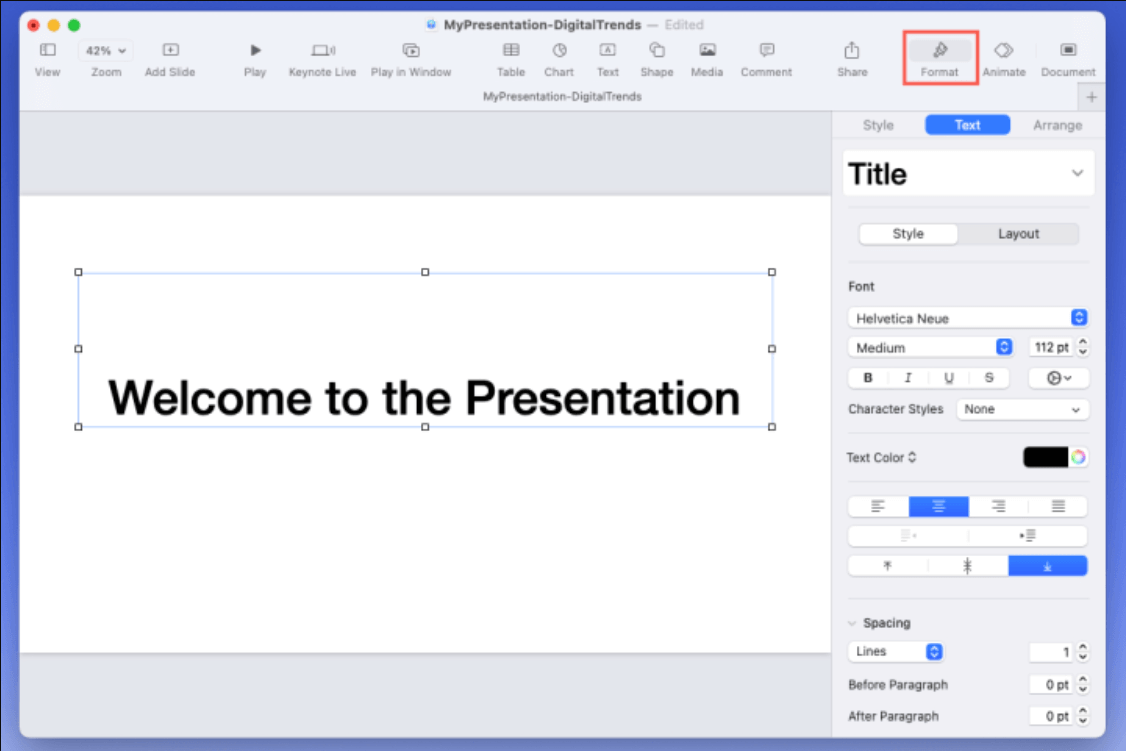
Het is ideaal voor gebruikers die de voorkeur geven aan een native Mac-ervaring en waarde hechten aan esthetiek. Het wordt echter niet zo breed ondersteund op niet-Apple-platformen, wat een nadeel kan zijn voor teams die met verschillende besturingssystemen werken.
Voors:
- Prachtige sjablonen en animaties
- Gebruiksvriendelijke interface
- Gratis voor Mac-gebruikers
nadelen:
- Beperkte compatibiliteit met niet-Apple-platforms.
- Minder geavanceerde functies vergeleken met concurrenten
2. Microsoft PowerPoint
Prijzen: Gratis met basisfuncties. Betaalde optie vanaf $6.99 per maand (Microsoft 365-abonnement).
Microsoft PowerPoint is een van de meest bekende en krachtige presentatieprogramma's voor Mac. Dankzij de lange geschiedenis en de uitgebreide functionaliteit is het een favoriet onder zakelijke professionals, docenten en bedrijfsteams. Met honderden sjablonen, geavanceerde animatietools en multimediaondersteuning geeft PowerPoint gebruikers volledige controle over het ontwerp en de functionaliteit van hun dia's.
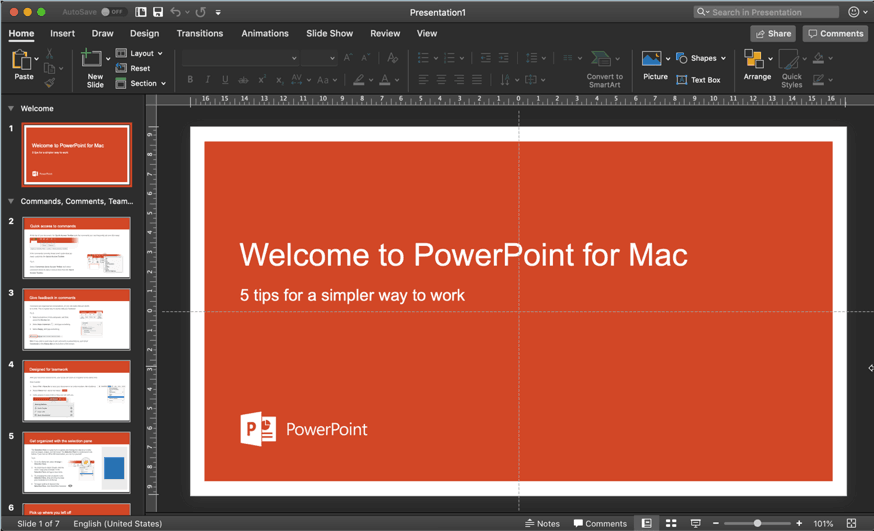
De nauwe integratie met Microsoft 365 en Microsoft Onedrive Maakt realtime samenwerking en naadloos delen van bestanden mogelijk tussen apparaten en platforms. Mac-gebruikers krijgen vrijwel alle functies van de Windows-versie, waaronder Presenter View, Slide Master en ondersteuning voor ingesloten video's.
 Gerelateerde artikelen: Hoe OneDrive op Mac te verwijderen?
Voors:
- Industrie standaard
- Uitstekende compatibiliteit met Windows.
- Uitgebreide multimedia-ondersteuning
nadelen:
- Betaalde software
- Sommige functies laden trager op een Mac.
3. Google Presentaties
Prijzen: Gratis voor persoonlijk gebruik; zakelijke abonnementen vanaf $6 per maand.
Google Slides is webgebaseerde presentatiesoftware voor Mac en maakt deel uit van de Google Workspace-suite. Het is toegankelijk via elke webbrowser en is ideaal voor teams, docenten en thuiswerkers die onderweg presentaties moeten maken en bewerken.
Met Google Slides kunnen meerdere gebruikers tegelijk in realtime aan dezelfde presentatie werken, waardoor het een populaire keuze is voor groepsprojecten en vergaderingen. Het slaat wijzigingen automatisch op, houdt een versiegeschiedenis bij en integreert naadloos met andere Google Workspace-tools zoals Drive, Docs en Gmail. Mac-gebruikers profiteren van de apparaatonafhankelijke aanpak van Google Slides; ze hebben alleen een internetverbinding en een browser nodig. De belangrijkste beperkingen zijn de beperkte keuze aan sjablonen en de afhankelijkheid van een internetverbinding voor de meeste functies. Toch is Google Slides een betrouwbaar en handig hulpmiddel voor gebruikers die op zoek zijn naar eenvoud, gemakkelijk delen en samenwerken.
Voors:
- 100% cloudgebaseerd
- Naadloze samenwerking
- Gratis voor persoonlijk gebruik
nadelen:
- Vereist internet voor volledige functionaliteit
- Beperkte sjabloonvariatie
4. Prezi
Prijzen: Gratis beperkte versie; betaalde abonnementen vanaf $5 per maand.
Prezi is dynamische, cloudgebaseerde presentatiesoftware die bekend staat om zijn unieke zoomfunctie en niet-lineaire presentatiestijl. In tegenstelling tot traditionele presentatietools zoals PowerPoint, stelt Prezi gebruikers in staat om visuele 'verhaalplattegronden' te creëren waarmee ze kunnen in- en uitzoomen op verschillende onderwerpen, wat zorgt voor een boeiendere en interactievere ervaring.
Prezi is ideaal voor docenten, marketeers en presentatoren die hun publiek willen boeien met verhalen in plaats van lineaire opsommingen. Het biedt professioneel ontworpen sjablonen, aanpasbare paden en multimediaondersteuning, waaronder afbeeldingen, video's en animaties. Gebruikers kunnen ook in realtime samenwerken, waardoor het geschikt is voor teamprojecten en werken op afstand.
Het platform omvat Prezi Present voor het maken van inzoombare presentaties, Prezi Video voor het toevoegen van interactieve afbeeldingen tijdens videogesprekken en Prezi Design voor datavisualisaties en infographics. Het draait volledig in de cloud en is toegankelijk vanaf elk apparaat, inclusief Mac, via een webbrowser of desktop-app.
Voors:
- Boeiend en interactief
- Geweldig voor het vertellen van verhalen
- Cloud-based
nadelen:
- Leercurve voor nieuwe gebruikers
- Voor sommige functies is een internetverbinding vereist.
5. Canvas
Prijzen: Gratis basisversie; Pro begint bij $12.99 per maand.
Canva is een grafisch ontwerpplatform dat tevens dienstdoet als presentatietool, speciaal ontwikkeld voor gebruikers die opvallende slides willen maken zonder ontwerpervaring. Het is een favoriet onder marketeers, social media creators, studenten en docenten vanwege de moderne sjablonen en de intuïtieve drag-and-drop interface.
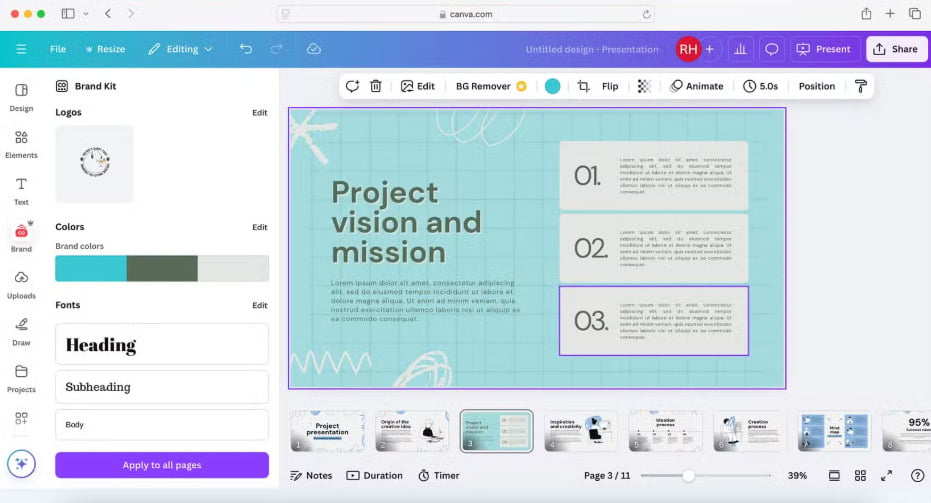
Canva biedt een enorme bibliotheek met afbeeldingen, pictogrammen, animaties en lettertypen, waarmee gebruikers snel professionele presentaties kunnen maken. De ingebouwde huisstijlkit stelt teams in staat om een consistente huisstijl te hanteren, terwijl samenwerkingstools gebruikers in staat stellen om in realtime te reageren en te bewerken. Canva bevat ook functies zoals het opnemen van presentaties, geanimeerde overgangen en exportopties voor dia's, video's of pdf's. Voor gebruikers die op zoek zijn naar fantastische presentatiesoftware voor Mac om snel presentaties met visuele impact te maken, is Canva een van de beste keuzes.
Voors:
- Heel gebruiksvriendelijk
- Prachtige ontwerpelementen
- Gratis niveau beschikbaar
nadelen:
- Beperkte geavanceerde functies
- Offline bewerken wordt niet ondersteund.
6. Mooi.ai
Prijzen: Pro-abonnement begint bij $ 12/maand
Beautiful.ai brengt kunstmatige intelligentie naar presentatieontwerp, waardoor gebruikers met minimale inspanning professionele slides kunnen maken. Het is speciaal ontwikkeld voor professionals en teams die behoefte hebben aan verzorgde presentaties die voldoen aan de beste ontwerppraktijken – zonder een ontwerper in te hoeven huren. Terwijl u content toevoegt, past de AI-engine automatisch de lay-out, de afstand en de uitlijning aan, waardoor een strakke en consistente uitstraling op alle slides gegarandeerd is. De tool is ideaal voor verkoopteams, consultants, marketeers en projectmanagers die tijd willen besparen en tegelijkertijd klantklare presentaties willen maken.
De functies omvatten slimme sjablonen, branding-opties, analyses en samenwerkingstools die feedback- en revisieprocessen stroomlijnen. Gebruikers kunnen rechtstreeks vanuit de cloud delen of presenteren, en teamabonnementen omvatten functies voor assetbeheer en merkbewaking. Hoewel Beautiful.ai een deel van de creatieve controle opoffert voor automatisering, is dit een acceptabele afweging voor gebruikers die efficiëntie en esthetiek belangrijk vinden. Mac-gebruikers hebben toegang via de browser, zonder installatie. De prijzen beginnen met een gratis versie, terwijl de Pro- en Team-abonnementen meer functies en integraties ontsluiten. Als u op zoek bent naar een slimme en efficiënte manier om presentaties te maken die er professioneel uitzien, is Beautiful.ai een uitstekende keuze.
Voors:
- Tijd besparen
- Professionele resultaten met minimale inspanning
- Teamsamenwerking
nadelen:
- Kan beperkend aanvoelen voor creatieve gebruikers.
- Beperkte offline ondersteuning
7. Zoho Show
Prijzen: Gratis beperkte versie; betaald abonnement inbegrepen bij Zoho Workplace (vanaf $3 per gebruiker per maand)
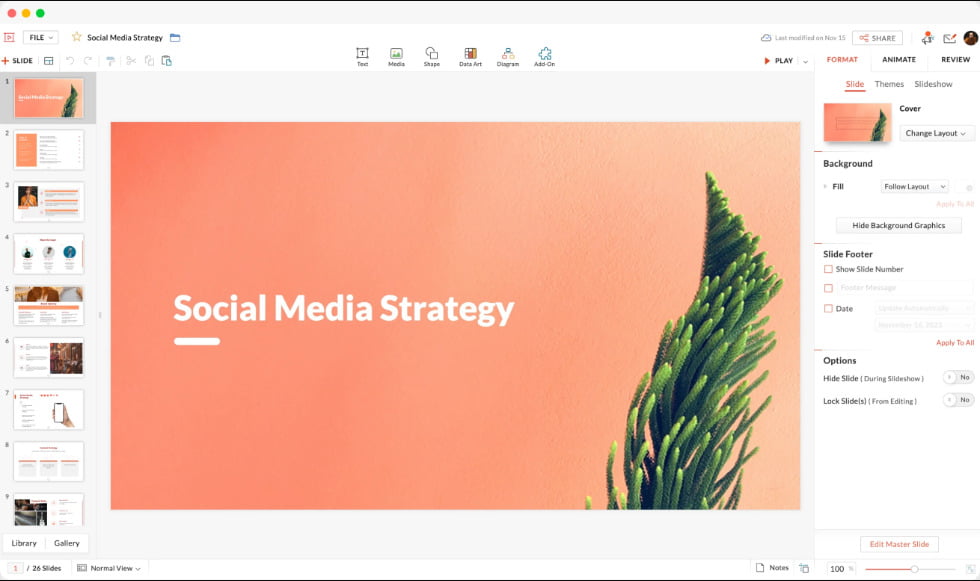
Zoho Show is cloudgebaseerde presentatiesoftware voor Mac en maakt deel uit van de Zoho Office Suite. Gebruikers kunnen hiermee professionele presentaties maken, bewerken, eraan samenwerken en deze rechtstreeks vanuit een webbrowser presenteren. Zoho Show is ontworpen voor zowel individuen als teams en is met name handig voor bedrijven die al andere Zoho-applicaties gebruiken, zoals Zoho CRM of Zoho Projects.
Het platform biedt een overzichtelijke, gebruiksvriendelijke interface met essentiële ontwerptools, overgangen, animaties en een bibliotheek met sjablonen. Een van de opvallende kenmerken is realtime samenwerking, waardoor meerdere gebruikers tegelijkertijd presentaties kunnen bewerken, opmerkingen kunnen plaatsen en wijzigingen kunnen bijhouden. Zoho Show ondersteunt het importeren en exporteren van PowerPoint-bestanden (PPTX), waardoor het eenvoudig is om op verschillende platforms te werken. Het biedt ook integraties met Apple TV, Android TV en mobiele apparaten voor presentaties onderweg.
Voors:
- Toegankelijk vanaf elk apparaat
- Inclusief bijbehorende iOS-app
- Real-time samenwerking
- Werkt naadloos samen met Zoho CRM, Zoho Docs en andere zakelijke apps.
nadelen:
- Minder sjablonen, animaties en mediaopties
- Soms trager dan native Mac-apps
- Offline bewerken is niet mogelijk.
- Minder integraties van derden
8. Visme
Prijzen: Gratis voor het basisabonnement; Starterabonnement voor $12.25 per maand (jaarlijks gefactureerd) of $29 per maand (maandelijks gefactureerd); Pro-abonnement voor $24.75 per maand (jaarlijks gefactureerd) of $59 per maand (maandelijks gefactureerd).
Visme is cloudgebaseerde ontwerp- en presentatiesoftware voor Mac waarmee gebruikers visueel aantrekkelijke content kunnen creëren, zoals presentaties, infographics, rapporten, afbeeldingen voor sociale media en interactieve visuals. Visme is ontworpen met niet-ontwerpers in gedachten en combineert gebruiksgemak met krachtige aanpassingsmogelijkheden, waardoor het ideaal is voor marketeers, docenten, zakelijke professionals en contentmakers.
Wat Visme onderscheidt, is de veelzijdigheid. Gebruikers kunnen kiezen uit een breed scala aan vooraf ontworpen sjablonen en visuele elementen, waaronder grafieken, pictogrammen, kaarten, video's en animaties. De drag-and-drop-interface stelt iedereen in staat om professionele visuals te creëren zonder geavanceerde ontwerpvaardigheden. Het biedt ook tools voor branding, zoals aangepaste lettertypen, kleuren en logo's, wat vooral handig is voor bedrijven die visuele consistentie willen behouden.
Voors:
- Honderden moderne, aanpasbare sjablonen
- Intuïtief voor beginners; geen ontwerpervaring nodig
- Bevat geavanceerde grafieken, kaarten en infographic-widgets.
- Voeg eenvoudig video, audio, formulieren en interactieve elementen toe aan dia's.
nadelen:
- Beperkte functionaliteit in het gratis abonnement
- De prestaties kunnen achterblijven bij complexe projecten of grote bestanden.
- Offline gebruik wordt niet ondersteund.
Deel 2. Bonus: Ongewenste presentaties van je Mac verwijderen
Als je aan meerdere presentaties tegelijk werkt, kan je Mac vol raken met oude of dubbele bestanden, waardoor de prestaties vertragen en waardevolle opslagruimte in beslag wordt genomen. Daarvoor is iMyMac een uitkomst. PowerMyMac En dan is er nog deze slimme opschoontool, speciaal ontworpen voor macOS-gebruikers. Het is meer dan alleen een cleaner; het is een alles-in-één Mac-beheersuite.
iMyMac PowerMyMac scant je systeem op overbodige bestanden, waaronder verouderde presentaties, caches en app-restanten. Dankzij een gebruiksvriendelijke interface en slimme aanbevelingen blijft je Mac snel en overzichtelijk.
- Smart CleanupDetecteert en detecteert automatisch Verwijdert ongewenste systeembestanden, inclusief dubbele presentaties.
- App-verwijderprogrammaVerwijdert op een nette manier applicaties en hun restanten.
- File Shredder: Verwijdert gevoelige bestanden op een veilige manier, zodat ze niet meer hersteld kunnen worden.
- PrestatiemeterEen realtime overzicht van de prestaties van uw Mac (CPU-, geheugen- en schijfgebruik).
- DuplicaatzoekerZoekt en verwijdert identieke presentatiebestanden om ruimte vrij te maken.
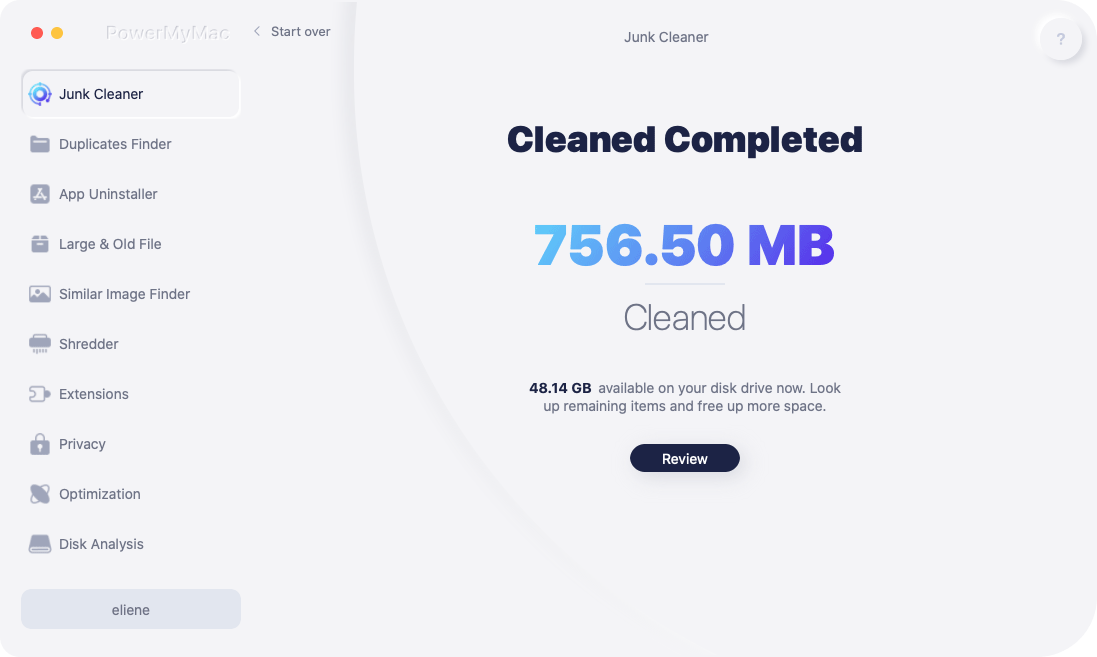
Of je nu een belangrijke presentatie voorbereidt of aan het einde van een semester je computer opruimt, PowerMyMac zorgt ervoor dat je systeem geoptimaliseerd en vrij van afleidingen blijft.
Deel 3. Conclusie
De juiste presentatiesoftware voor je Mac kiezen hangt af van je doelen, publiek en persoonlijke stijl. Van de elegante eenvoud van Keynote tot de dynamische vertelmogelijkheden van Prezi of het door AI ondersteunde ontwerp van Beautiful.ai, er is een tool voor elk doel en elke voorkeur. Net zo belangrijk is het behouden van een schone en efficiënte werkruimte. Tools zoals iMyMac en PowerMyMac zorgen ervoor dat je apparaat soepel blijft werken door oude bestanden en duplicaten te verwijderen. Met de juiste software en een opgeruimde Mac ben je klaar om presentaties te maken die informeren, indruk maken en inspireren.


