


 Video Converter


Har du en MP3-fil som du vill göra om till en video? Kanske vill du lägga till visuella element i din musik, eller så behöver du dela ditt ljudinnehåll på en plattform som bara accepterar videofiler. Oavsett anledningen till att konvertera filformat är processen att... konvertera MP3 till MPG är lösningen du behöver.
I den här artikeln går vi igenom processen att konvertera MP3 till MPG steg för steg. Vi går igenom bästa verktygen för att konvertera format, samt några användbara tips för att se till att din video blir precis som du vill ha den. Så oavsett om du är nybörjare eller en erfaren användare, läs vidare för att lära dig allt du behöver veta om att konvertera MP3 till MPG.
Innehåll: Del 1. Det bästa verktyget för att konvertera MP3 till MPG offlineDel 2. Rekommenderade sätt att konvertera MP3 till MPG gratisDel 3. Är en MPG samma sak som en MP3?Del 4. Slutsats
Del 1. Det bästa verktyget för att konvertera MP3 till MPG offline
Om du behöver ett offlineprogram för att konvertera MP3 till MPG, iMyMac Video Converter är det bästa alternativet. Detta flexibla program är utformat för att enkelt låta dig konvertera en mängd olika video- och ljudformat, inklusive MP3 till MPG.
Följ bara dessa enkla instruktioner för att komma igång med iMyMac Video Converter:
Steg 1. Ladda ner iMyMac Video Converter och installera det.
Du kan installera iMyMac Video Converter på din dator genom att ladda ner den från den officiella webbplatsen. Börja med att starta programvaran när den har installerats.
Steg 2. Importera MP3-filer.
För att importera de MP3-filer du vill konvertera, klicka på "Lägg till filer"alternativet. Du kan ladda upp många filer samtidigt, och batchbehandling stöds av iMyMac Video Converter för att spara tid. Du kan konvertera MP3 till MPG snabbare.
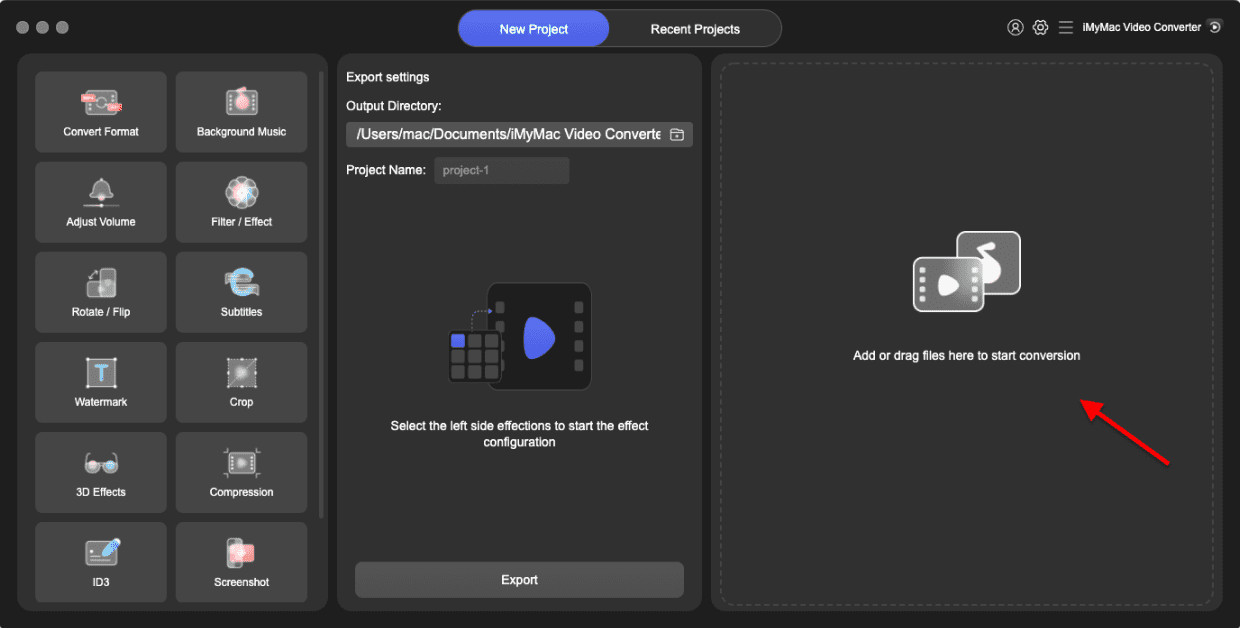
Steg 3. Välj MPG som ditt utdataformat.
Välj MPG som utdataformat från "Konvertera alla filer till" rullgardinsmeny. Om du vill kan du också välja mellan olika video- och ljudformat. Välj sedan en mapp där filerna ska sparas.
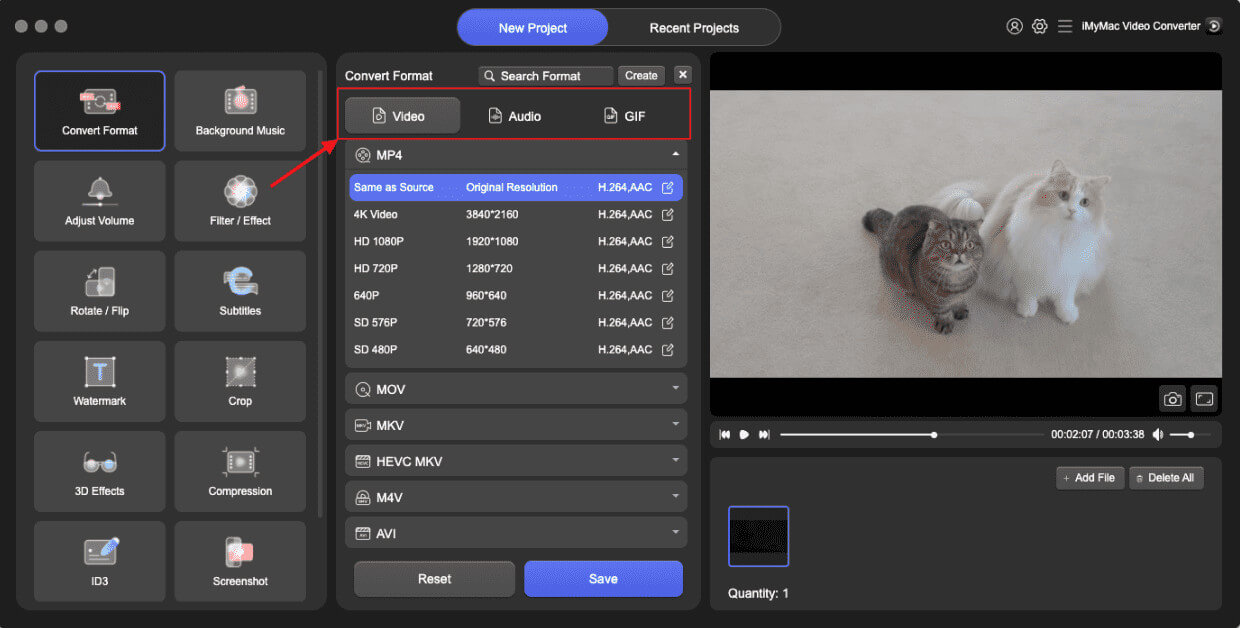
Steg 4. MP3 till MPG-konvertering.
För att starta konverteringsprocessen, klicka på "Konvertera"-knappen. iMyMac Video Converter konverterar dina MP3-filer till MPG-format automatiskt.
Även om du inte har någon expertis inom videokonvertering kan du konvertera MP3 till MPG snabbt och effektivt med iMyMac Video Converter. Dessutom stöder programmet en mängd olika video- och ljudformat, vilket gör att du kan använda det för alla dina konverteringsbehov.
Del 2. Rekommenderade sätt att konvertera MP3 till MPG gratis
Verktyg 01. VLC Media Player
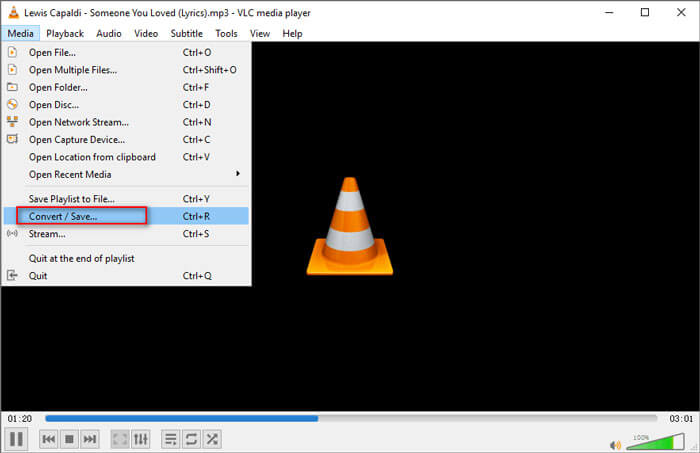
VLC Media Player är en populär mediaspelare med öppen källkod som också kan konvertera filer. För att konvertera MP3 till MPG med VLC, öppna bara programmet, gå till "Media"i den översta menyn, välj"Konvertera / Spara", lägg till din MP3-fil, välj "Video - MPEG-1"Eller"Video - MPEG-2" som utdataformat och klicka på "Start".
Verktyg 02. FFmpeg
FFmpeg är ett kraftfullt och allmänt använt kommandoradsverktyg för att manipulera video- och ljudfiler. Det är gratis programvara med öppen källkod som kan användas på en mängd olika plattformar, inklusive Windows, Macoch Linux.
En av de största fördelarna med FFmpeg är att det stöder ett brett utbud av filformat, vilket gör det till ett mångsidigt verktyg för alla medierelaterade uppgifter.
Med FFmpeg kan du utföra en mängd olika uppgifter, som att konvertera filer till olika format, ändra storlek på videor, extrahera ljud från videor och mycket mer.
Här är stegen för att konvertera MP3 till MPG med FFmpeg:
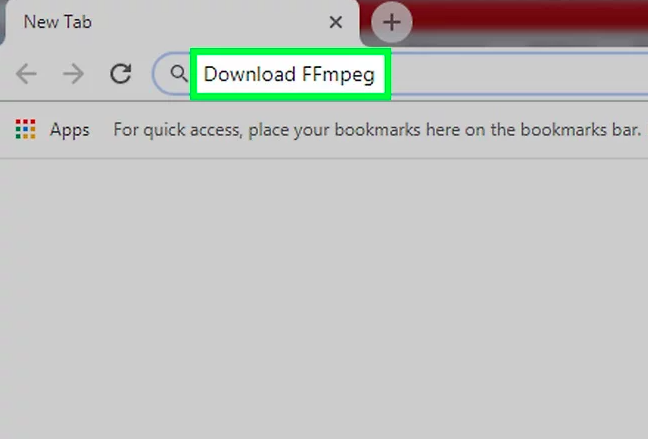
- Download och installera FFmpeg på din dator.
- Öppet en kommandotolk på din dator.
- Navigera till mappen där din MP3-fil finns med hjälp av 'cd' kommando.
- ange följande kommando för att konvertera din MP3 till MPG. Detta kommando instruerar FFmpeg att konvertera ingång.mp3-fil till produktion.mpg med videokodeken inställd på MPEG-2 och ljudkodeken inställd på MP2, med en videobithastighet på 6 Mbps:
ffmpeg -i input.mp3 -c:v mpeg2video -b:v 6000k -c:a mp2 output.mpg
- Träffa ange för att starta omvandlingsprocessen.
- Vänta tills konverteringen är klar.
- När konverteringen är klar bör du kunna hitta den nya MPG-filen i samma mapp som din ursprungliga MP3-fil.
Verktyg 03. Handbroms
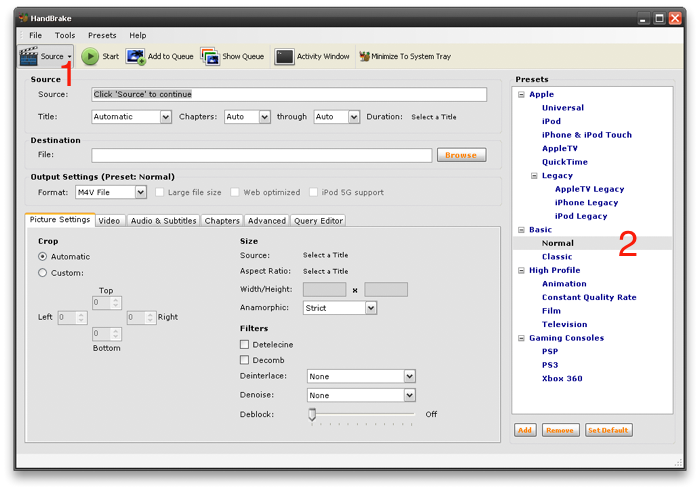
Handbrake är en gratis och öppen källkodsbaserad videotranskodare som är tillgänglig för operativsystemen Windows, Mac och Linux. Det är ett populärt verktyg bland videoentusiaster och proffs för sin användarvänlighet och avancerade funktioner. Handbrake låter dig konvertera MP3 till MPG och även utföra andra videobearbetningsuppgifter, som till exempel storleksändring, beskärningoch lägga till undertexter.
Del 3. Är en MPG samma sak som en MP3?
MP3 och MPG är båda digitala filformat, men de tjänar olika syften och har olika egenskaper.
MP3 är ett digitalt ljudformat som används flitigt för att lagra och spela musik. Det använder förlustbringande komprimering för att minska filstorleken samtidigt som ljudkvaliteten bibehålls.
Å andra sidan är MPG en digitalt videoformat som används för att lagra och spela upp videoinnehåll. Den använder förlustbringande komprimering för att minska filstorleken samtidigt som videokvaliteten bibehålls.
Så även om MP3 och MPG kan låta lika, är de faktiskt ganska olika. MP3 är ett ljudformat, medan MPG är ett videoformat. Även om det finns vissa verktyg som kan konvertera MP3 till MPG eller vice versa, är det viktigt att förstå skillnaderna mellan dessa format och att välja rätt för dina behov.
Om du vill lagra och spela musik bör du använda MP3-formatet, medan om du vill lagra och spela video bör du använda MPG-formatet.
Del 4. Slutsats
Sammanfattningsvis, om du behöver konvertera MP3 till MPGDet finns flera verktyg tillgängliga, både gratis och betalda. VLC Media Player, FFmpeg och Handbrake är alla populära gratisverktyg som kan få jobbet gjort.
Men om du vill ha ett pålitligt och lättanvänt verktyg för offlinekonvertering är iMyMac Video Converter ett utmärkt val. Dess användarvänliga gränssnitt och stöd för batchbehandling gör det till ett utmärkt alternativ för de som behöver konvertera ett stort antal filer snabbt och enkelt.
Oavsett om du behöver konvertera MP3 till MPG av personliga eller professionella skäl, är iMyMac Video Converter ett utmärkt alternativ som ger dig de resultat du behöver, även om du vill... ändra MP3 till andra formatMed dess kraftfulla funktioner och intuitiva gränssnitt kan du enkelt och utan krångel konvertera filer. Så varför inte prova det idag?



