


 Video Converter


På grund av AVI-formatets utbredning samt begränsningarna för RM-filer, RM till AVI Konverteringar har blivit en typisk nödvändighet för många. RM-filer, som är relaterade till RealNetworks RealMedia, användes tidigare ofta för musik- och videoströmning online. AVI (Audio Video Interleave) har dock blivit populärt som ett mer anpassningsbart och vanligt förekommande format. I det här inlägget ska vi undersöka många sätt att konvertera RM till AVI-filer, inklusive gratis webbkonverterare och specialiserad programvara för snabb konvertering.
Innehåll: Del 1. Konvertera RM till AVI: Lista över gratis och online-konverterareDel 2. Hur kan jag konvertera RM-fil till AVI sömlöst?Del 3. En jämförelse mellan RM- och AVI-formatDel 4. Bottom Line
Del 1. Konvertera RM till AVI: Lista över gratis och online-konverterare
CloudConvert.com
Du har friheten att ändra utdatainställningarna med CloudConvert för att passa dina behov. Denna online-konverterare har ett användarvänligt gränssnitt och hanterar ett antal filtyper. Användare behöver inte installera någon programvara för att ladda upp och konvertera RM-filer till AVI. Den kan också konvertera en mängd olika dokumenttyper, inklusive e-böcker och arkiv, vilket gör den användbar i en mängd olika situationer. För dig som vill ha fullständig kontroll över konverteringsinställningarna är det bästa alternativet att använda denna online-konverterare. Du kan släppa RM-filer till en URL, din dator, Google Drive eller Dropbox med hjälp av programvaran. Innan den laddas ner via programgränssnittet måste RM-filen importeras och omvandlas till AVI-format. Att mata in information i denna konverterare tar dock mycket längre tid.
- Starta RM till AVI-konverteraren CloudConvert. När du har valt din RM-video med hjälp av alternativet "Välj fil" klickar du på "Ladda upp".
- Klicka nu på "Konvertera" för att börja konvertera RM-videon till AVI.
- För att ladda ner din film i AVI-format klickar du på den gröna knappen "Ladda ner" när du är klar.
Convertio.co
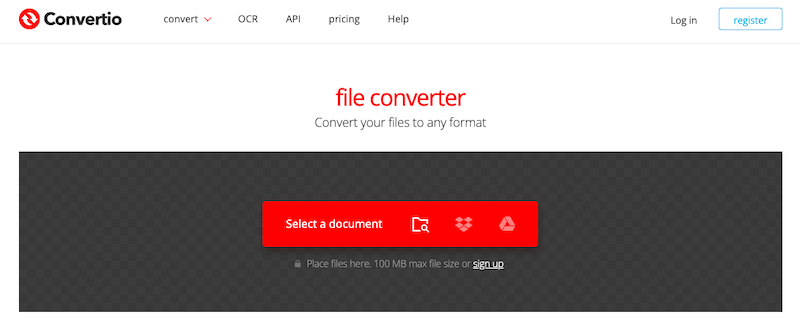
Convertio är ännu en förstklassig online-konverterare för RM till AVI. Convertio erbjuder ett urval av redigeringsverktyg. Förutom att konvertera RM till valfritt videoformat ger Convertio dig också möjlighet att välja videostorlek, codec och kanal. Filkonvertering är möjlig via URL-anslutningar, Google Drive, Dropbox, lokal lagring och andra tekniker. Den maximala konverteringsstorleken är dock 100 MB.
- Öppna en webbläsare och gå till Convertio.
- För att publicera dina RM-filer, använd Dropbox, din dator eller Google Drive. Tänk på att 100 MB är maxstorleken för gratisanvändare.
- Välj RM från rullgardinsmenyn. Genom att klicka på den kugghjulsformade ikonen kan du öppna inställningsrutan och ändra dina video- och ljudinställningar.
- Välj alternativet Konvertera för att konvertera RM till AVI gratis online.
- När konverteringen är klar, hämta AVI-filen och spara den lokalt.
freeconvert.com
Vi rekommenderar att du använder FreeConvert om du letar efter en gratis online-version. gratis video omvandlare för att konvertera RM till AVI. Över 1500 olika filtyper kan hanteras av denna online-konverterare. Nu kan du lita på FreeConvert för att konvertera RM till AVI. Detta onlineverktyg är säkert och tryggt att använda tack vare sin 256-bitars SSL-kryptering. Efter konverteringen kommer informationen att vara borta i två timmar. Det är enkelt att använda, så både proffs och nybörjare kan använda det.
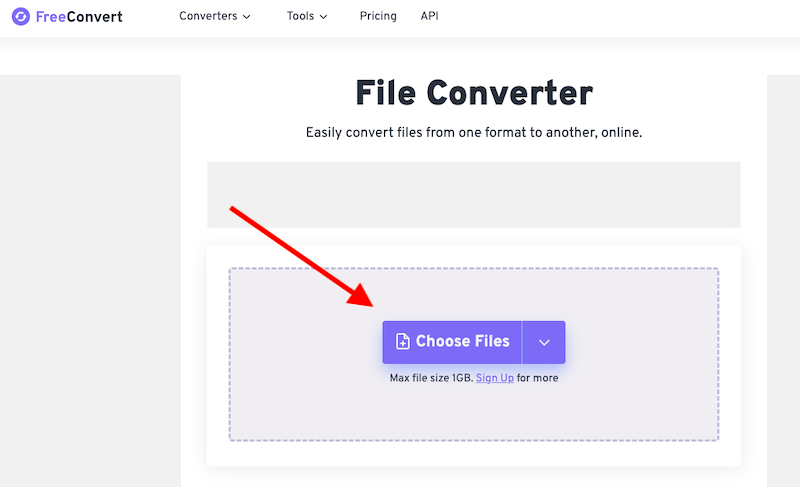
- Besök först FreeConverts webbplats.
- Klicka på Öppna efter att du valt Välj filer för att välja den video du vill konvertera till RM-format från. En URL, en fil på din dator, ett Google Drive-konto eller ett Dropbox-konto är alla acceptabla tillägg. Du kan välja ett annat alternativ genom att använda högerpilen bredvid "Välj filer".
- För att ändra dina video- eller ljudinställningar, flytta muspekaren till kugghjulssymbolen. Klicka sedan på Verkställ inställningar.
- Välj "AVI-konvertering." Efter konverteringen väljer du Ladda ner AVI.
Del 2. Hur kan jag konvertera RM-fil till AVI sömlöst?
Online-omvandlare är praktiska, men de har ibland nackdelar som filstorleksbegränsningar och beroende av internetåtkomst. iMyMac Video Converter är ett utmärkt alternativ för att övervinna dessa svårigheter och garantera en smidig konverteringsprocess. Detta robusta program erbjuder en mängd olika funktioner som är avsedda att förbättra och effektivisera konverteringsprocessen från RM till AVI. Förutom AVI kan det också enkelt hjälpa dig konvertera RM till MP4.
Använd iMyMac Video Converter för att konvertera RM till AVI genom att göra följande steg:
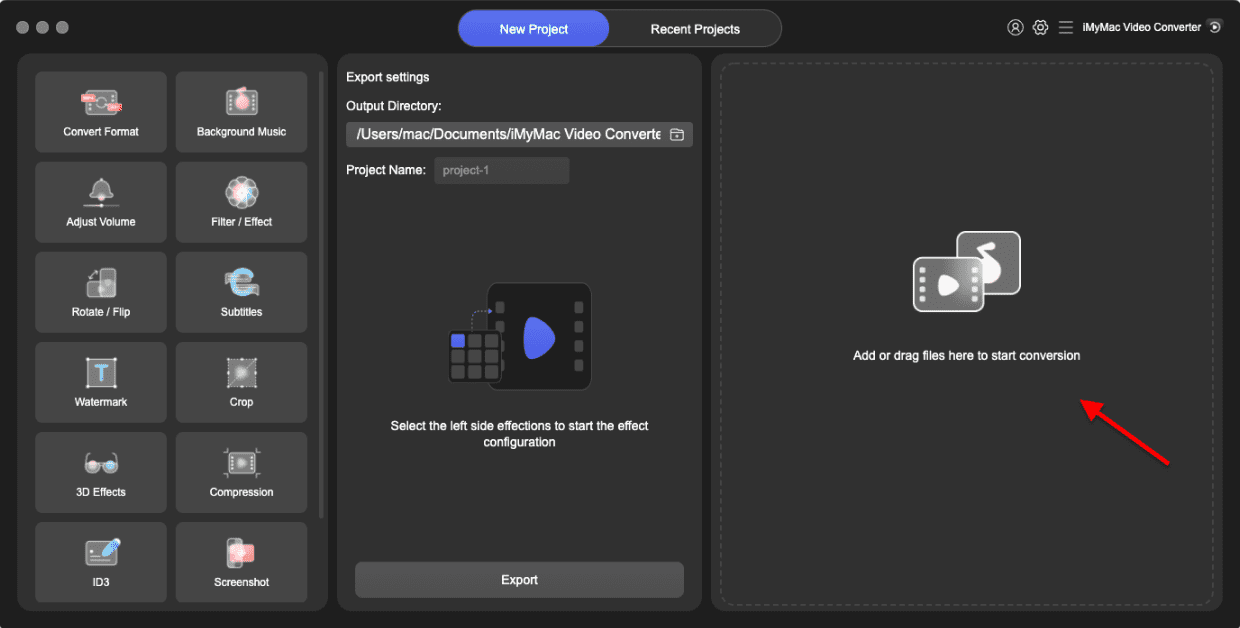
- Starta iMyMac Video Converter på din dator, antingen Mac- eller Windows-versionen.
- Ett annat alternativ är att dra och släppa RM-filen till systemets skärm.
- En rullgardinsmeny med alternativ som AVI visas när du klickar på "Konvertera format", så att du kan välja vilken typ av fil originalet ska konverteras till.
- Användargränssnittet gör det enklare att hitta filrevisioner. Du kan göra vilka ändringar du vill i filerna.
- Du kan spara alla dina ändringar genom att välja Spara.
- Välj ett konverteringsalternativ i verktygsfältet för att starta konverteringen.
Del 3. En jämförelse mellan RM- och AVI-format
Flera betydande skillnader mellan RM- och AVI-formaten blir uppenbara. Även om RM-filer är kraftigt komprimerade för effektiv streaming kan det finnas en avvägning när det gäller videokvalitet. AVI-filer, å andra sidan, ger större kontroll över komprimeringen, vilket möjliggör bättre bibehållen videokvalitet.
Till skillnad från RM-filer, som kan behöva vissa spelare eller plugins för att kunna spelas upp, är AVI allmänt kompatibelt över olika plattformar och kan därför enkelt spelas upp på en mängd olika enheter. Dessutom är AVI att föredra för videoredigering eftersom det fungerar bättre med ett bredare utbud av redigeringsprogram och kan bibehålla högre kvalitet under redigering. För att säkerställa kompatibilitet, bibehålla videokvaliteten och öka redigeringsmöjligheterna när du konverterar RM till AVI, ta hänsyn till följande kriterier. Du kan uppleva bättre videokvalitet, felfri uppspelning och mer flexibilitet i alla multimediaprojekt genom att använda AVI.
Del 4. Bottom Line
Slutligen ger konvertering från RM till AVI ytterligare alternativ för smidig uppspelning och videoredigering. Gratis internetkonverterare är praktiska, men de kan ha begränsningar vad gäller funktionalitet och filstorlek. För en mer omfattande och effektiv metod erbjuder iMyMac Video Converter en stark verktygslåda för att enkelt konvertera RM-filer till AVI. För att välja rätt format för dina ändamål, ta hänsyn till hur RM och AVI skiljer sig åt när det gäller kompatibilitet, komprimering, videokvalitet och redigeringsalternativ.


