


 Video Converter


Vill du konvertera APE till MP4APE (Monkey's Audio) är ett populärt förlustfritt ljudkomprimeringsformat, känt för sitt högkvalitativa ljud och effektiva komprimering. Det är dock inte alltid kompatibelt med alla enheter och programvaror, vilket kan vara ett problem om du vill lyssna på dina favoritlåtar när du är på språng.
Det är där processen att konvertera APE till MP4 kommer väl till pass. MP4 är ett ljudformat som stöds ofta och fungerar på de flesta enheter, vilket gör det till ett utmärkt alternativ för dem som vill göra sin musik mer portabel. I den här artikeln visar vi dig hur du konverterar APE till MP4. med hjälp av olika konverteringsverktyg så att du kan njuta av din musik var som helst och när som helst.
Innehåll: Del 1. Vad är APE-format?Del 2. Bästa APE till MP4-konverteraren på Mac/WindowsDel 3. Hur konverterar man APE till MP4 med gratis onlineverktyg?Del 4. Slutsats
Del 1. Vad är APE-format?
APE (Monkey's Audio) är ett högkvalitativt förlustfritt ljudkomprimeringsformat som formulerades av Matthew T. Ashland år 2000. Det är känt för sin förmåga att komprimera ljuddata utan att offra ljudkvaliteten.
APE använder faktiskt en prediktiv kodningsalgoritm, vilket innebär att den förutsäger vad nästa ljudprov kommer att vara baserat på de föregående proverna och sedan lagrar skillnaden mellan det förutspådda provet och det faktiska provet. Detta gör APE-filer mindre än okomprimerade ljudfiler, samtidigt som all originaldata från ljudet bibehålls.
En av de största fördelarna med APE är dess förmåga att komprimera ljud snabbt och förlustfritt. Till skillnad från förlustbringande komprimeringsformat som MP3, som tar bort en del ljuddata när ändra MP3-filer till AC3 För att uppnå en mindre filstorlek bevarar APE all originalljuddata. Det betyder att APE-filer låter exakt likadant som det ursprungliga källmaterialet, vilket gör dem idealiska för audiofiler och musikentusiaster som vill ha bästa möjliga ljudkvalitet.
Nackdelen med APE är dock att det inte har lika brett stöd som andra ljudformat som MP3 eller AAC. Detta kan göra det svårt att spela upp APE-filer på vissa enheter och programvaror. I nästa avsnitt ska vi titta på hur man konverterar APE till MP4, det mer allmänt stödda formatet.
Del 2. Bästa APE till MP4-konverteraren på Mac/Windows
När det gäller att konvertera APE till MP4 på Mac eller Windows, iMyMac Video Converter är ett utmärkt val. Det är ett mångsidigt videokonverteringsverktyg som kan konvertera olika video- och ljudformat med hög kvalitet och snabb hastighet. Här är en guide om hur man använder iMyMac Video Converter för att konvertera APE till MP4 på Mac eller Windows.
Steg 1. Ladda ner och installera iMyMac Video Converter
Först, ladda ner iMyMac Video Converter från den officiella webbplatsen och installera den på din Mac- eller Windows-dator.
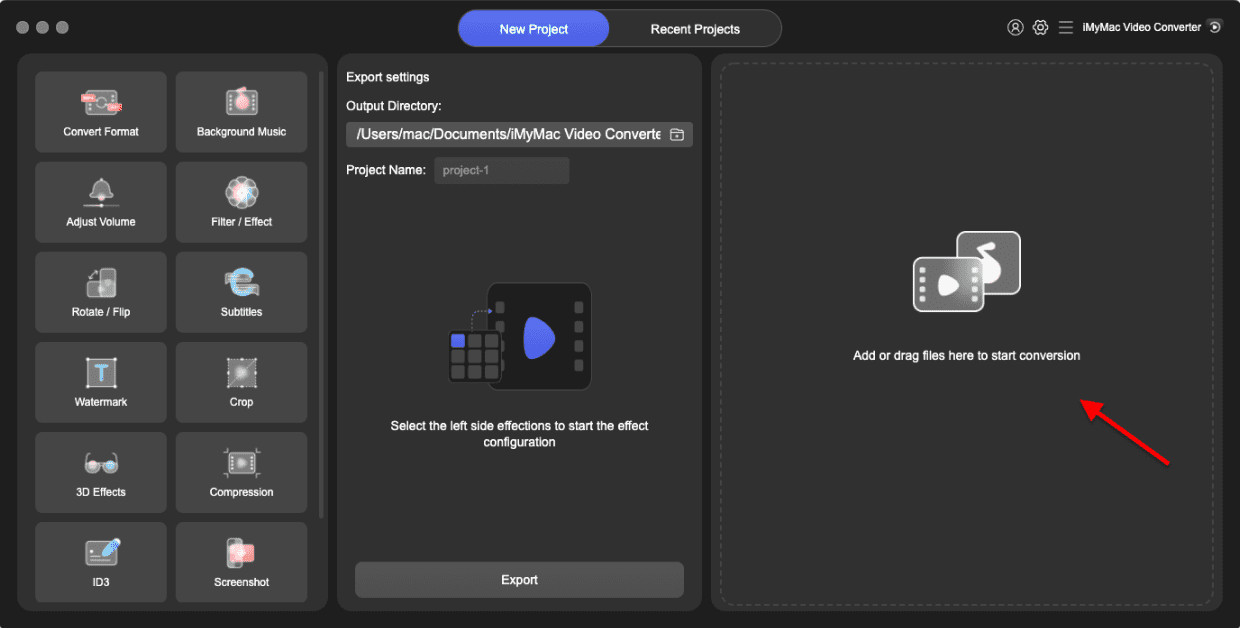
Steg 2. Lägg till APE-filer
Starta iMyMac-videokonverterare och klick på "Lägg till filer"-knappen för att lägga till de APE-filer som du vill konvertera.
Steg 3. Välj MP4 som utdataformat
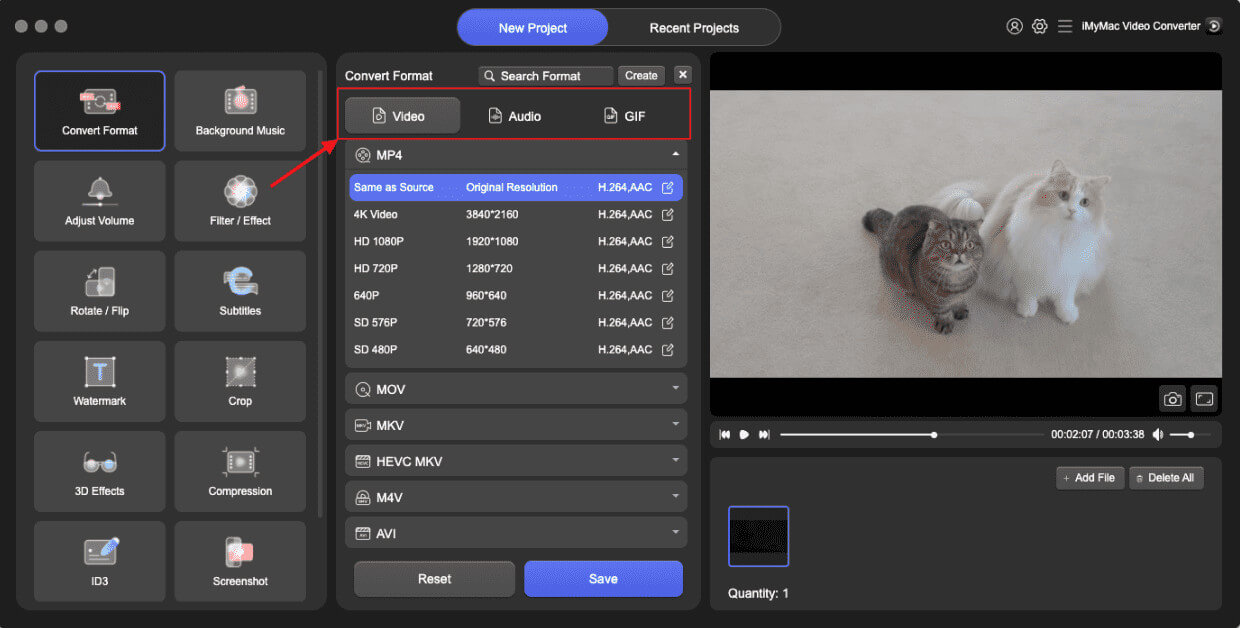
Välja "MP4" som utdataformat från rullgardinsmenyn i "Utdataformat"-avsnittet. I det här steget är du på väg att konvertera APE till MP4.
Steg 4. Justera inställningar
Om det är nödvändigt kan du göra det klick på "Inställningar"-knappen för att justera video- och ljudinställningar som upplösning, bithastighet, bildhastighet med mera.
Steg 5. Starta konverteringen
Klicka på "Export"-knappen för att starta konverteringsprocessen. Konverteringshastigheten beror på storleken och antalet filer du konverterar.
Steg 6. Kontrollera utdatafilerna
När konverteringen är klar kan du klicka på "Öppna mapp"-knappen för att kontrollera de utgående MP4-filerna.
Sammanfattningsvis är iMyMac Video Converter ett kraftfullt och användarvänligt verktyg som gör det enkelt att konvertera APE-filer till MP4 på Mac eller Windows. Med bara några få klick kan du konvertera dina APE-filer till MP4-format och njuta av dem på vilken enhet eller plattform som helst.
Del 3. Hur konverterar man APE till MP4 med gratis onlineverktyg?
Om du letar efter ett gratis och enkelt sätt att konvertera APE till MP4 utan att installera någon programvara kan du använda onlineverktyg. Här är tre populära onlineverktyg som kan hjälpa dig att snabbt och enkelt koda om APE till MP4.
Verktyg 01. FreeConvert.com
FreeConvert är en populär online-filkonverterare som stöder olika format, inklusive APE och MP4. Det är ett enkelt verktyg som inte kräver någon programvaruinstallation eller registrering. Det erbjuder också några grundläggande redigeringsfunktioner som låter dig justera videoinställningarna, till exempel upplösning, bitrate och bildhastighet.
Här är stegen för att konvertera APE till MP4 med FreeConvert:
- Gå till FreeConvert.
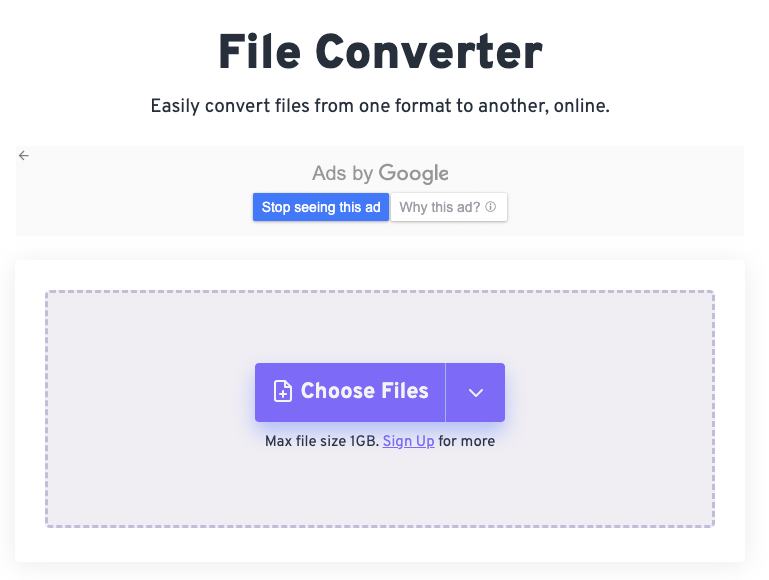
- Klicka på "Välj filer”-knappen och välj de APE-filer som du vill konvertera.
- Välja"MP4" som utdataformat.
- Klicka på "Konvertera”-knappen för att starta konverteringsprocessen.
- Download de konverterade MP4-filerna.
Verktyg 02. Zamzar.com
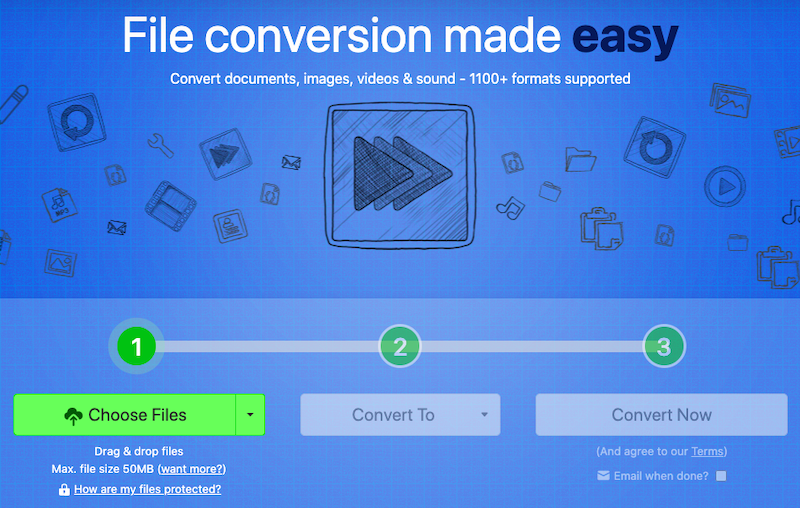
En annan online-filkonverterare som kan konvertera APE till MP4 är Zamzar. Den stöder ett brett antal format och har ett lättanvänt gränssnitt. Zamzar har också ytterligare funktioner, till exempel möjligheten att konvertera flera filer samtidigt och spara konverterade filer till Dropbox eller Google Drive. Så här använder du Zamzar för att konvertera APE till MP4:
- Besök Zamzar.
- Välja APE-filerna som ska konverteras genom att klicka på “Lägg till filer"-Knappen.
- I utdataformatet, välj"MP4".
- För att få nedladdningslänken, Till New Earth din e-postadress.
- För att starta konverteringsprocessen, klicka på “Konvertera"-Knappen.
Verktyg 03. Media.io
Media är en gratis onlinevideokonverterare som fungerar med en mängd olika codecs, inklusive APE och MP4. Det är ett grundläggande program som låter dig snabbt och enkelt konvertera filer. Så här använder du Media för att konvertera APE till MP4:
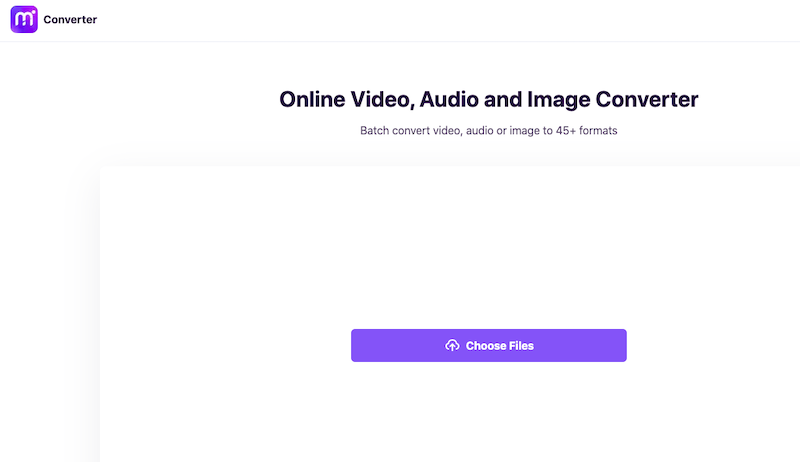
- Gå till Media.
- Använd "Dra och släpp eller tryck för att lägga till fil"-knappen för att välja de APE-filer du vill konvertera.
- Välja"MP4" som utdataformat.
- Klicka "Konvertera"-knappen för att starta konverteringsprocessen.
- Konverterade MP4-filer bör laddas ner.
Del 4. Slutsats
Sammanfattningsvis finns det olika sätt att konvertera APE till MP4, inklusive användning av programvara eller onlineverktyg. Programvara som iMyMac Video Converter erbjuder en kraftfull och användarvänlig lösning för användare som behöver konvertera filer ofta. Den stöder ett brett utbud av format och erbjuder avancerade redigeringsfunktioner som låter dig anpassa utdatavideon.
Dessutom är iMyMac Video Converter tillgänglig för både Mac och Windows, vilket gör det till ett mångsidigt alternativ för användare av alla typer.
Onlineverktyg som FreeConvert, Zamzar och Media kan vara en praktisk lösning för användare som behöver konvertera filer då och då. De kan dock ha begränsningar som filstorleksbegränsningar och långsam konverteringshastighet.
Sammantaget beror valet av konverteringsmetod på dina behov och preferenser. Om du behöver en pålitlig och funktionsrik lösning rekommenderas iMyMac Video Converter starkt. Med sina kraftfulla funktioner och användarvänliga gränssnitt är det ett utmärkt verktyg för alla som behöver konvertera APE till MP4 eller andra videoformat.



