


 PowerMyMac


Om du är frustrerad över begränsad Netflix bibliotek i ditt land, du är inte ensam. Många användare vill utforska det stora antalet tillgängliga innehåll i andra regioner. Lyckligtvis är lärande hur man ändrar Netflix-region ger dig tillgång till program och filmer från hela världen. Oavsett om du reser, bor utomlands eller bara letar efter variation, visar den här guiden dig säkra och effektiva sätt att byta region på Netflix. Dessutom introducerar vi ett praktiskt verktyg som säkerställer smidig streaming och optimerad systemprestanda på Mac.
Innehåll: Del 1. Allt om att byta Netflix-regionDel 2. Hur ändrar man region på Netflix?Del 3. Bonus: Optimera Mac-prestanda för smidig streamingDel 4. Slutliga tankar
Del 1. Allt om att byta Netflix-region
Varför behöver vi byta Netflix-region?
Netflix erbjuder olika bibliotek baserat på din plats på grund av licensavtal. Det betyder att amerikanska Netflix, till exempel, har ett väldigt annorlunda utbud jämfört med Japan eller Storbritannien. Om du vill ha tillgång till regionala exklusiva program eller innehåll som inte är tillgängligt i ditt land är det viktigt att lära sig hur man ändrar Netflix-region. Resenärer eller utlandsboende kan också vilja ha tillgång till sina hemlands program. Genom att ändra din Netflix-region låser du upp en mer mångsidig och anpassad tittarupplevelse.
Kan man lagligt ändra Netflix-region?
Tekniskt sett avråder Netflix användarvillkor från att använda metoder för att kringgå regionala begränsningar. Att använda verktyg som VPN eller Smart DNS är dock inte olagligt i de flesta länder – det strider helt enkelt mot Netflix policyer. Med det sagt är det viktigt att använda pålitliga och säkra verktyg. När man lär sig hur man ändrar Netflix-region bör integritet, datasäkerhet och efterlevnad av lokala lagar vara högsta prioritet.
Del 2. Hur ändrar man region på Netflix?
Det finns två huvudsakliga metoder du kan använda när du utforskar hur du ändrar Netflix-region:
1. Använda ett pålitligt VPN
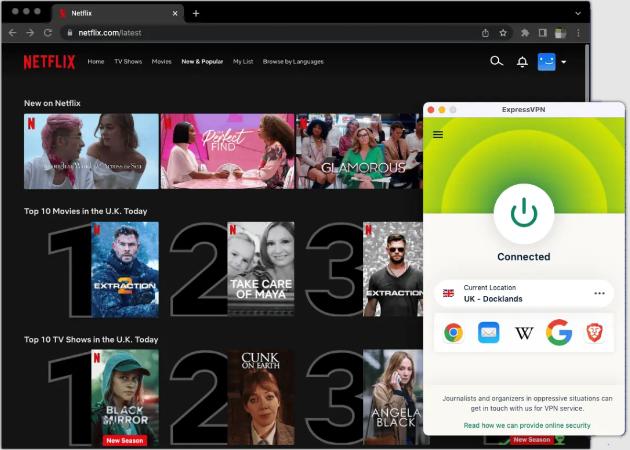
Ett VPN (Virtual Private Network) maskerar din IP-adress och dirigerar din internettrafik via servrar i ett annat land. Välj ett VPN som är känt för att kringgå Netflix detekteringsalgoritmer. När det är installerat:
- Anslut till en server i ditt önskade land.
- Öppna Netflix och bläddra i det landets katalog.
2. Använda smart DNS
Smarta DNS-tjänster omdirigerar endast vissa delar av din trafik relaterad till geolokalisering. Även om de inte är lika säkra som VPN, är de snabbare och kan fungera bra för streaming. Konfigurera en smart DNS via dina nätverksinställningar så kan du komma åt olika Netflix-regioner utan att ändra hela din IP-adress.
ViktigtEfter att du har bytt region kan cachade data störa dina nya inställningar. Det är här PowerMyMac kommer in i bilden.
Del 3. Bonus: Optimera Mac-prestanda för smidig streaming
Även med den bästa VPN:n eller smarta DNS:en kan din Macs prestanda påverka streamingkvaliteten. iMyMac PowerMyMac är ett smart verktyg som säkerställer att din enhet fungerar effektivt när du får åtkomst till Netflix-innehåll från andra regioner. Så här hjälper det:
- Spola DNS-cacheEfter att du har ändrat din Netflix-region kan gamla DNS-poster orsaka problem. PowerMyMac rensar DNS och webbläsarcache i ett klick.
- Optimera systemresurser: Den rensar systemskräp filer, hanterar startobjekt och frigör RAM – viktigt för HD-streaming.
- Förbättra nätverksstabilitetenRöriga system kan bromsa VPN- eller DNS-prestanda. PowerMyMac säkerställer minimal störning för smidigare streaming.
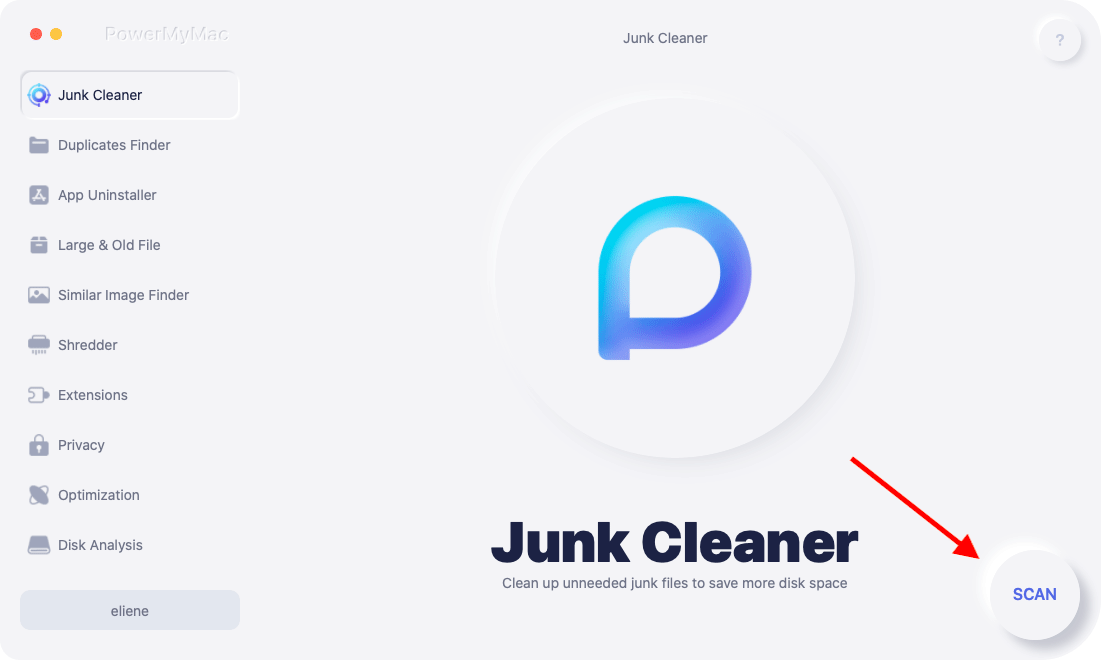
Så om du menar allvar med att lära dig hur man ändrar Netflix-region, skapar en kombination av ett VPN och PowerMyMac den perfekta miljön för problemfri åtkomst.
Del 4. Slutliga tankar
Att lära sig hur man ändrar Netflix-region öppnar dörren till en värld av innehåll. Med rätt VPN eller Smart DNS och stöd från PowerMyMac för optimal prestanda blir din Mac en kraftfull streamingmaskin. Nöj dig inte bara med lokalt innehåll – lås upp hela Netflix-upplevelsen idag!


