


 PowerMyMac


Numera kan du spela spel, spara viktiga filer eller bara surfa på internet med din Mac. Och om du använder din Mac under en längre tid, sparar du faktiskt mycket data på den, såväl som filer, cacheminnen och skräpfiler som du inte längre behöver på din Mac. Det är därför du kommer att behöva en kraftfullt verktyg som du kan använda för att rensa din Mac, frigör lite utrymme och ökar även prestandan för din Mac-enhet.
Sedan kan det komma till ämnet "PowerMyMac jämfört med CleanMyMac"eftersom de för närvarande är den mest framstående programvaran för rengöring av Mac på marknaden. Och med det sagt kommer vi att granska dessa två bästa Mac-applikationer som faktiskt kan hjälpa dig med allt som behöver göras på din Mac: PowerMyMac, som drivs av iMyMac; CleanMyMac, som drivs av MacPaw.
Tips:
Innehåll: Del 1. PowerMyMac JÄMFÖRT MED CleanMyMac: PowerMyMac Recension Del 2. PowerMyMac JÄMFÖRT MED CleanMyMac: Recension av CleanMyMacVilken är den bästa programvaran för att rensa min Mac?
Del 1. PowerMyMac JÄMFÖRT MED CleanMyMac: PowerMyMac Recension
Ocuco-landskapet iMyMac PowerMyMac är en av Mac-apparna som du kan ha på din Mac för att ta bort allt skräp och andra filer eller program som du inte längre behöver.
Det sägs vara en allt-i-ett-verktyg det kan hjälpa dig optimera och likaså städa upp din MacOch för att du ska få mer utrymme på din Mac behöver du bara några enkla klick med PowerMyMac.
 Få en gratis provperiod nu!
PowerMyMac VS CleanMyMac: Huvudfunktioner i PowerMyMac
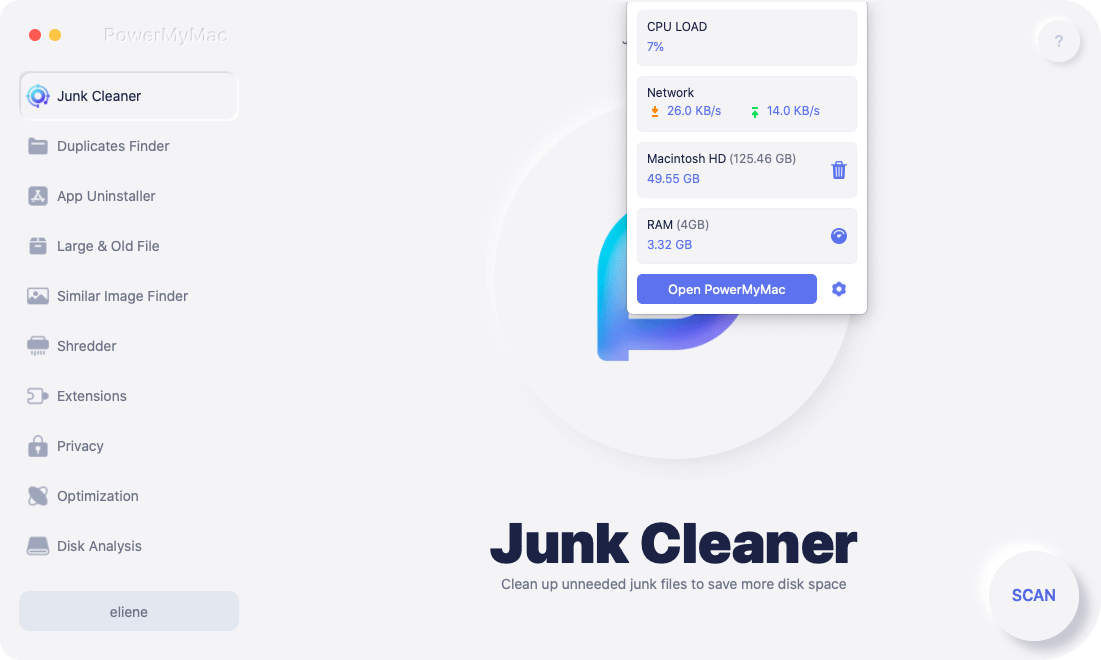
Performance monitor – PowerMyMac kan fungera som en monitor för din Macs prestanda. Du kommer att kunna titta närmare på din minnes- och processoranvändning, och hur mycket skräpfiler du kan rensa på din Mac.
Smart sanering – PowerMyMac har förmågan att rensa upp all känd röra som du har på din Mac på ett säkert sätt. Programmet sägs vara tillräckligt smart för att kunna identifiera filer som kan betraktas som skräp eller inte.
Minnesåterhämtare – PowerMyMac har möjlighet att hämta mer av din Macs minne genom att helt enkelt rensa upp alla filer som du inte längre behöver.
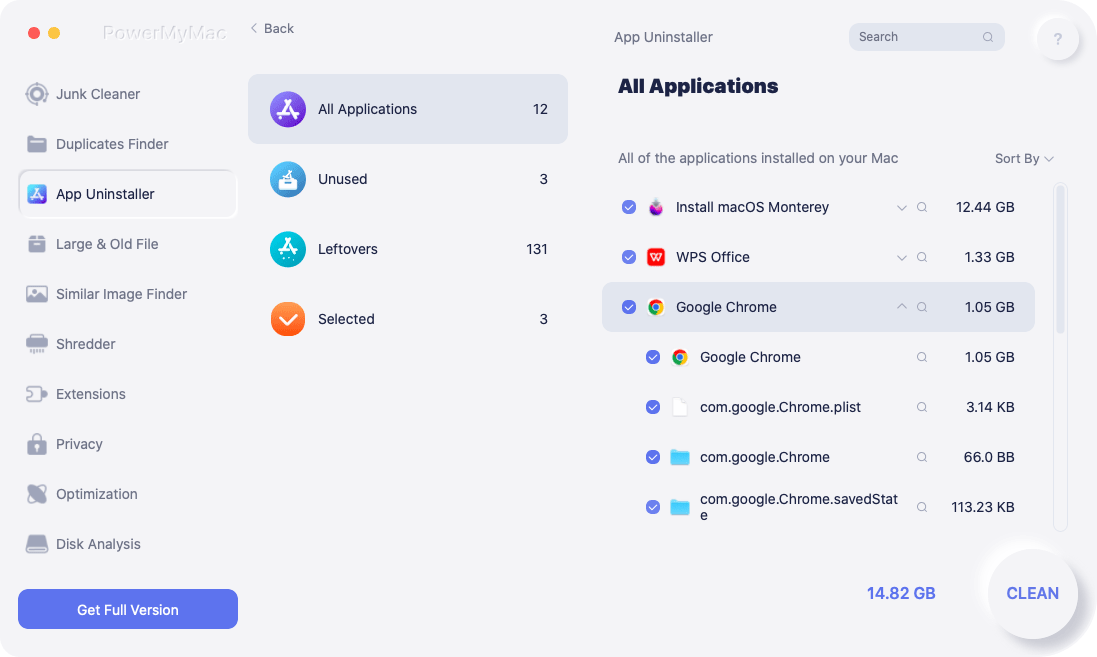
Application Uninstaller – Det här programmet har förmågan att avinstallera alla appar som du har på din Mac tillsammans med filerna som följer med appen.
Är det säkert att använda PowerMyMac?
Ja, självklart! PowerMyMac är utformad för att ge bästa möjliga säkerhet för din Mac och alla filer du har på din Mac. Den är notariebekräftad av Apple vilket innebär att alla dess koder är säkra.
Är PowerMyMac gratis?
PowerMyMac från iMyMac är faktiskt inte gratis att ha. Men den kommer också med en gratis provversionPå så sätt kan du kontrollera hur bra PowerMyMac kommer att fungera på din Mac-enhet. Och därmed får du samma funktionalitet med både gratisversionen och betalversionen.
PowerMyMac JÄMFÖRT MED CleanMyMac: Fler funktioner i PowerMyMac
Det finns flera moduler som medföljer PowerMyMac. Du kan se systemstatusen för din Mac, till exempel din minnesanvändning.
- Skräpstädare – Det låter dig välja allt skräp som du vill ta bort från din Mac. Det finns också alternativ under den här modulen: Systemskräp, Fotoskräp, E-postskräp, iTunes-skräp, Papperskorgen...
- Stora och gamla filer – detta hjälper dig att ta bort och radera alla onödiga stora och gamla filer som du har på din Mac.
- Duplicate Finder – detta hjälper dig att hitta alla dubbletter av filer, mappar och foton som du har på din Mac.
- App Uninstaller – Det här alternativet låter dig avinstallera alla program som du har på din Mac samt filer som är kopplade till apparna.
- Integritetspolicy – Det är här du kan rensa bort dina cookies, sökningar, nedladdningar och besök gjorda i din webbläsare.
- Dokumentförstörare - Den hjälper dig att radera oönskade filer eller mappar.
- Tillägg – Det är här du kan optimera några av de sällan använda inställningarna på din Mac. På så sätt kan du snabba upp och förbättra prestandan på din Mac.
- Liknande bildsökare – detta hjälper dig att hitta och ta bort alla dubbletter av foton på din Mac.
- Optimering - du kan använda den här modulen för att rensa DNS-cachen och frigöra Mac-RAM, etc.
Optimering är en verktygslåda som du faktiskt kan använda på din Mac för att åtgärda eventuella problem du har. Och med det finns det fem alternativ du kan välja mellan under den här modulen: Logga in objekt, Snabba upp e-post, Frigöra RAM, Frigöra rensbart utrymme, Rensa DNS-cache.
Del 2. PowerMyMac JÄMFÖRT MED CleanMyMac: Recension av CleanMyMac
CleanMyMac från MacPaw anses vara ett program som du kan skaffa till din Mac. Det beror på att det håller din Mac ren så att den kan köras smidigt. Som du vet är alla temporära filer som du har på din Mac faktiskt en av orsakerna till att din Mac kan bli långsam. Det beror på att eftersom du har en massa temporära filer som du inte tar bort på din Mac, desto långsammare blir din Mac ju mer minnet blir fullt.
Och med det erbjuder CleanMyMac dig ett komplett verktyg för att hantera de problem du har på din Mac.
Vad är CleanMyMac X?
CleanMyMac X är känd för att vara den senaste versionen av CleanMyMac från MacPaw. Den beskrivs med olika beskrivningar, till exempel med verktyget för att superladda en Mac-enhet. Vissa beskriver den som ett kraftfullt och snyggt program som kan hjälpa dig att hålla din Mac ren, snabbare och skyddad.
Om du går igenom deras webbplats kan du se att programmet kan hitta och ta bort stora och dolda filer på din Mac. Det kan också uppdatera, avinstallera och återställa applikationen på din Mac. Det kan också rensa webbläsaren och din chatthistorik. Och slutligen kan det även avsluta appar som har hängt sig och de som förbrukar mycket CPU.
Är det säkert att använda?
Absolut, ja. Detta är ur ett säkerhetsperspektiv och därför mycket säkert att använda. Programmet låter dig också radera filer från din hårddisk för att frigöra utrymme. Att använda CleanMyMac X låter dig inte ta bort några viktiga filer som du har på din Mac om du inte själv väljer att radera dem från din Mac.
Är CleanMyMac X gratis att ha?
CleanMyMac X-applikationen är egentligen inte en gratis app. Den kommer dock med en gratis testversion. På så sätt kan du uppleva hur CleanMyMac X fungerar för dig. På så sätt kan du se till att du har den applikation du verkligen behöver innan du spenderar dina pengar.
Och när du är nöjd med hur CleanMyMac X fungerar för dig kan du välja att köpa den som ett engångsköp eller så har du också möjlighet att prenumerera på programmet i ett år. Kostnaden för CleanMyMac X beror faktiskt på antalet Mac-datorer du planerar att ha programmet på.
- För 1 Mac – du kan köpa den för 89.95 dollar, prenumerera för 39.96 dollar per år.
- För 2 Mac-datorer – du kan köpa den för 139.95 dollar, prenumerera för 59.95 dollar per år.
- För 5 Mac-datorer – du kan köpa den för 199.95 dollar, prenumerera för 89.95 dollar per år.
CleanMyMac X sägs uppdateras vart tredje till fjärde år, vilket gör det ekonomiskt lönsamt att köpa den direkt. Uppgraderingen kostar 50 % av det normala priset, vilket gör den mer attraktiv.

PowerMyMac JÄMFÖRT MED CleanMyMac: Funktioner och funktioner hos CleanMyMac X
1. Rensa din Mac för att frigöra lagringsutrymme
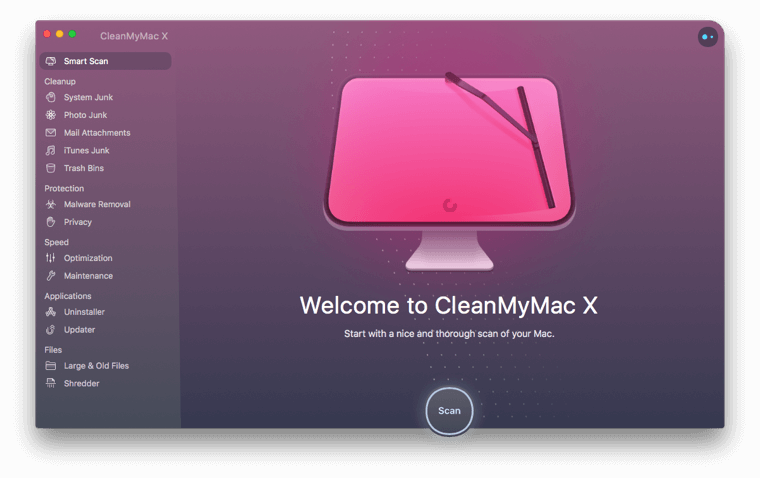
CleanMyMac X låter dig frigöra utrymme på din lagring. Detta görs genom att ta bort alla filer som du inte längre behöver på din Mac, till exempel skräpfiler. Några av de funktioner du kan använda för att frigöra utrymme på din Mac är följande.
- System skräp – det är här du tar bort alla tillfälliga filer som du har på din Mac.
- Photo Skräp – Det är här du kan ta bort alla foton som du faktiskt inte längre behöver på din Mac eftersom dessa foton tar upp mycket plats på din Mac.
- E-postbilagor – De e-postbilagor du har på din Mac kan vara stora eller små. Och när de väl har kombinerats kommer de att summeras och ta upp en enorm mängd plats på din Mac.
- iTunes skräp – Det är här du kan ta bort alla gamla iTunes-säkerhetskopior som du har på din Mac.
- Soptunna – Det är här du kan tömma papperskorgen på din Mac.
2. Skydda din Mac från skadlig programvara
Det här är en funktion som CleanMyMac X har som faktiskt hjälper dig att skydda din Mac från eventuell skadlig kod som kan skada din enhet. Här hittar du två alternativ som du kan använda.
- Borttagning av skadlig kod – Det här är ett alternativ som du kan använda för att skanna din Mac för att kontrollera om det finns skadlig kod och samtidigt ta bort den från den.
- Integritetspolicy - Detta gör att du kan ta bort all känslig information som din webbhistorik, autofyllda formulär och chattloggar som du har på din Mac. På så sätt kommer din Mac att komprometteras av hackare.
3. Snabba upp din Mac
När du känner att din Mac blir långsammare kan CleanMyMac hjälpa dig att öka prestandan. Och funktionerna som du kan använda i den här modulen är följande.
- Optimering - Med tiden kan program på din Mac starta vissa bakgrundsprocesser som körs kontinuerligt på din Mac. Och med CleanMyMac X kan den hjälpa dig att identifiera dem och ge dig ett alternativ om du vill köra dem eller inte.
- Underhåll – Den här funktionen hjälper din Mac att bibehålla sin hälsa så att du kan få en bättre upplevelse när du använder enheten.
4. Rensa upp program på Mac
Programvarorna du har på din Mac kan faktiskt orsaka en röra, särskilt när du avinstallerar ett visst program. Det är därför CleanMyMac X finns här för att hjälpa dig att rensa bort eventuella rester från dina appar.
- Uninstaller – vilket gör att du kan avinstallera program på din Mac och bli av med kvarvarande appar.
- Updater – detta gör att du kan uppdatera alla program som du har på din Mac.
5. Rensa dina filer
Det är här du kan hantera filerna du har på din Mac.
- Stora och gamla filer – där du kan hitta alla stora filer som du har på din Mac.
- Shredder – det här är ett verktyg som du kan använda för att ta bort filer som du inte längre behöver från din Mac och som inte längre kan återställas av något program.
Människor Läs också:6 lösningar för att ta bort skadlig kod på MacTopp 6 sätt att ta bort virus från Mac
Vilken är den bästa programvaran för att rensa min Mac?
Efter jämförelse anser vi att funktionerna hos dessa två programvaror är likartade, men PowerMyMac är mycket billigare. Du kanske kan prova att ladda ner och använda PowerMyMac för att se om det kan uppfylla dina behov.


