


 Video Converter


Om du någonsin har spelat in HD-TV-program med ett digitalt TV-mottagarekort är chansen stor att du har stött på filer med .tp-tilläggetDessa filer är vanligtvis högkvalitativa transportströmsvideoformat, men de har kompatibilitetsproblem. De flesta enheter och mediaspelare stöder inte TP-filer, vilket gör det svårt att spela upp, dela eller redigera innehåll utan konvertering.
Lyckligtvis, konvertering TP till MP4 — ett universellt stödt videoformat — kan lösa dessa problem direkt. MP4-filer är allmänt kompatibla över olika plattformar, inklusive smartphones, smarta TV-apparater och redigeringsprogram. I den här guiden ska vi utforska hur man snabbt konverterar TP-filer till MP4. Låt oss dyka in och göra dina videofiler mer tillgängliga.
Innehåll: Del 1. Vad är TP-filer?Del 2. Konvertera TP-filer till MP4 på Windows/MacDel 3. Konvertera TP-filer till MP4 onlineDel 4. Slutsats
Del 1. Vad är TP-filer?
En TP-fil är en videofil som spelas in med TV-mottagare eller digitala videoinspelare. "TP" står för "Transport Stream Packet", vilket är ett containerformat som används för att sända HD-TV. Dessa filer lagrar vanligtvis MPEG-2 videodata, tillsammans med ljud och metadata, inspelade från trådlösa TV-sändningar.
Varför ska vi konvertera TP till MP4?
- KompatibilitetTP-filer är inte kompatibla med de flesta vanliga mediaspelare. Genom att konvertera till MP4 kan dina videor spelas upp på praktiskt taget alla enheter, inklusive telefoner, surfplattor, smarta TV-apparater och spelkonsoler.
- FörvaringseffektivitetTP-filer är ofta stora på grund av sin okomprimerade eller mindre komprimerade natur. MP4-filer använder avancerade komprimeringstekniker (som H.264), vilket avsevärt minskar filstorleken samtidigt som den höga videokvaliteten bibehålls.
- Redigering och delningMP4 stöds i stor utsträckning av videoredigeringsprogram och sociala medieplattformar, vilket gör det mycket enklare att arbeta med ditt videoinnehåll.
- PrestandaAtt spela TP-filer kan förbruka mer CPU-kraft jämfört med MP4-filer, som är optimerade för prestanda och streaming.
Del 2. Konvertera TP-filer till MP4 på Windows/Mac
Hur konverterar man TP till MP4? iMyMac Video Converter är idealiskt för användare som vill ha en pålitlig offline-lösning för videokonvertering. Det är ett kraftfullt och användarvänligt skrivbordsverktyg som stöder ett brett utbud av videoformat, inklusive TP. Det fina med det här verktyget är att du också kan redigera dina videor med det. Du kan till exempel rotera, trimma, klippa eller beskära videor. Du kan också välja att redigera mättnad, nyans, ljusstyrka och andra inställningar med verktyget.
Viktiga funktioner i iMyMac Video Converter
- Stöder batchkonvertering.
- Erbjuder flera utdataformat inklusive MP4, MOV, AVI och mer.
- Inbyggd videoredigerare med trimning, beskärning och tillägg av effekter.
- GPU-acceleration för snabbare bearbetning.
Hur man använder iMyMac-videokonverteraren
Låt oss utforska hur du kan använda iMyMac Video Converter för att enkelt konvertera TP till MP4.
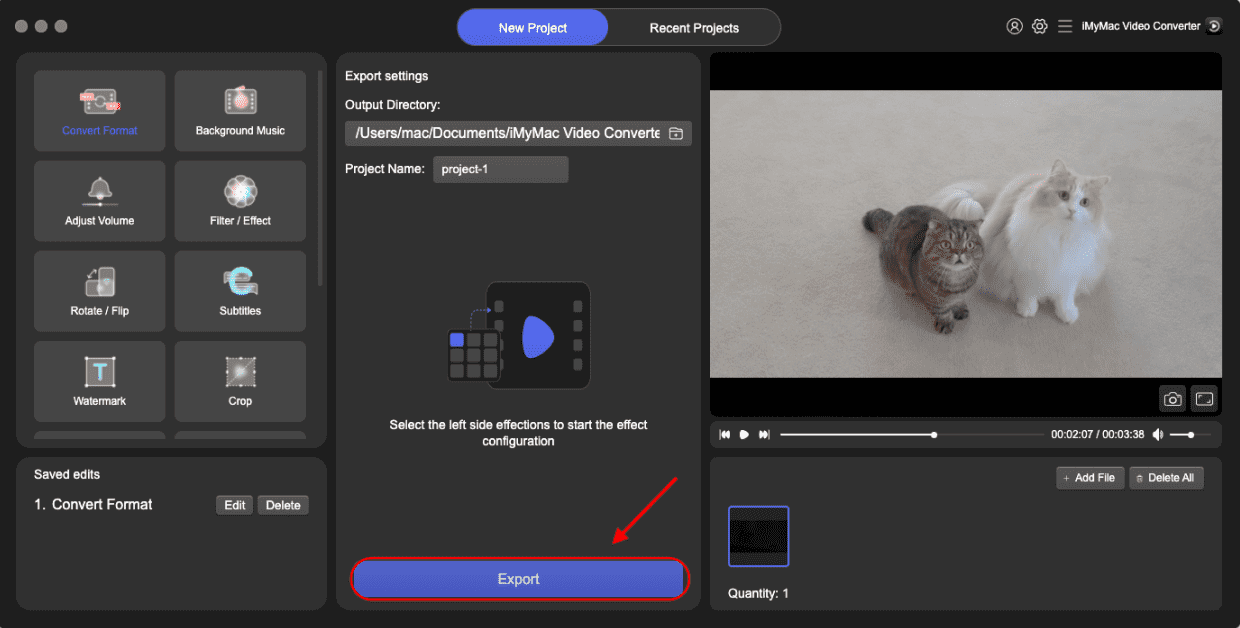
- Starta iMyMac Video Converter-programvaran på din dator, antingen Mac- eller Windows-versionen. När du är klar loggar du in på ditt konto.
- Ett annat alternativ är att dra och släppa TP-filen till systemets skärm.
- En rullgardinsmeny visas när du klickar på "Konvertera format", så att du kan välja vilken typ av fil originalet ska konverteras till, till exempel MP4.
- Att hitta filändringar är nu enklare tack vare användargränssnittet. Du kan redigera filerna precis som du vill.
- Du kan spara alla dina ändringar genom att välja Spara.
- För att starta konverteringsprocessen, välj ett konverteringsalternativ i verktygsfältet.
Del 3. Konvertera TP-filer till MP4 online
Om du föredrar en lösning utan nedladdning finns det flera gratis videokonverterare online som kan hantera konvertering från TP till MP4. Här är några pålitliga verktyg:
1. CloudConvert
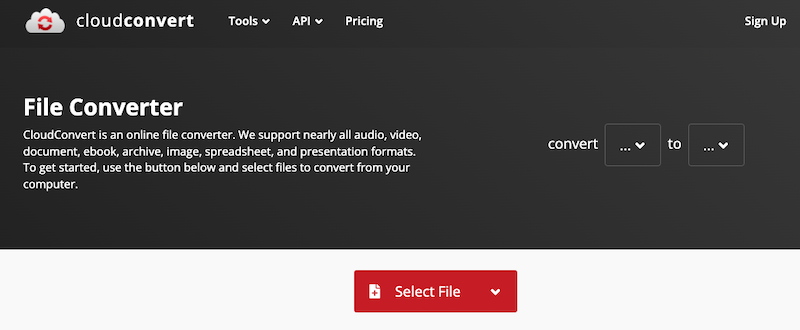
CloudConvert är en webbaserad filkonverteringstjänst som stöder över 200 format, inklusive video-, ljud-, dokument-, bild- och arkivfiler. Den låter användare enkelt konvertera TP till MP4 utan att installera någon programvara. Även om det är gratis för begränsad användning, erbjuder CloudConvert även betalda planer för större filer, fler konverteringar och snabbare bearbetning med prioriterat stöd.
2. Convertio
Convertio är en populär onlineplattform för filkonvertering som stöder en mängd olika format, inklusive video, ljud, bilder, dokument och mer. Den gör det möjligt för användare att konvertera TP till MP4 direkt i webbläsaren utan att behöva installera någon programvara. Convertio erbjuder ett enkelt dra-och-släpp-gränssnitt och tillåter filuppladdningar från en dator, Google Drive, Dropbox eller via URL. Gratisanvändare har en filstorleksgräns (vanligtvis 100 MB), medan premiumplaner låser upp högre gränser och snabbare konvertering.
3. FreeConvert
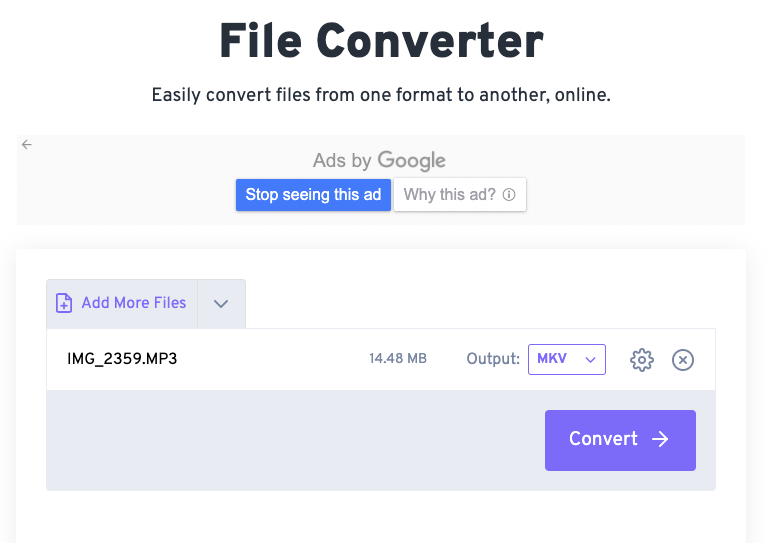
FreeConvert är ett mångsidigt online-filkonverteringsverktyg som stöder många format, inklusive video-, ljud-, bild-, dokument- och e-boksfiler. FreeConvert har ett användarvänligt gränssnitt och erbjuder anpassningsalternativ som videokodek, skärmstorlek, bildfrekvens med mera. Plattformen använder SSL-kryptering och raderar filer efter två timmar för att garantera integritet. FreeConvert är gratis för grundläggande användning, med premiumplaner som erbjuder större filstorleksgränser och snabbare bearbetning.
Obs:
Medan onlineverktyg är praktiska för snabba, små konverteringar, erbjuder iMyMac Video Converter bättre prestanda för stora filer och batchbehandling. Onlineplattformar begränsar ofta filstorlek, hastighetsbegränsning och är beroende av din internetanslutning. Däremot fungerar iMyMac helt offline, vilket säkerställer högre hastighet, högre kvalitet på utdata och mer kontroll över videoinställningar och redigering.
Dessutom minskar iMyMacs GPU-acceleration bearbetningstiden avsevärt, vilket är idealiskt för att konvertera flera eller stora TP-filer. Om du arbetar med videoinnehåll ofta eller behöver avancerade funktioner som trimning, effekter och undertexter är skrivbordslösningen mer mångsidig och pålitlig än gratis onlineverktyg.
Del 4. Slutsats
Ökad kompatibilitet och flexibilitet uppnås genom att konvertera TP till MP4-format. Medan MP4 har blivit populärt på en mängd olika enheter och system, är TP-filer begränsade till sändningar och har mindre kompatibilitet. Oavsett om du föredrar en robust programvarulösning som iMyMac Video Converter eller vill ha enkelheten hos onlineverktyg, finns det en metod för alla behov.
För tillfälliga användare med små filer är onlineverktyg snabba och gratis. Men för regelbunden användning, batchbehandling eller stora filer ger en dedikerad videokonverterare som iMyMac överlägsen prestanda och funktionalitet. Välj den metod som bäst passar ditt arbetsflöde och börja njuta av dina TP-videor problemfritt.



