


 PowerMyMac


Whether you're a student, global traveler, remote worker, or language enthusiast, having a reliable translate app for Mac can make life easier. But with so many options available, how do you choose the best one? In this guide, we’ll explore the top translator apps for Mac that deliver unmatched performance, usability, and features. Let’s dive in!
Contents: Part 1. Is There a Translate App on Mac?Part 2. Top 6 Translator Apps for Mac You Can TryPart 3. Extra Tips: Delete Translate App Cache EasilyPart 4. The Final Words
Part 1. Is There a Translate App on Mac?
Yes, macOS includes a built-in translation tool introduced in macOS Big Sur. The native "Translate" feature allows users to translate text in Safari, and as of later versions, system-wide translation is supported via right-click options and Spotlight.
While it’s handy for quick translations, it has limitations compared to full-featured translation apps, especially when it comes to offline use, voice translation, and multiple language inputs. That's where third-party apps come in.
Part 2. Top 6 Translator Apps for Mac You Can Try
What is the most accurate translate app for Mac? To help you find the right translation app, I tested several dozen apps. Here are my best picks.
1. Google Translate (Web + Chrome Extension)
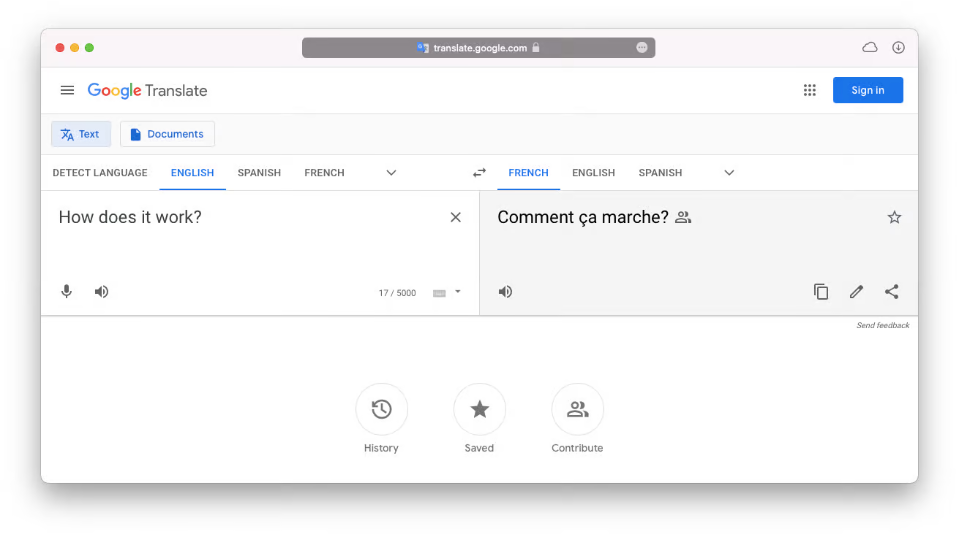
Google Translate is one of the most widely used translation tools globally, and while it doesn't come as a standalone Mac app, it functions seamlessly through any browser, especially with the Chrome extension. It supports over 100 languages, offers real-time translation of text, speech, handwriting, and even images through your phone's camera (via mobile integration).
For Mac users, the Chrome extension is the most practical option. It can auto-detect languages on web pages and translate them instantly, making it excellent for browsing foreign content. The interface is clean, and the translation speed is lightning fast. Although the translations are sometimes literal, they’re improving rapidly thanks to Google’s AI updates.
Price: Free
Pros
- Completely free
- Supports over 100 languages
- Voice input and pronunciation playback
- Great for travelers and students
Cons
- Internet connection required
- Contextual accuracy can vary
- No true offline desktop support
2. DeepL Translator (Desktop App & Web)
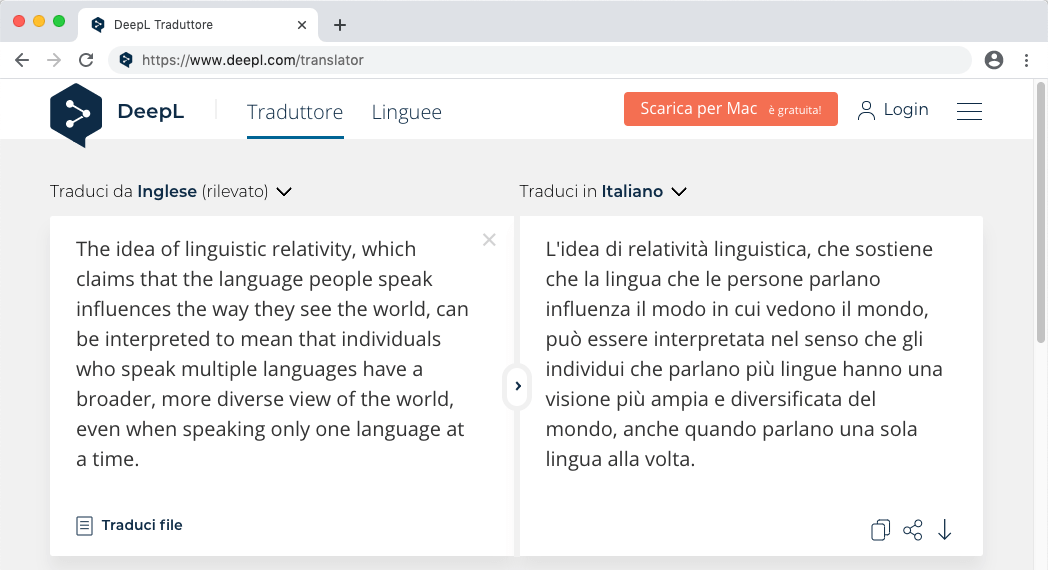
DeepL is one of the best translate app for Mac available in the market. It is widely recognized for its unmatched translation accuracy, particularly for European languages. Its AI-based system goes beyond word-for-word translation, delivering natural-sounding and context-aware outputs. Mac users can install the desktop app, which integrates with macOS and allows instant translation of selected text using a shortcut.
DeepL supports fewer languages (currently around 30) compared to Google Translate, but excels in grammar, tone, and fluency. For professionals handling sensitive documents, DeepL Pro offers end-to-end encryption, unlimited text, and the ability to translate files directly (e.g., Word, PowerPoint).
Price: Free (Basic) / €8.99+ per month for Pro
Pros
- Incredibly accurate and fluent translations
- Easy-to-use desktop app for macOS
- File translation support in Pro
- Strong privacy for Pro users
Cons
- Limited to ~30 languages
- Free version restricts character input
- No voice translation
3. iTranslate for Mac
iTranslate is a popular cross-platform translation app with a dedicated macOS version that combines text, voice, and website translation. It supports over 100 languages, offers offline translation, and includes a built-in phrasebook for quick access to common expressions—ideal for travelers and language learners.
The app’s interface is sleek and modern. Voice translation works well in many languages, and it even includes a dictionary with verb conjugations in different tenses, which is great for students. Pro users get access to camera translation, offline capabilities, and website translation in Safari via an extension.
Price: Free (Basic) / $5.99 per month or $49.99 per year (Pro)
Pros
- Voice translation with playback
- Offline mode available
- User-friendly and lightweight
Cons
- Some advanced features behind paywall
- Occasional inconsistencies in uncommon languages
- Subscription model may not appeal to casual users
4. Microsoft Translator
Microsoft Translator is also one of the best translate app for Mac I have tested. Microsoft Translator offers impressive value at no cost, and it’s backed by Microsoft’s powerful AI technology. This app supports over 70 languages, and its standout feature is real-time conversation translation—perfect for meetings or multilingual group chats. It also allows multi-device sync, enabling group translations using different devices.
The interface is simple but functional. You can translate text, voice, conversations, and images. Microsoft Translator also supports offline translation packs for key languages. While it doesn’t offer a dedicated Mac app, it works well in Safari and via the web. It integrates seamlessly with other Microsoft products like Word and Outlook, making it a strong contender for business users.
Price: Free
Pros
- 100% free
- Real-time conversation translation
- Multi-device support
- Integrates with Microsoft Office
Cons
- No official standalone macOS app
- Fewer languages than Google Translate
- Interface could use a design refresh
5. Mate Translate
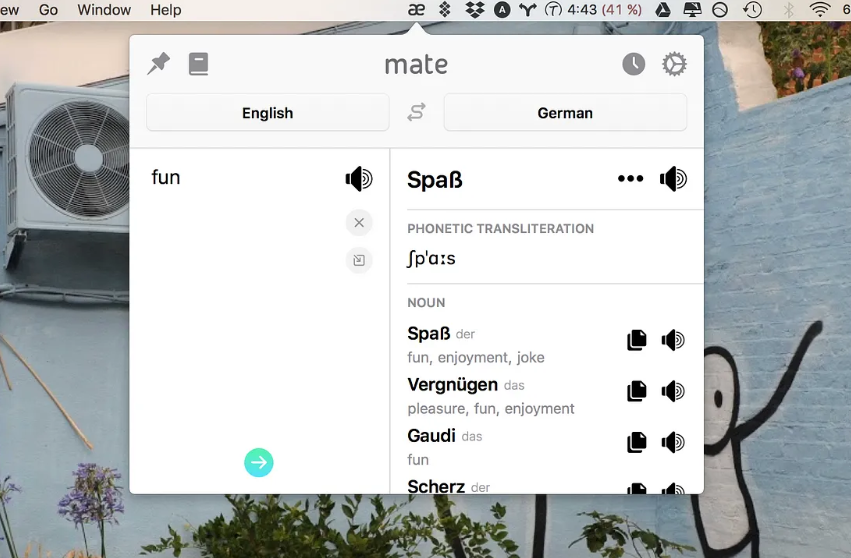
Looking for the best translate app for Mac? Mate Translate is built specifically with macOS users in mind, featuring a polished, native interface and deep integration with Safari and other macOS functions. It supports 103 languages, stores your translation history, and syncs across devices using iCloud.
Its standout features include clipboard translation, where it instantly translates any copied text, and keyboard shortcuts that allow for quick popup translations. Unlike many apps, Mate doesn't require a subscription, making it a great long-term investment for regular users. It also supports voice pronunciation and even lets you build custom phrasebooks.
Price: $29.99 one-time (Mac App Store) / Free trial available
Pros
- One-time purchase (no subscription)
- Excellent macOS integration
- Fast, accurate, and privacy-focused
Cons
- Lacks full voice input capability
- No image or document translation
- Doesn’t support offline mode
6. Reverso Context
Reverso is more than just a translator—it’s a language learning tool that specializes in contextual translation. It shows how words and phrases are used in real-life sentences, helping you learn not only what something means but how it's commonly used.
The Reverso Mac experience works best via browser, but the web app functions smoothly. It’s particularly effective for French, Spanish, Italian, and German learners. You also get grammar suggestions, audio pronunciation, and integrated flashcards.
Price: Free / $9.99 per month for Premium
Pros
- Contextual examples for better learning
- Grammar and conjugation tools
- Flashcards and audio pronunciation
Cons
- Not a full-featured desktop app
- Fewer supported languages
- Better suited for language learners than travelers
Part 3. Extra Tips: Delete Translate App Cache Easily
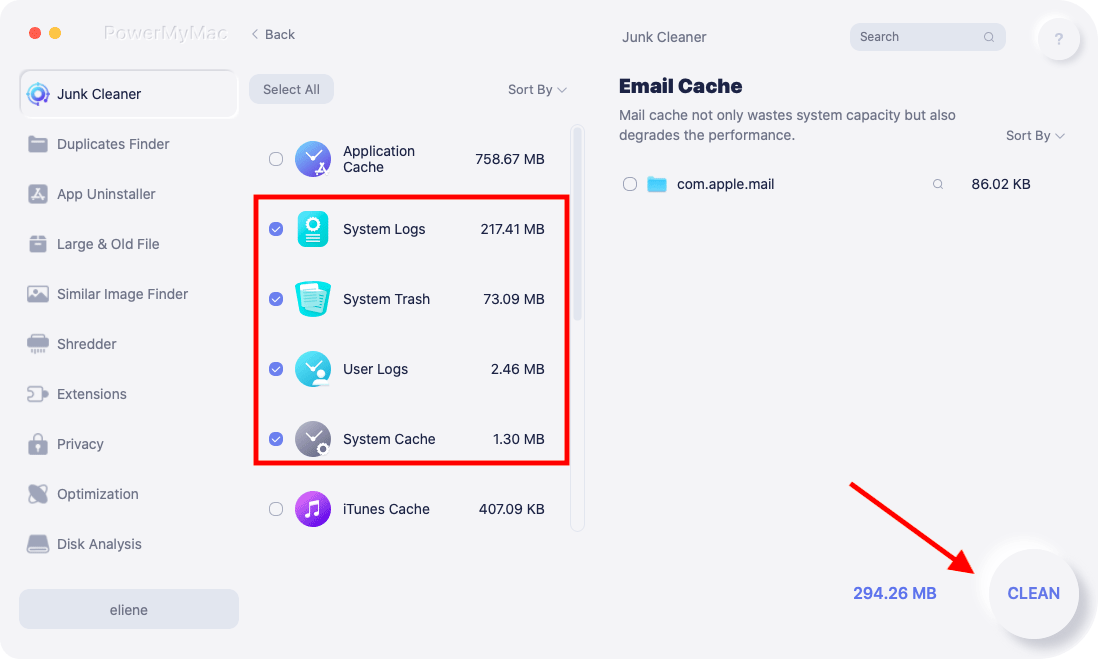
Over time, a translate app for Mac, like many others, can accumulate cached data that slows performance. While clearing your cache on Mac seems simple, it’s not always as easy as you might think. When it comes to system and application caches, unless you’re an advanced user, it’s best not to mess around with folders that might accidentally break something.
A dedicated computer maintenance solution like iMyMac PowerMyMac for Mac can help you by deleting your browser and application cache automatically and taking care of unnecessary files without deleting anything important. PowerMyMac also includes modules for uninstalling apps, monitoring CPU/memory usage, and managing extensions.
Part 4. The Final Words
Mac users have no shortage of translation tools at their fingertips—from Apple’s built-in features to powerful third-party apps like DeepL and iTranslate. Whether you’re translating for work, school, or travel, there's an app suited to your needs. For optimal performance, don’t forget to keep your apps clean and snappy with tools like iMyMac PowerMyMac. Try a few of these top picks and discover which one becomes your go-to translation companion.


