


 Video Converter


The purpose of a DVD ISO image file is to create a 1:1 identical digital duplicate of a DVD disc that can be used for digital backups and to write content to a blank DVD disc. It includes all of the information on the DVD disc. Only a few ISO players can play ISO photos because of their size. Converting ISO to MPG in this situation is a wise move.
Why choose MPG? MPG provides numerous advantages over ISO, including less size, greater compatibility, and quicker transmission. Additionally, because MPG video container and DVD-Video both employ the MPEG-2 video standard, this conversion may be finished rapidly without transcoding. Let's look at how to convert ISO files to MPG for free and without difficulty.
Contents: Part 1. Do I Need to Convert ISO Files to MPG?Part 2. Free Online Converters to Convert ISO Files to MPGPart 3. Best Option to Convert ISO Files to MPGPart 4. Conclusion
Part 1. Do I Need to Convert ISO Files to MPG?
A DVD, CD, or Blu-ray disc's full contents are stored in the disc image file format known as ISO. MPG is a multimedia file type that stores video and audio files using MPEG compression. When you wish to extract the video data from an ISO file and watch it on hardware or software that supports MPG format, you might have to convert ISO to MPG. This conversion makes playback simpler and more compatible.
Part 2. Free Online Converters to Convert ISO Files to MPG
1. FreeConvert.com
Using the free online video conversion program FreeConvert, many people have converted ISO to MPG files. Other file types, including pictures, units, documents, e-books, music, and more, are also supported for conversion. Your own device, Google Drive, Dropbox, or an internet URL are all acceptable sources for your ISO file uploads.
- To begin, go to the Freeconvert website.
- Click Pick Files, then click Open to select the video you want to convert into an MPG file. You may also upload a file on your computer, a Dropbox file, a Google Drive file, or a URL. Press the right arrow next to the "Choose Files" button to choose an option.
- Click the Cogwheel icon to modify the audio and video options. Then, click Apply Settings.
- Click on "MPG Conversion." After the conversion is finished, click Download MPG.
2. Zamzar
One other option for converting ISO to MPG is Zamzar, one of the best web-based conversion service providers. Thanks to its exceptional versatility, usefulness, and accessibility, users can convert ISO to MPG on Windows and Mac computers without installing a separate TP file converter. The trial version of Zamzar allows for the simultaneous conversion of up to 25 files. It functions rapidly and accepts a wide variety of file types. Another benefit is the 150 MB file size restriction. The shortcoming of Zamzar is that it just offers converting capabilities and no editing tools.
- Visit Zamzar, enter the ISO file you wish to convert, select MPG as the desired output file type, and then select Convert.
3. FreeFileConvert
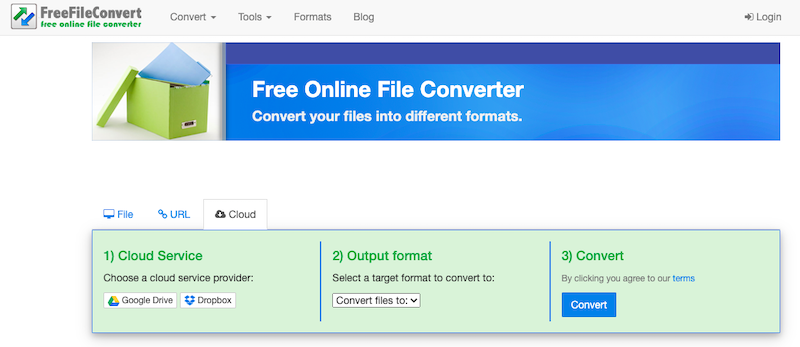
Using FreeFileConvert is an additional free way to convert ISO to MPG. It is absolutely free and easy to use. However, FreeFileConvert offers an additional advantage in that there aren't any restrictions on the number or size of files that can be converted. However, if you're pressed for time, it could display too much advertising, which would make it less than ideal.
- To access the conversion window, choose "File" to transmit a file from your personal device or "Cloud" or "URL" to submit a file from another place.
- Click "Choose File" to the left of the file you want to convert.
- After choosing the final format, in this case, MPG, click "Convert" to begin the conversion process. The process will take some time, depending on the size of the uploaded video. You will be given a link to download the file once the conversion is complete.
4. FileZigZag
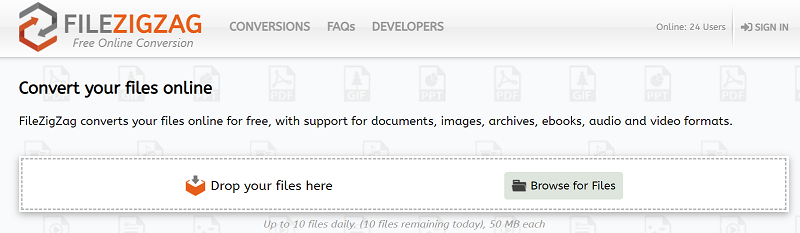
As a free online application for file conversion, FileZigZag also allows you to archive and distribute cloud-based copies of your documents, pictures, audio files, and videos. FileZigZag is a free online application that makes it easy to convert documents into a variety of different file formats. Using the FileZigZag online tool, you can turn any Word document into a PDF file or any PDF file into any other document type.
- Take a look at FileZigZag.com.
- Choose the files you wish to convert.
- Select MPG as the output format for the file conversion.
- From the drop-down option, choose "Convert."
- Depending on the quantity and kind of content, the time required for files and documents to become available for downloading might sometimes fluctuate.
Part 3. Best Option to Convert ISO Files to MPG
Many individuals have expressed frustration with the sluggish pace of ISO to MPG conversion or have not yet discovered an appropriate program for handling copy-protected DVD ISO files. You can now convert ISO files to MPG for free and avoid all the usual issues that have been bothering you by using iMyMac Video Converter.
With the aid of iMyMac Video Converter, converting an ISO picture file just requires three steps. The program also offers a wide range of functionality, including DVD burning, video editing, and video download. Additionally, you can resize video on Mac and Windows, so that it plays well on other devices and platforms
The steps are explained in the tutorial that follows. Install the free ISO to MPG converter on your PC after downloading it.
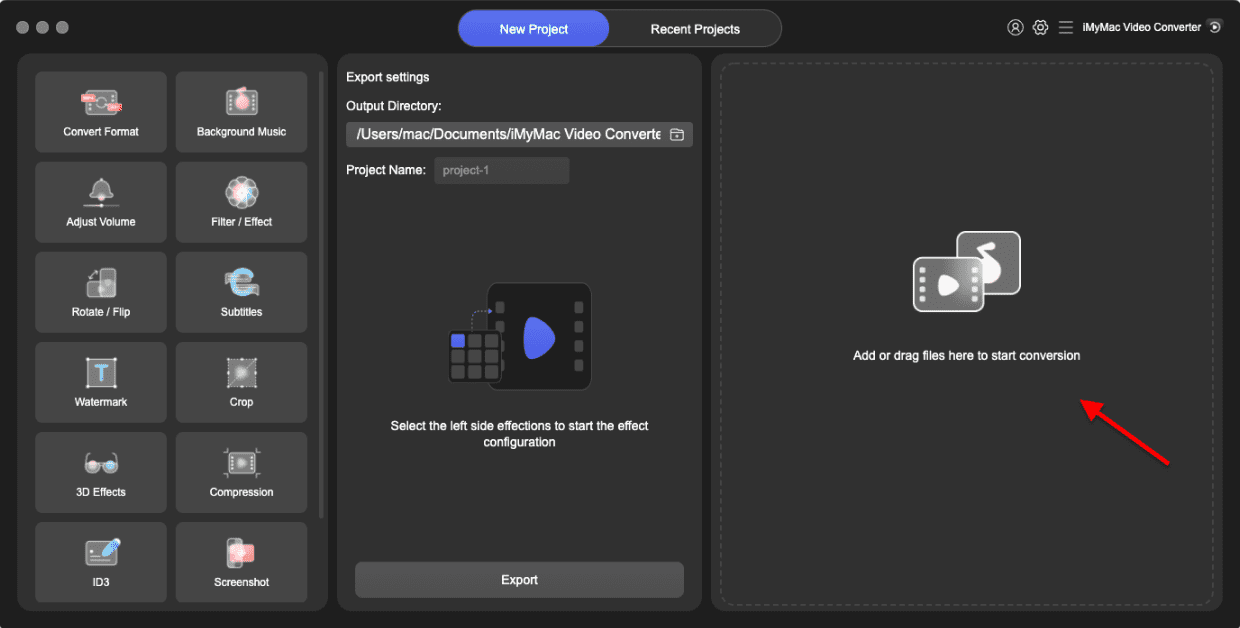
- Launch the iMyMac Video Converter software on your computer, either the Mac or Windows version. Once you're done, log into your account.
- Another option is to drag and drop the ISO file onto the system's display.
- A drop-down menu will appear when you click "Convert Format," enabling you to choose the kind of file the original should be converted into, such as MPG.
- Finding file modifications is now easier as a result of the UI. You are allowed to make whatever changes you want to the files.
- You may save all of your changes by selecting Save.
- To start the converting process, choose a conversion option from the toolbar.
Part 4. Conclusion
Many users decide to utilize a specialized ISO player or attach ISO files to a virtualized DVD drive for the DVD ISO image playing, only to discover it's a waste of time. By converting ISO photographs to digital formats, it is much simpler to playback ISO images. And this post demonstrated how to easily convert ISO to MPG.


