


 Video Converter


MPG is a widely used video format, but when it comes to DVD burning or playback on DVD players, the VOB format is often required. Converting MPG to VOB ensures that your videos can be properly formatted for DVD use. In this guide, we explore the top 5 tools that allow you to convert MPG files to VOB efficiently. Read on to learn the differences between these file formats and discover which software best suits your needs.
Contents: Part 1: What Are MPG and VOB Files?Part 2: 5 Best Converters to Convert MPG Video to VOBPart 3: Conclusion
Part 1: What Are MPG and VOB Files?
What is MPG?
MPG is a multimedia format that stands for Moving Picture Experts Group. It typically uses MPEG-1 or MPEG-2 video compression and is designed for storing video and audio efficiently. MPG files are commonly used in video CDs, internet streaming, and broadcasting due to their relatively small size and good quality.
 Related Article: MPG vs MP4: Which is Your Better Format?
What is VOB?
VOB (Video Object) is a file format used to store video, audio, subtitles, and DVD menu contents on DVDs. VOB files are formatted as part of the DVD-Video media and are usually found in the VIDEO_TS folder of a DVD. They use MPEG-2 video compression and are essential for DVD playback on standalone players.
Difference Between MPG and VOB
While both MPG and VOB files can use MPEG-2 video compression, their structures and uses are different. MPG is a more general video format suitable for streaming and editing, while VOB is specifically designed for DVDs. VOB files also contain additional elements like subtitles and menu data, making them essential for full DVD functionality. Converting MPG to VOB is often necessary when authoring DVDs or preparing content for physical media distribution.
Part 2: 5 Best Converters to Convert MPG Video to VOB
1. iMyMac Video Converter (Windows/Mac)
iMyMac Video Converter is a powerful, all-in-one multimedia tool that supports a wide range of file formats. Not only VOB, this powerful software also allows you to easily convert your MPG files to MP4, WMV, MPG, AVI, and more, with just a few clicks.
iMyMac Video Converter offers fast conversion speeds, high-quality output, and an intuitive user interface that makes it ideal for both beginners and advanced users. With hardware acceleration, batch processing, and built-in editing tools, it's perfect for users who want precise control over their conversions. The software allows users to adjust resolution, bitrate, and codec settings. Whether you're preparing a file for DVD or simply converting it for compatibility, iMyMac gets the job done reliably.
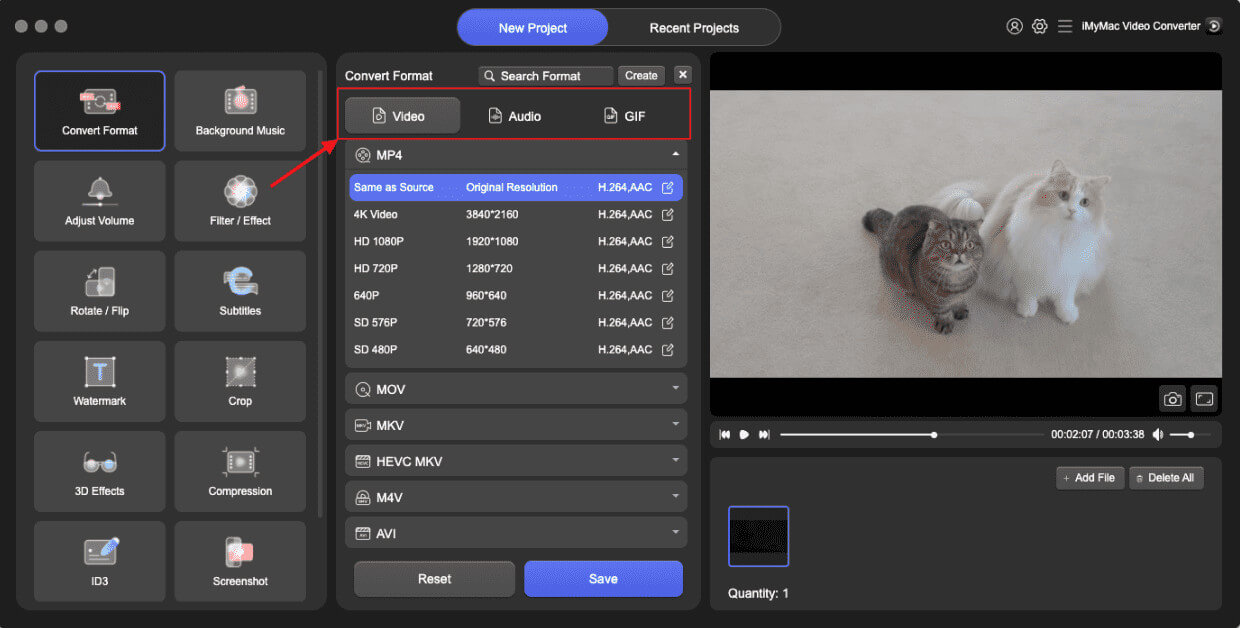
Let’s see how to convert MPG to VOB with iMyMac Video Converter:
- Launch the iMyMac Video Converter software on your computer, either the Mac or Windows version. Once you're done, log into your account.
- Dropping or dragging the MPG file onto the system's display always works.
- After choosing "Convert Format," a drop-down option letting you pick the sort of file the original should be converted into, such as VOB, appears.
- Finding file modifications is now a lot easier, thanks to the user interface. The files may be edited in any way you choose.
- You may save all of your changes by selecting Save.
- To start the converting process, choose a conversion option from the toolbar.
2. Movavi Video Converter (Windows/Mac)
Movavi Video Converter is a well-known tool in the video editing space. It offers excellent performance, fast processing, and wide file format support. MPG to VOB conversion is seamless and comes with options to customize bitrate, resolution, and frame rate. Movavi also features preset profiles for DVDs, which simplifies the process of preparing files for burning. With its drag-and-drop interface, even new users can convert files within minutes.
How to convert MPG video to VOB? Read the steps below to find out!
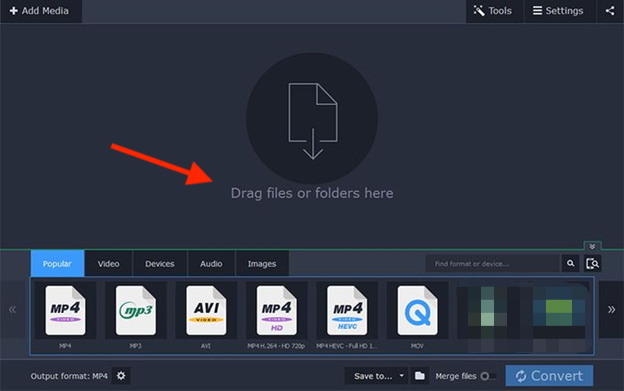
- Download the version of the software for Microsoft Windows or Macintosh, launch it, and proceed following the on-screen instructions.
- Locate the MPG files you want to convert and drag and drop them into the program’s window.
- Select “VOB” from the output format list.
- Adjust output settings as needed.
- Choose a destination folder.
- Click “Convert” to begin the conversion.
While Movavi Video Converter is efficient and user-friendly, it does come with a few drawbacks. One of the main limitations is that the free version also adds a watermark to some outputs and restricts batch conversions. Additionally, while it's suitable for basic users, professionals may find it lacks certain advanced editing or DVD authoring features found in more specialized tools.
3. Aiseesoft Video Converter (Windows/Mac)
Aiseesoft Video Converter is a professional-grade software that supports over 1000 video/audio formats. It stands out for its high-speed conversion, batch processing capabilities, and editing features like trimming, merging, and watermarking. The program is optimized for both beginners and advanced users with its straightforward design and rich feature set. It also supports GPU acceleration for faster conversions.
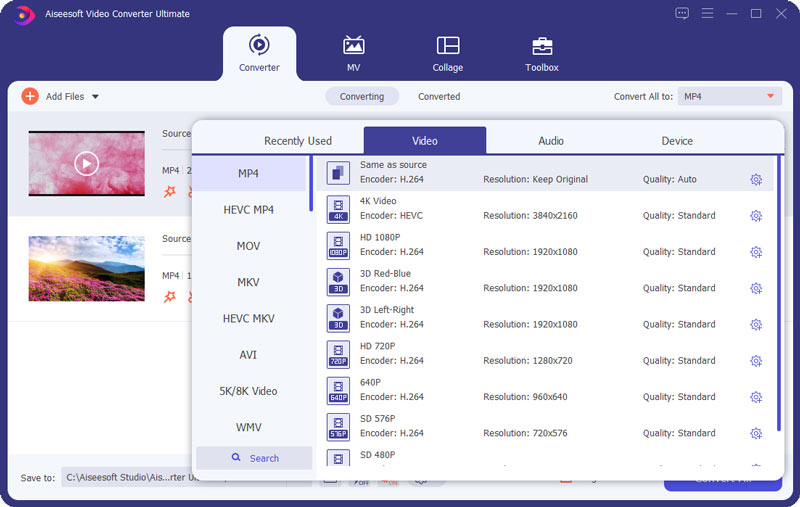
Follow the steps below to convert MPG to VOB with Aiseesoft.
- Install Aiseesoft Video Converter on your desktop.
- Drag-n-drop the MPG files to VOB with different standards.
- Modify audio/video settings if necessary.
- Pick an output location.
- Click “Convert All” to start processing.
The software interface, while feature-rich, can be overwhelming for beginners due to the numerous options and settings. Additionally, conversion speed may vary depending on system performance, and occasional crashes have been reported with large files. It also lacks built-in DVD burning, which may require additional software for DVD authoring.
4. Convertio (Online)
Convertio is a web-based video converter that allows users to convert MPG files to VOB format without installing any software. It’s ideal for users who only need occasional conversions and prefer an online platform. Convertio supports multiple formats and integrates with cloud services like Google Drive and Dropbox. It’s easy to use and processes files quickly, depending on file size and internet speed.
Convertio is a convenient online converter, but it has several limitations. Free users face strict file size limits (100MB per file), which can be problematic for larger videos. Conversion speed depends heavily on internet connectivity and server load, potentially causing delays. Additionally, there are limited customization options compared to desktop software (like iMyMac Video Converter), and sensitive files must be uploaded to the cloud, raising privacy concerns.
5. ConvertFiles (Online)
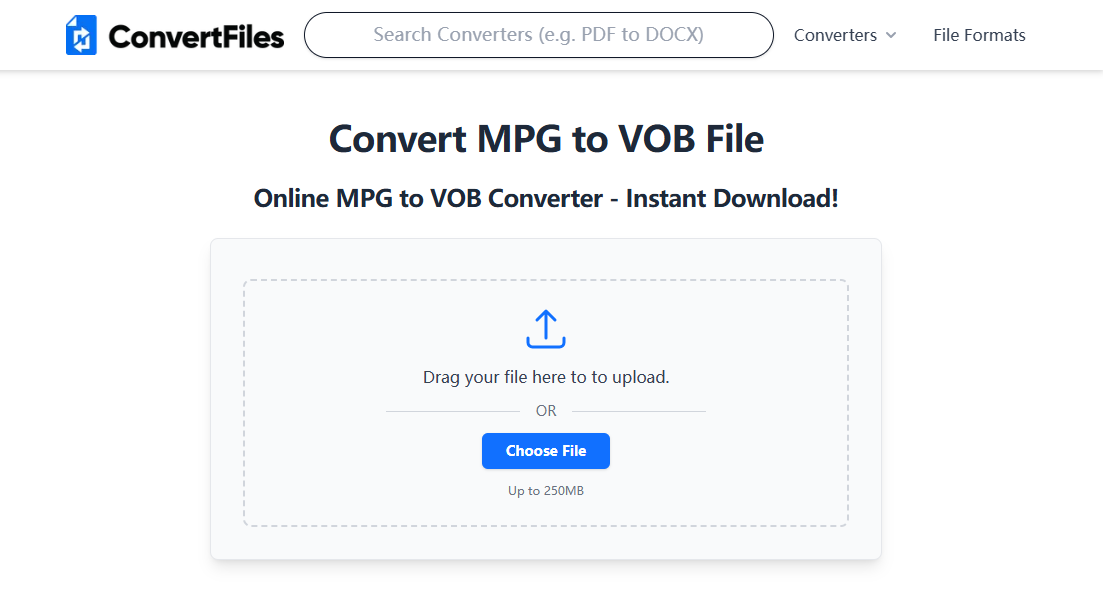
ConvertFiles is another free online tool that supports MPG to VOB conversion. It's a simple, no-frills service for users looking to convert files quickly. While it doesn’t have the customization options of desktop tools, it gets the job done for basic needs. There's no software installation required, and files are deleted after download for privacy.
ConvertFiles offers basic online conversion, but it has notable drawbacks. The interface is outdated and lacks advanced features such as batch processing or customizable output settings. File size limits are relatively low, making it unsuitable for large or high-resolution videos.
Part 3: Conclusion
Converting MPG to VOB is essential for DVD compatibility, and the tools listed above offer both powerful and user-friendly solutions. For consistent quality, speed, and advanced features, iMyMac Video Converter remains our top recommendation. No matter which option you choose, converting your video files for DVD playback or distribution has never been easier. Choose the method that best suits your workflow and enjoy seamless media conversion.


