


 PowerMyMac


Transcribing audio and video content can be a time-consuming task, especially if you're doing it manually. That's why transcription apps have become an essential tool for many professionals and students alike. Fortunately, Mac users have a variety of options to choose from.
In this article, we'll introduce you to some of the best transcription apps for Mac to help you find the one that suits your needs. Whether you're a journalist, a researcher, a content creator, or just someone who needs to transcribe interviews or lectures, these apps will save you time and effort while ensuring accuracy and quality. Let's dive in!
Contents: Part 1: Does Mac Have Its Transcription App?Part 2: 8 Best Transcription Applications for Mac UsersPart 3: How to Choose Professional Transcription Application?Part 4: Extra: Remove Unwanted Transcripts from MacPart 5: Conclusion
Part 1: Does Mac Have Its Transcription App?
Yes, macOS does include some built-in voice-to-text features, primarily through Voice Control and Dictation. These tools are suitable for basic tasks like voice typing in documents or controlling your Mac with speech. However, they’re not full-fledged transcription tools.
Dictation works well for short-form, live speech input, but lacks the ability to transcribe long audio files or recognize multiple speakers. Voice Control, on the other hand, is primarily an accessibility feature. For users needing professional-grade transcription (with features like timestamps, speaker labels, or bulk file processing), the built-in options fall short. In those cases, third-party apps are far superior in accuracy, usability, and advanced features.
Part 2: 8 Best Transcription Applications for Mac Users
For Mac users, having the right transcription tool that complements macOS performance is crucial. In this section, we'll explore the best 8 transcription apps for Mac that'd make working with your transcript easier.
1. Otter.ai
Otter.ai is one of the highly praised transcription apps for Mac, known for its AI-powered accuracy and collaborative features. It works seamlessly on Mac via a web browser and includes a mobile app for recording on the go. Otter provides real-time transcription, speaker identification, searchable transcripts, and sync with Zoom.
 Related Posts: How to Easily and Completely Uninstall Zoom on Mac?
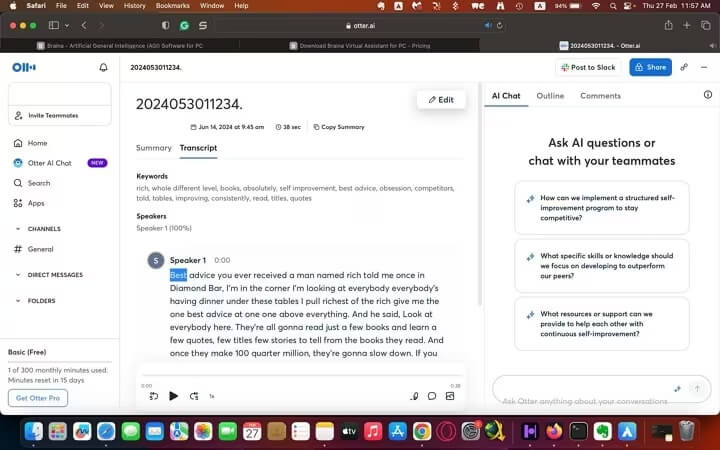
Pricing: Free plan available; Premium from $8.33/month
Best for: Professionals, students, teams needing real-time transcription
Pros:
- High transcription accuracy
- Real-time syncing and collaboration
- Integrates with Zoom
Cons:
- Requires internet access
- Not optimized for offline usage
2. Descript
Descript is an all-in-one transcription and audio editing platform. It allows users to edit audio by editing text and comes with podcasting tools, multitrack editing, and screen recording. It stands out in part because it spares you much of the bother associated with utilizing conventional video editing programs. Instead of watching all the videos, you may simply skim the written content this way.
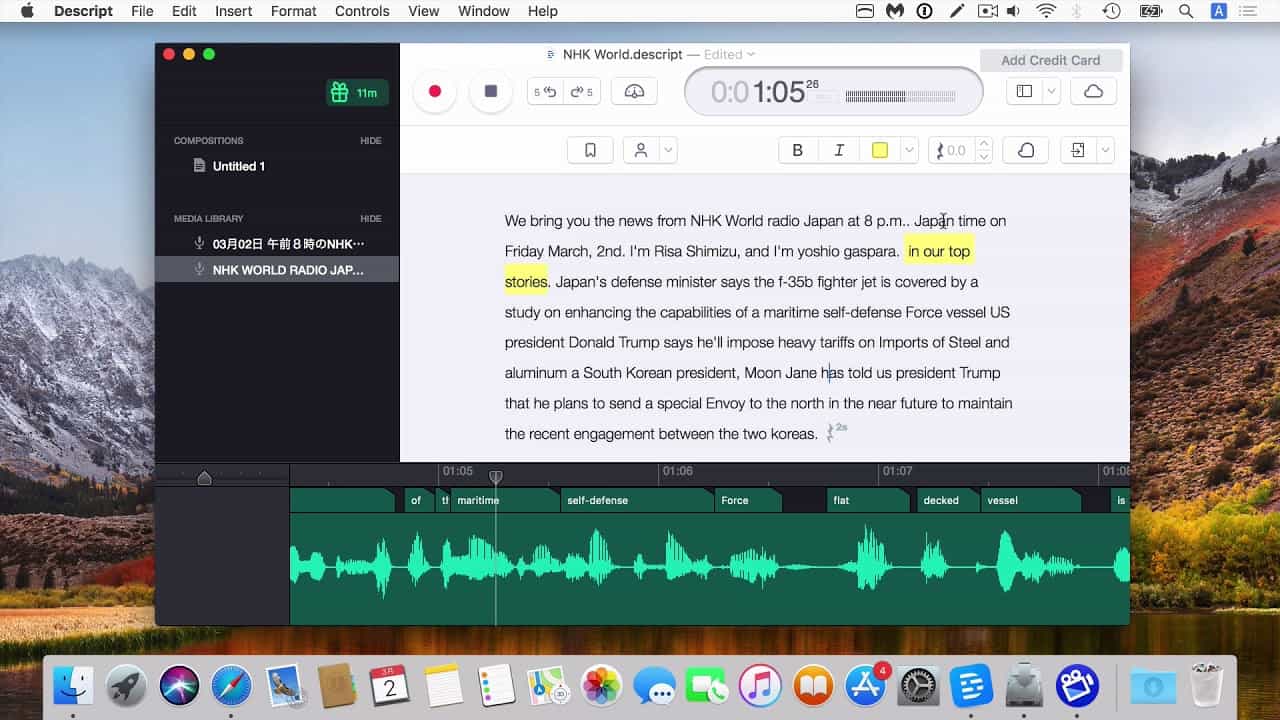
Pricing: Free limited version; Paid plans from $12/month
Best for: Podcasters, video editors, content creators
Pros:
- Intuitive text-based editing
- Screen and audio recording
- Cloud syncing
Cons:
- Learning curve for beginners
- Desktop app is resource-intensive
3. MacWhisper
MacWhisper is one of the most popular transcription apps for Mac users. It is a native Mac app using OpenAI’s Whisper model to transcribe audio files locally. It offers high accuracy and strong privacy since no internet is needed. This is a significant advantage for journalists, lawyers, or healthcare professionals who handle sensitive information. However, this also means that the app is dependent on the user's hardware capabilities. For instance, using the Medium and Large models requires more than 8GB of RAM, which could be a limiting factor for those with older or less powerful Macs.
Pricing: Free; Pro starts at $10
Best for: Privacy-conscious users, developers
Pros:
- Local processing
- Supports multiple languages
Cons:
- Requires Apple Silicon for best performance
- UI can feel technical
4. Trint
Trint is a powerful AI-powered transcription platform designed for professionals who need fast, accurate, and editable transcripts. Compatible with Mac through its web-based interface, Trint uses advanced speech-to-text algorithms to convert audio and video into searchable, editable text in over 30 languages. One of its standout features is the ability to edit transcripts like a text document while syncing the text to the original audio, making it ideal for journalists, content creators, and enterprise teams.
Pricing: From $48/month
Best for: Global teams, media professionals
Pros:
- Supports many file types and languages
- Collaborative workspace
Cons:
- Expensive for casual users
- Occasional errors with accents
5. Temi
One of the best transcription apps for Mac users is Temi. Temi is an AI-powered transcription service designed for users seeking quick and affordable audio-to-text conversions. With a straightforward pay-as-you-go model, Temi charges $0.25 per audio minute, offering a 45-minute free trial without requiring a subscription or credit card. Temi also offers mobile applications for iOS and Android, enabling users to record and transcribe on the go.
Pricing: $0.25/minute
Best for: Freelancers and solo entrepreneurs
Pros:
- Fast turnaround times
- User-friendly interface
- No subscription required
Cons:
- Accuracy may decline with poor audio quality or strong accents
- Limited to English language
6. Rev
Rev is a comprehensive transcription service offering both AI-generated and human-generated transcripts. The AI transcription service delivers results within minutes, boasting over 90% accuracy for clear audio files. For higher precision, Rev's human transcription service guarantees 99% accuracy with a typical turnaround time of 12 hours. It also offers integrations with platforms like Zoom, Google Meet, and Dropbox, facilitating seamless workflow.
Pricing: $1.50/minute for human transcription; AI transcription starts at $0.25/minute
Best for: Legal, medical, and academic professionals
Pros:
- High accuracy with human transcription
- Quick turnaround times
- User-friendly editing tools
Cons:
- Higher cost for human transcription
- AI transcription accuracy may vary with audio quality
7. Sonix
One of the top transcription apps for Mac users is Sonix. Sonix is an AI-driven transcription platform that converts audio and video files into text with impressive speed and accuracy. Supporting over 40 languages, it offers features like speaker identification, timestamps, and a user-friendly editor for refining transcripts. Sonix also provides automated translation and AI-powered analysis tools to summarize content and detect key themes. While Sonix lacks mobile applications, its web-based interface is accessible on macOS and other operating systems. The platform offers a 30-minute free trial for new users.
Pricing: Pay-as-you-go at $10/hour; Premium plans from $22/month per user
Best for: Professionals and teams requiring fast, multilingual transcription and translation services
Pros:
- Quick turnaround times
- Supports multiple languages
- Integrates with various platforms
Cons:
- No mobile app available
- Accuracy may vary with complex audio
8. Speechnotes
Speechnotes is a lightweight and user-friendly voice-to-text application designed for dictation and quick note-taking. Available as a Chrome web app and Android mobile app, it offers a clutter-free interface ideal for writers, bloggers, students, and anyone looking to convert speech into text on the go. The app supports multiple languages and works well with external microphones for improved accuracy. It also features custom shortcuts and keyboard integrations for enhanced productivity.
Related Posts: 9 Best Productivity Apps for Mac to Boost Your Efficiency
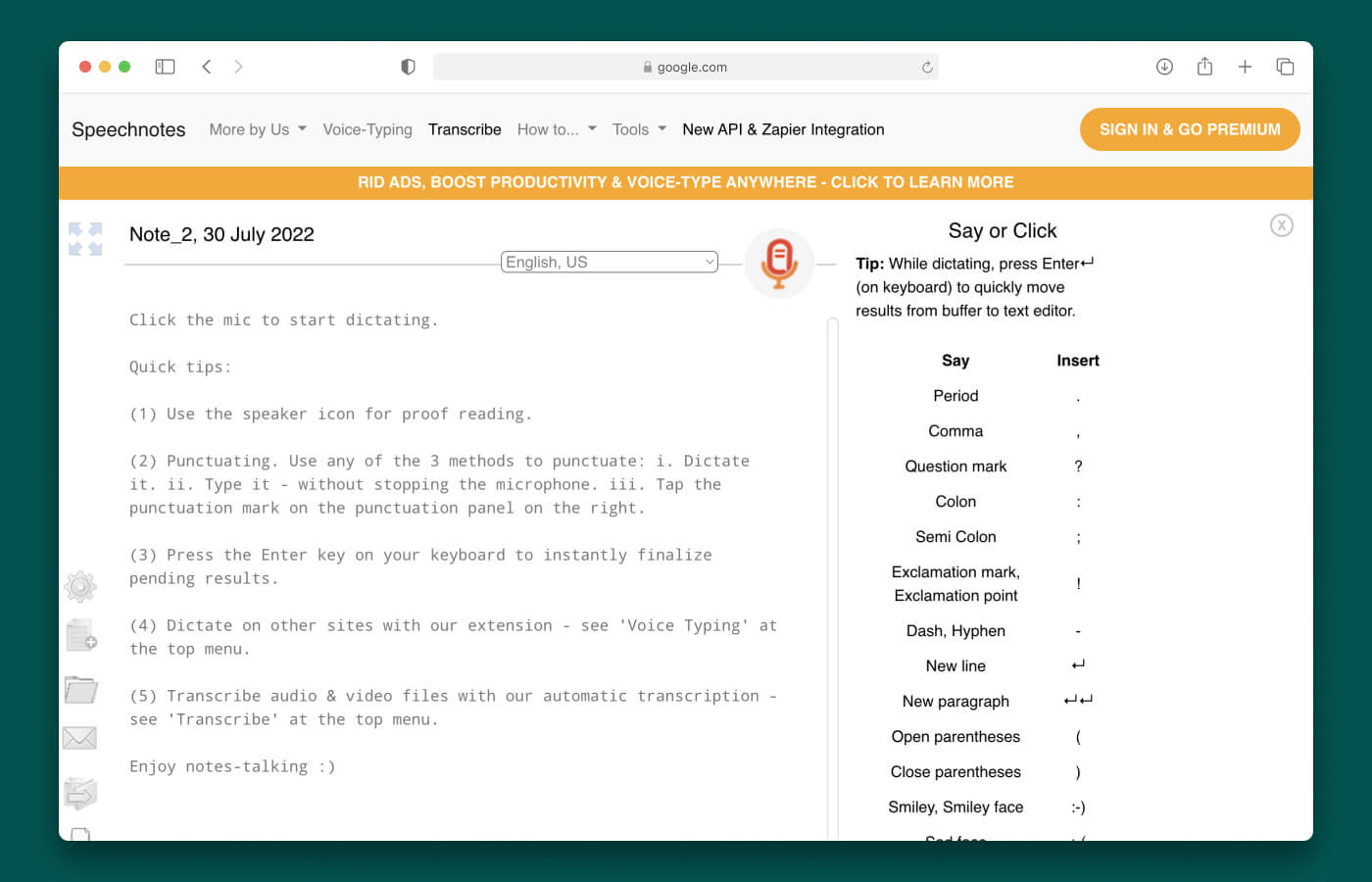
Pricing: Free; Premium for $9.99
Best for: Bloggers, writers
Pros:
- Real-time speech recognition
- Simple and easy to use
- Affordable premium option
Cons:
- Not suitable for pre-recorded audio files
- Limited advanced transcription features
Part 3: How to Choose Professional Transcription Application?
With so many transcription apps for Mac users, choosing the right one depends on your specific needs and workflow. Here are the key factors to consider:
- Accuracy: Look for software with high transcription accuracy, especially if you're dealing with technical terms, multiple speakers, or accented speech. AI-based tools like Otter.ai and Sonix offer great performance, while human-based services like Rev provide near-perfect accuracy.
- Speed and Turnaround: AI transcription delivers results in minutes, ideal for fast-paced environments. If you need highly accurate transcripts and can wait a few hours, human transcription may be a better choice.
- Ease of Use: A clean, intuitive interface saves time. Consider tools with in-app editors, speaker labeling, and timestamping that don’t require switching between multiple apps.
- Security and Privacy: If you're transcribing sensitive content, choose software that offers local processing or has strict data privacy policies. Apps like MacWhisper are great for offline transcription.
- Cost: Match the pricing model to your usage. Pay-as-you-go is best for occasional users, while subscriptions work well for frequent transcription needs.
- Integration and Export Options: Check if the software integrates with tools you already use (Zoom, Google Docs, Adobe Premiere) and offers flexible export formats like TXT, DOCX, or SRT.
By weighing these features, you can confidently choose a transcription tool that fits your professional or personal needs on Mac.
Part 4: Extra: Remove Unwanted Transcripts from Mac
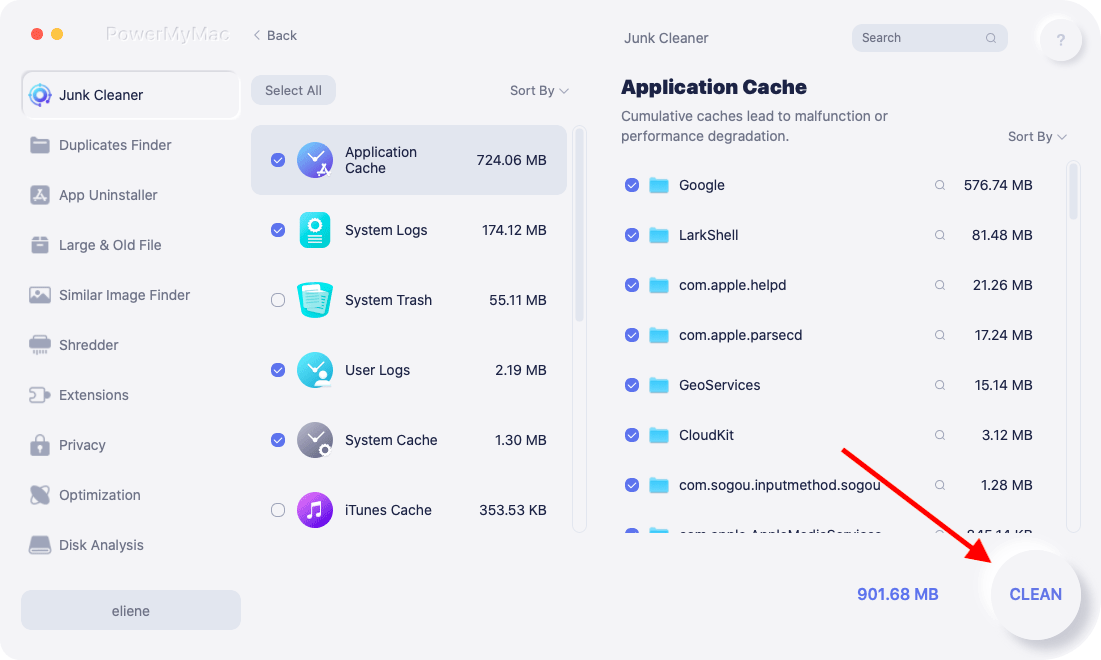
Transcription apps can generate large temporary and residual files that clutter your Mac’s storage over time. If you're using multiple tools or downloading large transcript files, it's wise to periodically clean up these leftovers. That’s where iMyMac PowerMyMac comes in.
PowerMyMac is an all-in-one Mac cleaner that can detect and remove unwanted files, including residual data from transcription software. It features a Smart Scan that finds junk files, app caches, and logs with one click. You can uninstall transcription apps completely, removing hidden leftovers that remain even after dragging them to the trash.
The tool also includes modules like App Uninstaller, Duplicate Finder, and Large & Old Files Cleaner, making it ideal for those who frequently handle large transcription projects.
Part 5: Conclusion
There is a rich selection of transcription apps for Mac users, ranging from lightweight dictation tools to professional-grade AI and human-powered services. While macOS offers basic speech-to-text functionality, it's no match for specialized tools like Otter.ai, Descript, or MacWhisper. Choosing the right app depends on your needs—whether that’s real-time transcription, high accuracy, or tight data security. Don’t forget to keep your Mac clutter-free using tools like PowerMyMac, especially if you work with large media files. With the right transcription software and a clean system, you'll work faster, smarter, and more efficiently.


