


 Video Converter


If you have a collection of 3GP videos that you want to convert to MPG format, you've come to the right place. Whether it's for compatibility reasons or to enhance video quality, converting your files can be a straightforward process. In this article, we'll explore different methods and tools that allow you to convert 3GP to MPG effortlessly. Get ready to unlock the versatility and benefits of MPG format for your videos. Let's dive in!
Contents: Part 1. What Is the Difference between 3GP and MPG?Part 2. Top Online Cnverters to Convert 3GP to MPGPart 3. Best Converter to Convert 3GP to MPGPart 4. Conclusion
Part 1. What Is the Difference between 3GP and MPG?
3GP is a video format developed by the Third Generation Partnership Project (3GPP) for use on mobile phones. It is a compressed format that uses the MPEG-4 Part 2 video codec and the AMR-NB audio codec. 3GP files are typically smaller than other video formats, making them ideal for mobile devices with limited storage space.
MPG is a video format that uses the MPEG-1 or MPEG-2 video codec. It is a more widely supported format than 3GP, and is often used for storing and playing back high-quality video. MPG files are typically larger than 3GP files, but they offer better video quality.
Here is a table that summarizes the key differences between 3GP and MPG:
Ultimately, the best video format for you will depend on your needs. If you need to store and play back video on a mobile device, then 3GP is a good option. If you need to store and play back high-quality video on a computer or TV, then MPG is a better choice.
Why Convert 3GP to MPG?
There are several circumstances and reasons why you might want to convert 3GP to MPG. Here are a few common situations:
- Enhanced Compatibility: MPG (MPEG) is a widely supported video format that is compatible with a variety of devices, media players, and editing software. Converting your 3GP videos to MPG ensures they can be easily played or edited on different platforms without any compatibility issues.
- Improved Video Quality: 3GP is a format typically used for videos captured on mobile devices. However, it may not provide the best quality compared to MPG, which offers higher video resolution and better compression. By converting your 3GP files to MPG, you can enhance the visual experience and enjoy better video quality.
- Editing and Post-production: If you’re planning to edit your videos or perform post-production tasks, MPG format provides more flexibility and options. Many professional video editing software programs support MPG files, allowing you to apply effects, transitions, and other modifications easily.
- DVD or Blu-ray Creation: When creating DVDs or Blu-ray discs, MPG format is commonly used for video content. By converting your 3GP videos to MPG, you can ensure compatibility with DVD or Blu-ray authoring software and easily incorporate your videos into disc projects.
- Online Sharing and Streaming: If you intend to share your videos online or stream them on various platforms, MPG format is often preferred due to its widespread support. Converting your 3GP videos to MPG ensures smoother uploading, sharing, and streaming experiences.
Remember, the decision to convert from 3GP to MPG depends on your specific needs and preferences. Consider these circumstances and reasons to determine if converting your videos to MPG is the right choice for you.
Part 2. Top Online Cnverters to Convert 3GP to MPG
Zamzar.com
Zamzar.com is a popular online file conversion platform that offers a wide range of conversion options, including converting 3GP to MPG. With Zamzar, you can easily convert your 3GP videos to MPG format without the need for any software installation or technical expertise. Here's how you can use Zamzar to convert your files:
- Visit the Zamzar website (zamzar.com) using your preferred web browser.
- On the Zamzar homepage, you’ll find a simple and intuitive interface. Click on the “Add Files” button to upload your 3GP video file from your computer. You can also drag and drop the file directly onto the website.
- After selecting your 3GP file, choose “MPG” as the desired output format. Zamzar supports multiple variations of MPG, so you can select the one that best suits your requirements.
- Enter your email address in the designated field. Once the conversion process is complete, Zamzar will send you an email containing the download link for your converted MPG file.
- Click on the “Convert” button to start the conversion process. Depending on the size of your file and the website’s current workload, the conversion may take a few minutes.
- Once the conversion is finished, check your email inbox for the message from Zamzar. Open the email and click on the download link provided to retrieve your converted MPG file.
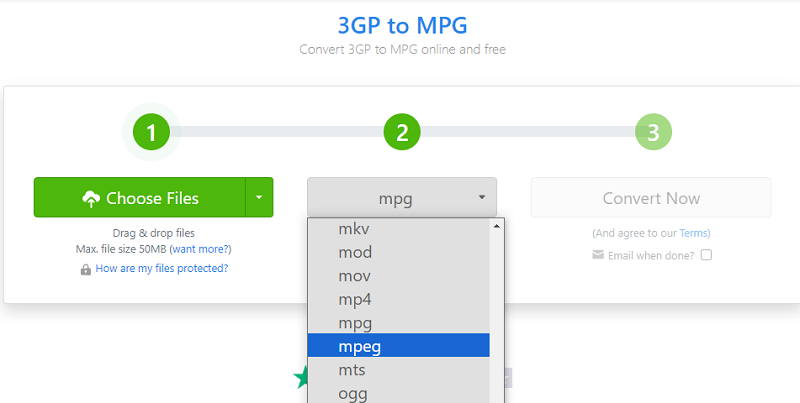
Zamzar.com offers a convenient and user-friendly solution for converting your 3GP videos to MPG format. It eliminates the need for specialized software and allows you to access your converted files easily. Simply follow the steps outlined above to utilize Zamzar's conversion services effectively.
OnlineConvertFree.com
OnlineConvertFree is a free online converter that allows you to convert files of various formats in the cloud right from your browser. The website supports a wide range of file formats, including documents, images, audio, and video. You can convert files individually or in batches, and the website offers a variety of output formats to choose from.
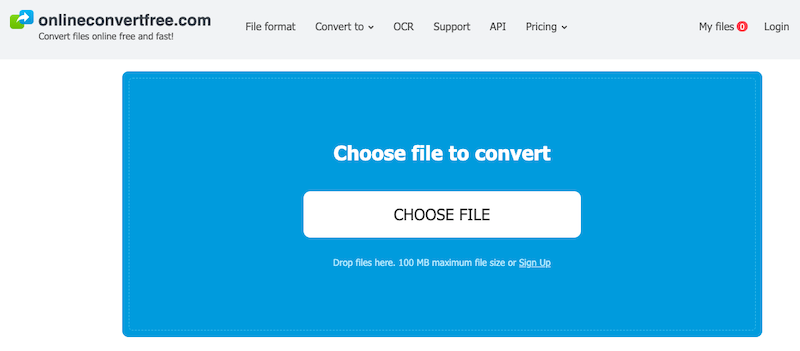
OnlineConvertFree is a user-friendly website that is easy to navigate. The interface is simple and straightforward, and the website offers clear instructions on how to use the converter. The website also offers a number of features that make it a convenient and powerful tool for file conversion. For example, you can upload files from your computer or from a cloud storage service, and you can set the conversion speed and quality.
Overall, OnlineConvertFree is a reliable and efficient online converter that offers a wide range of features and a user-friendly interface. If you are looking for a free and easy way to convert files, then OnlineConvertFree is a great option.
Here are some of the features of OnlineConvertFree:
- Supports a wide range of file formats
- Easy to use
- Offers a variety of output formats
- Fast conversion speeds
- High quality output
Here are some of the benefits of using OnlineConvertFree:
- Free to use
- No registration required
- No download required
- Secure and reliable
- Easy to use
- Fast conversion speeds
- High quality output
ConvertFiles.com
Convertfiles.com is an online file conversion tool that allows you to convert a variety of file types, including 3GP to MPG conversion. Convertfiles.com allows you to rapidly and easily convert 3GP videos to MPG without the need for program installation. Convertfiles.com may be used for the conversion in the following ways:
- Navigate to Convertfiles.com in your web browser.
- On the site, you’ll discover a simple interface with file converting choices. To upload your 3GP video clip from your computer, click the “Browse” or “Choose File” option. Alternatively, if the file is hosted online, provide its URL.
- After you’ve chosen your 3GP file, pick “MPG” as the target format. Convertfiles.com supports a variety of MPG formats, allowing you to select the one that best meets your needs.
- You can choose change the conversion settings, such as video quality, resolution, or other factors, based on the options offered by Convertfiles.com. However, depending on the specific conversion needs, the available parameters may differ.
- To begin the converting process, click the "Convert" or "Start" button. The conversion time will be determined by the file size and the current workload of the website.
- com will send an email to the address you supplied once the conversion is complete. Locate the message from Convertfiles.com in your email inbox. To obtain your converted MPG file, follow the instructions in the email.
Convertfiles.com offers a simple and accessible solution for converting 3GP videos to MPG format. It streamlines the conversion process and provides a convenient way to access your converted files. Follow the steps above to effectively utilize Convertfiles.com for your 3GP to MPG conversion needs.
Part 3. Best Converter to Convert 3GP to MPG
iMyMac Video Converter is a powerful and user-friendly video converter that can convert 3GP to MPG in a matter of seconds. The 3GP converter supports a variety of input and output formats, allowing you to convert your movies to whatever format you require. Besides MPG, it can also help you easily convert 3G2 to MP3, MP4, GIF, and more.
Follow these steps to convert 3GP to MPG with iMyMac Video Converter:
- iMyMac Video Converter to be downloaded and installed on your computer.
- Start the application and press the "Convert" button.
- To add your 3GP files to the software, click the "Add Files" button.
- Choose "MPG" as the output format. And, select a folder where the files will be saved.
- To begin the converting process, click the "Convert" button.
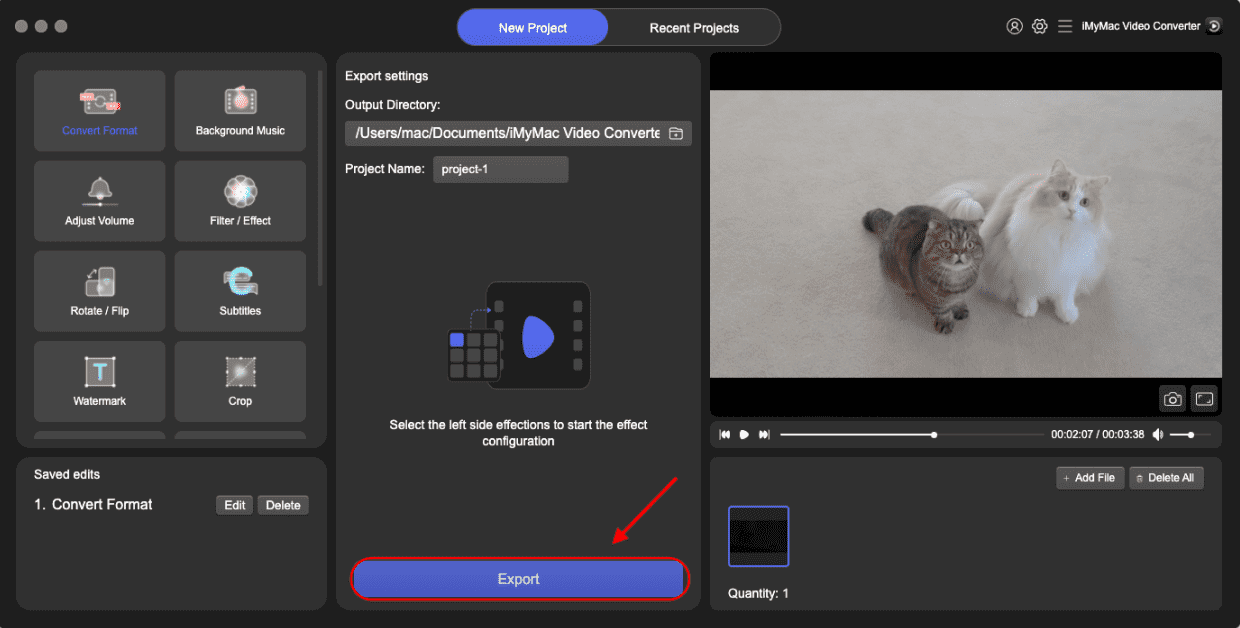
The conversion will take a few moments to finish. When the conversion is complete, your converted MPG files will be located in the "Converted" folder.
Here are some of iMyMac Video Converter's features:
- It accepts a broad variety of input and output formats.
- Simple to use
- Quick conversion rates
- Excellent output
- Toolbox includes extra capabilities such as video cutting, editing, and watermarking.
If you need a strong yet simple video converter, iMyMac Video Converter is an excellent choice.
Part 4. Conclusion
In conclusion, when it comes to converting 3GP to MPG, various online platforms like Zamzar.com and Convertfiles.com offer convenient options. However, if you're looking for a reliable and versatile video converter with advanced features, I recommend iMyMac Video Converter. iMyMac Video Converter provides a comprehensive solution for converting videos to various formats, including 3GP to MPG.
It offers a user-friendly interface, high-speed conversion, batch processing capabilities, and additional editing features. With iMyMac Video Converter, you have more control over the conversion process and can optimize the output according to your preferences. Consider using iMyMac Video Converter for a seamless and efficient 3GP to MPG conversion experience.


