


 Video Converter


Digital camcorders and recorders are more common in today's world. They were used to produce family-themed movies, document special occurrences, capture recordings of holiday parties, and much more. The recorded videos, however, are always in the form of digital videos (DV file format), which are incompatible with portable devices and cannot be shared online.
If you want to get what you can out of the DV files, convert DV to AVI format. As you are aware, a wide variety of devices and operating systems support AVI. You may use the guide below to learn how to convert DV file to AVI on a Mac or Windows computer.
Contents: Part 1. How Do I Convert DV File to AVI Fast and Losslessly?Part 2. Top 3 Online&Free Tools to Convert DV File to AVIPart 3. Is AVI Better than DV?Part 4. Conclusion
Part 1. How Do I Convert DV File to AVI Fast and Losslessly?
Raw videos in Digital Video (DV) format have enormous file sizes and poor compatibility. Many converters have file size limitations and don't handle this kind of video. However, practically all popular and uncommon video files may be imported without any size restrictions with iMyMac Video Converter. For users of Macs and Windows, it is the finest DV file converter.
You may quickly and effortlessly convert DV to AVI with iMyMac Video Converter while maintaining excellent quality. It's built-in editing features let you rotate, watermark, add subtitles, and apply effects to your DV films as you choose. You can resize video on Mac and Windows, so that it plays well on other devices and platforms. You may also change the parameters to suit your requirements. Additionally, hardware acceleration and batch conversion are available to save time and energy.
After downloading and installing iMyMac Video Converter, you can launch the program and follow the steps below to convert DV to AVI with iMyMac Video Converter.
- Start the Mac or Windows version of the iMyMac Video Converter program on your computer. Log into your account after you're finished.
- Dragging and dropping the DV file onto the system's display is an additional alternative.
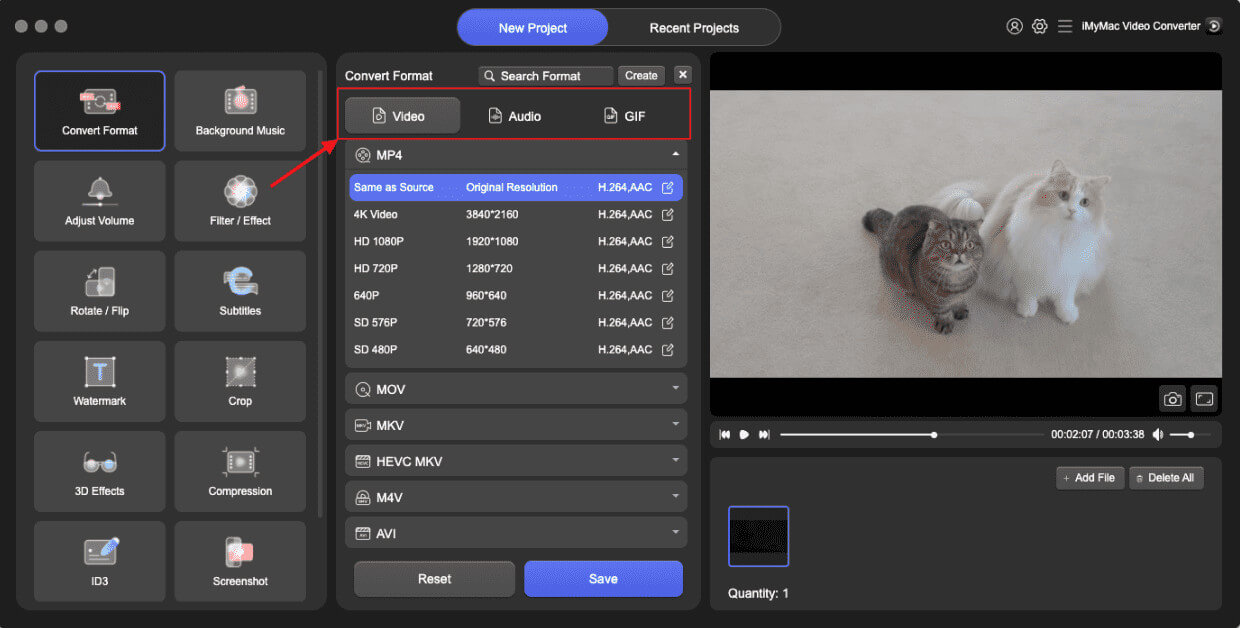
- When you click "Convert Format," a drop-down option allowing you to choose the kind of file the original should be converted into, such as AVI, will display.
- Thanks to the UI, locating file alterations is now simpler. You may alter the files, whatever you like.
- By choosing Save, you may save all of your modifications.
- Select a conversion option from the toolbar to begin the conversion process.
Part 2. Top 3 Online&Free Tools to Convert DV File to AVI
If you do not want to download or install any software on your computer, you can choose an online free video converter to convert DV to AVI. There are a vast number of online video converters on the market. Here are some:
Convertio.co
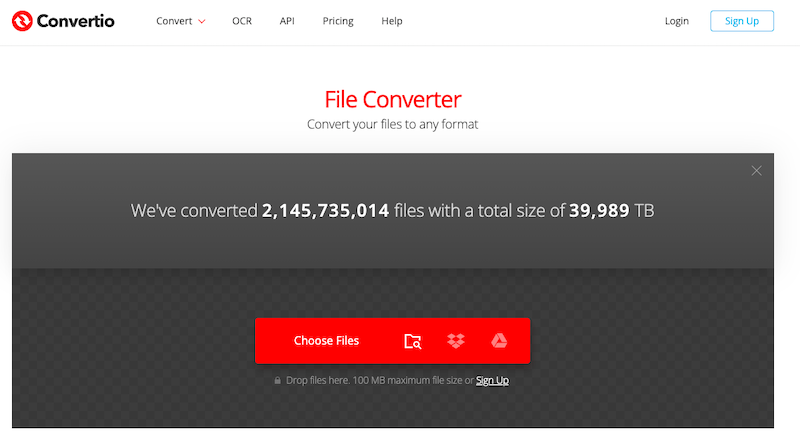
A trustworthy online program to convert DV to AVI is called Convertio. The online converter allows you to convert items into a variety of formats. There is no need for any online resources since the file transcoding is being done remotely. The majority of video and audio conversions are finished in under two minutes. A great online tool for transcoding video and audio files is called Convertio. Files having a size of 100 MB or less may be processed for free. The more advanced version, which has the ability to convert bigger files, is competitively priced.
- Launch a browser and navigate to convertio.co. Convertible DV files must be supported by the app interface.
- Make AVI your default file format. The settings button can be used to rotate, crop, or alter the attributes of a file.
- The procedure will finally begin after you click the Convert button.
CloudConvert.com
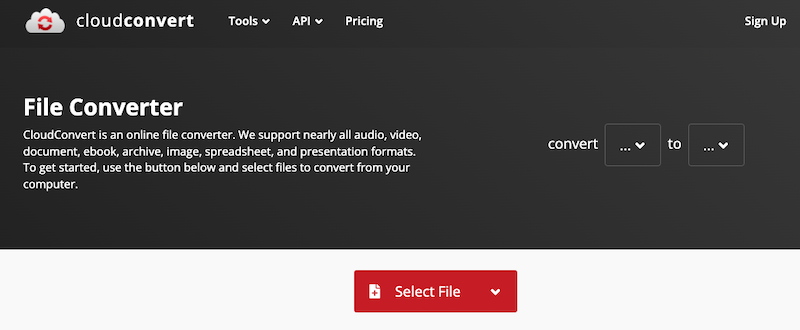
200 file formats, including documents, images, music, CADs, movies, vectors, and spreadsheets, are accepted by CloudConvert when it comes to the amount of file types it can convert. With CloudConvert, like with many other online file converters, you may easily convert DV to AVI without downloading any software. If the files being processed are under 1GB in size, it is absolutely free, with a limit per day of 25 file conversions.
- When the DV videos you need to convert are ready, you may simply import them through Dropbox, Google Drive, One Drive, or your local computer. The monthly membership charge for larger files and 1000 converting mins is $9.
- Specify your conversion objective for CloudConvert, such as AVI.
- Hit the Convert button after your upload is finished. The time it takes to convert DV files to AVI depends on many things, including your internet connection.
onlineconvertfree.com
A user-friendly program for dealing with all kinds of video file types is onlineconvertfree.com. You may also interact with other content on the website, such as papers and audio files. Additionally, it works with all popular web browsers.
- Open OnlineConvertFree.com and choose your initial DV video files from your private file folder by dragging and dropping the source media files into the blue publishing zone or clicking "CHOOSE FILE."
- Select "AVI" under "Video" from the list of possible formats to use as the format of the exported file.
- Click "Convert" in blue to convert DV to AVI.
- Save the converted AVI video to the computer when it has been completed so you can watch it.
Part 3. Is AVI Better than DV?
Microsoft created the AVI container format, which is largely used with Windows operating systems. It is quite adaptable and supports a wide variety of video and audio codecs. However, AVI files often take up more space than more recent video formats, which might cause issues with bandwidth and storage. Additionally, several of the sophisticated features and compression abilities included in later formats are absent from AVI. DV, on the other hand, was created expressly for the recording and editing of digital video. It is appropriate for professional applications since it delivers low compression and high-quality video and audio. Due to effective compression technologies, DV files are often smaller than AVI files. The exceptional video quality that DV retains while editing is also essential for post-production activities.
The decision between AVI and DV ultimately comes down to the project's particular specifications. Although DV may be preferable for advanced video editing and output of excellent quality, AVI may be chosen for general interoperability and adaptability.
Part 4. Conclusion
Learning how to convert DV to AVI provides flexibility across different devices and software. Though it may involve quality considerations, utilizing reliable converters ensures seamless transformation between formats. To convert files without such limitations, you can use a paid alternative, like iMyMac Video Converter. It offers ultrafast batch conversion and many editing features. Download the program and check it out!


