


 Video Converter


MP4 files are widely used, but they aren’t always supported by mobile phones, especially legacy devices that rely on the 3G2 format. Whether you’re trying to save storage space, share media with someone using an older phone, or meet compatibility needs for a specific platform, finding a reliable video converter to convert MP4 to 3G2 is essential. Fortunately, numerous tools make this process quick and hassle-free. In this article, we’ll introduce the best MP4 to 3G2 converters available today. By the end, you'll be equipped with everything you need to choose the best converter for your needs and get started right away.
Contents: Part 1. MP4 or 3G2: What's the Best Video Format?Part 2. Top 6 MP4 to 3G2 Converters You Can't MissPart 3. How to Choose the Best 3G2 Converter?Part 4. Conclusion
Part 1. MP4 or 3G2: What's the Best Video Format?
Should we convert MP4 to 3G2? When deciding between MP4 and 3G2, the best format largely depends on your use case.
MP4 (MPEG-4 Part 14) is a modern, versatile video format widely supported by nearly all devices and platforms. It provides high-quality video and audio, excellent compression efficiency, and compatibility with streaming, editing, and playback tools. MP4 supports advanced codecs like H.264 and H.265, making it ideal for everything from smartphones to 4K TVs.
On the other hand, 3G2 (3GPP2) is a specialized format developed for mobile devices, particularly older 3G phones. It uses less storage and bandwidth, making it suitable for low-powered devices or networks with limited speed. However, 3G2 lacks the flexibility and visual quality of MP4, and its compatibility with modern devices is very limited.
In general, MP4 is the superior choice for most users due to its balance of quality, efficiency, and universal support. Use 3G2 only when required for compatibility with legacy mobile systems or if you're optimizing for minimal file size and low bandwidth use.
Part 2. Top 6 MP4 to 3G2 Converters You Can't Miss
Here, I've tested dozens of video converters and picked the 6 best video converters for your choice to convert MP4 to 3G2 and more. If you are looking for the best video converter, do not miss this part to find the answer!
1. iMyMac Video Converter (Windows/Mac)
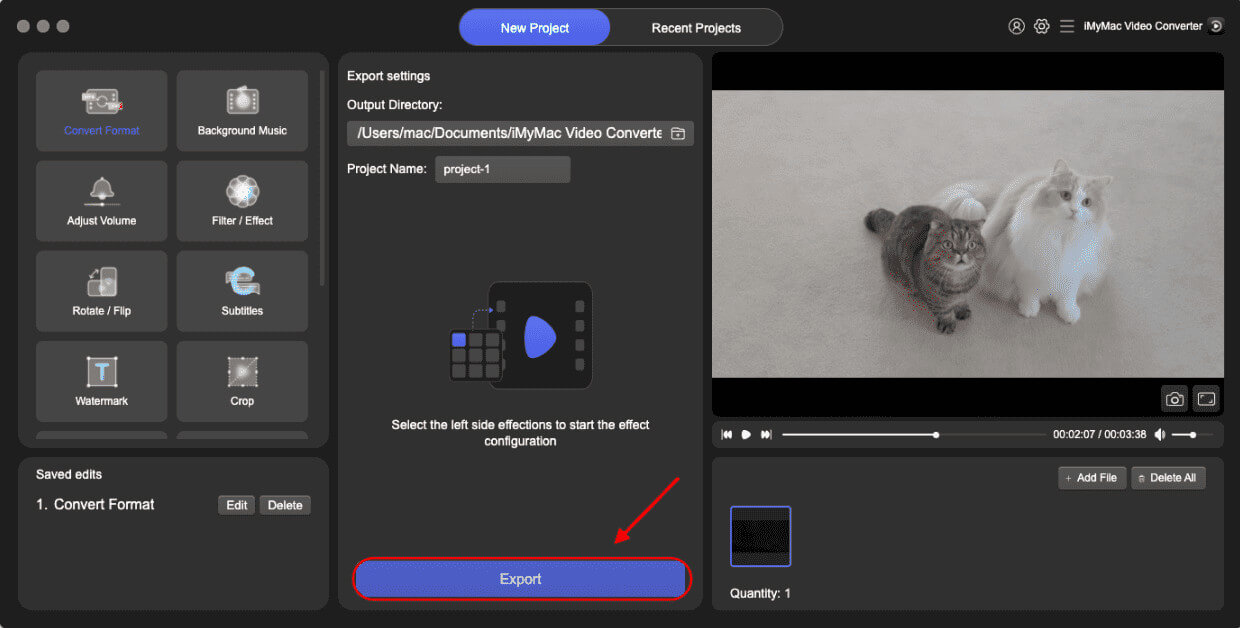
iMyMac Video Converter is a user-friendly yet powerful desktop tool tailored for users who need fast and high-quality video conversions. It supports a wide range of formats. Not only 3G2, this powerful software also allows you to easily convert your MP4 files to MKV, WMV, AVI, and more, with just a few clicks.
The software uses advanced GPU acceleration technology, which speeds up the conversion process significantly without sacrificing quality. iMyMac also allows batch processing, making it ideal for converting multiple files at once. Its intuitive interface ensures that even beginners can navigate it easily. Along with format conversion, iMyMac offers basic editing features like trimming, cropping, and adding subtitles, making it more than just a converter.
- Cost: Free trial with limited features; full version starts at $29.95.
- Pros: Fast conversion, high-quality output, supports batch processing, built-in editing tools.
- Cons: Limited functionality in free version; desktop-only.
Follow the steps below to convert MP4 to 3G2 with iMyMac Video Converter.
- On a Mac or Windows computer, open the app iMyMac Video Converter. Log into your account after you're finished.
- Placing the MP4 file on the system's display by dropping or dragging it always works without a hitch.
- A drop-down menu allowing you to choose the kind of file into which the original should be converted, such as 3G2, appears when you click "Convert Format."
- The user interface significantly simplifies the process of locating file updates. You are allowed to make any changes to the files.
- All of your changes are saved if you choose Save.
- Choose a conversion option from the toolbar to begin the converting process.
2. Movavi Video Converter (Windows/Mac)
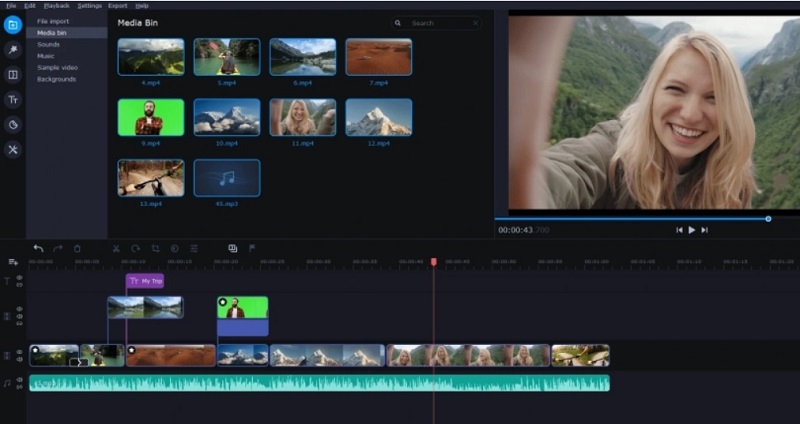
Movavi is a premium-grade video converter known for its speed, user interface, and versatility. It supports over 180 formats, including 3G2, and includes presets for different devices. The software features SuperSpeed technology, allowing you to convert MP4 to 3G2 videos quickly with no loss in quality. It also includes editing tools such as trimming, rotating, stabilizing, and adding subtitles. One of Movavi's strengths is its drag-and-drop functionality and sleek design, which makes the user experience seamless.
- Cost: Free trial; full version from $39.95/year.
- Pros: Easy to use, fast, supports many formats, includes editing options.
- Cons: Trial version adds a watermark, relatively expensive.
3. Wondershare UniConverter (Windows/Mac)
Wondershare UniConverter is an all-in-one video tool that excels in converting, compressing, and editing video files. It supports a vast array of formats, including MP4 to 3G2, and provides lightning-fast conversion speeds thanks to its GPU acceleration. It also includes DVD burning, screen recording, and a built-in video player. The interface is modern and intuitive, making it suitable for both beginners and advanced users. Batch processing and high-definition output options are also supported.
- Cost: Free trial; premium version starts at $49.99/year.
- Pros: Feature-rich, fast, high-quality output, built-in tools.
- Cons: Pricey, may be overwhelming for casual users.
4. Zamzar (Online)
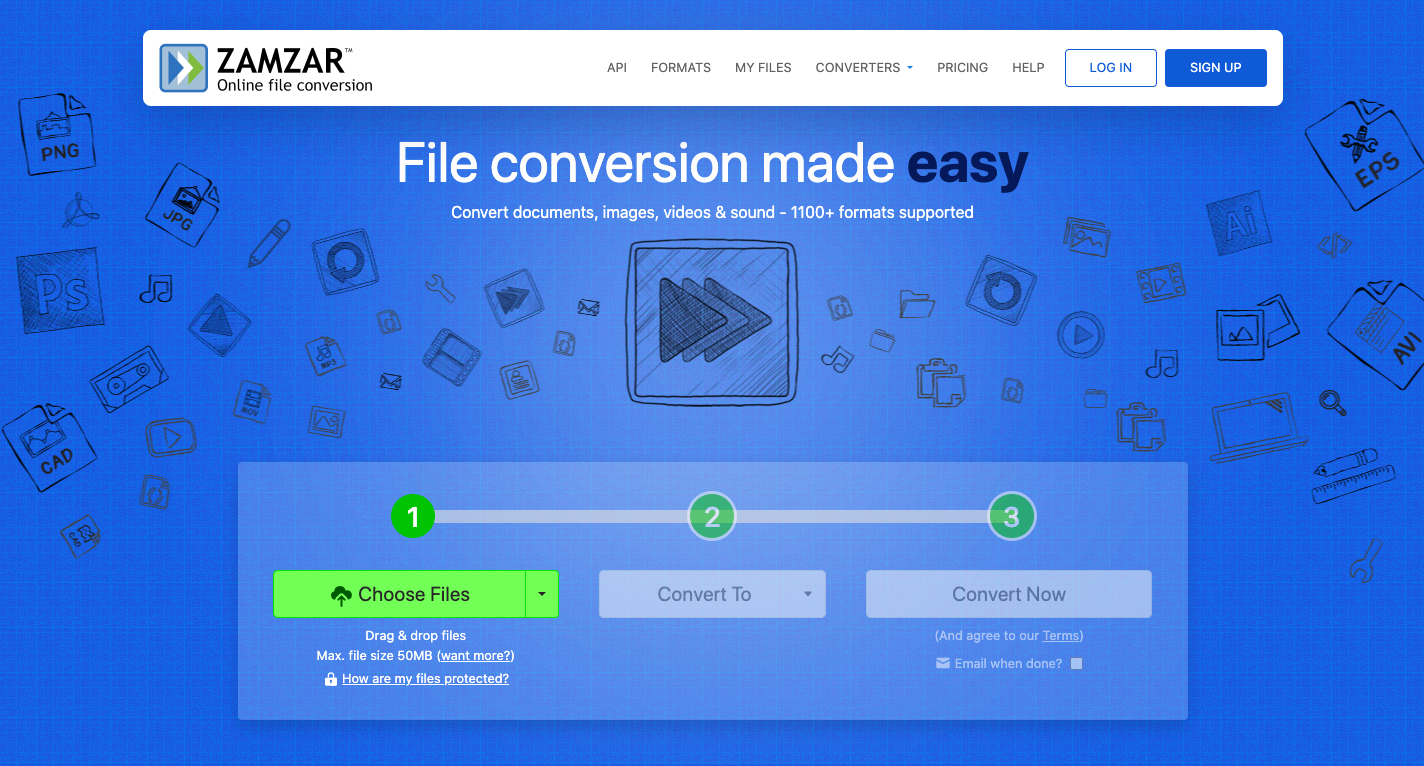
Zamzar is a straightforward online file conversion service that requires no software installation. It supports hundreds of formats and allows users to convert MP4 to 3G2 with just a few clicks. Users simply upload their file, select the desired output format, and wait for the conversion to complete. The converted file can then be downloaded or emailed. Zamzar is a great choice for one-time users or those who don’t want to install additional software.
- Cost: Free for files up to 50MB; paid plans start at $9/month.
- Pros: No installation required, easy to use, supports many formats.
- Cons: File size limits, slower conversion for large files, requires internet connection.
5. Online-Convert (Online)
Online-Convert is a flexible web-based video converter with a wide range of format support, including MP4 to 3G2. It offers customization features like changing video resolution, bitrate, frame rate, and audio quality. No sign-up is needed for basic use, and the platform provides quick conversions with decent quality. It's especially useful for users who need more control over the output settings but prefer to work in a browser.
- Cost: Free with limits; premium plans from $6.67/month.
- Pros: Customizable settings, no installation, wide format support.
- Cons: Ads on free version, upload limits, conversion speed varies.
6. MConverter (Online)
MConverter is a relatively new but efficient online video converter that prioritizes simplicity and speed. It supports batch conversions directly in your browser, including MP4 to 3G2, and automatically detects the format based on file type. One standout feature is that no account or email is required, and you can drag and drop multiple files at once. It also prioritizes user privacy by not saving uploaded files.
- Cost: Free; optional Pro version starting at $4.99/month.
- Pros: Simple interface, batch processing, privacy-focused.
- Cons: No editing tools, limited format customization.
Part 3. How to Choose the Best 3G2 Converter?
Choosing the right tool to convert MP4 to 3G2 depends on several factors, including your device, file size, conversion frequency, and level of customization needed. Here’s a breakdown to help you decide:
- Platform and Accessibility: Desktop applications like iMyMac, Movavi, and Wondershare offer fast, high-quality conversions and work well for frequent users or large batches. They’re ideal if you need offline access or want advanced features. Online converters like Zamzar, Online-Convert, and MConverter are great for occasional use or small files, especially if you’re on a shared or restricted computer.
- Format and Feature Support: Ensure the converter supports both MP4 input and 3G2 output. If you need to tweak resolution, bitrate, or audio settings, go for tools like Online-Convert or Wondershare that allow deep customization.
- Cost and Limitations: Free tools often come with file size limits, watermarks, or slower speeds. Evaluate how often you need the converter. If it’s a one-time task, a free online option might suffice. For regular use or large files, a paid desktop tool may offer better value in the long run.
- Speed and Performance: Converters with GPU acceleration, like Movavi and Wondershare, offer much faster conversion times, which is important for larger files or when processing batches.
- Privacy and Security: If your files are sensitive, opt for desktop solutions or online tools like MConverter that emphasize privacy by deleting files after conversion.
Part 4. Conclusion
With the right tool to convert MP4 to 3G2, you can ensure compatibility with older devices, reduce file sizes, or meet specific project requirements. Whether you prefer a full-featured desktop application like iMyMac Video Converter or a quick online service like MConverter, there’s a solution that fits your needs and budget. Consider how often you convert files, the size of your videos, and whether you need extra features like editing or batch processing. Armed with the right converter, you’ll be ready to handle any format challenge with ease.


