


 Video Converter


Since it is a more recent version of the RMVB format that enables far more effective compression, RMVB is a Real Media video file which has been compressed utilizing a variable bit rate. Even if all of that is great, playing the file still requires downloading unique codecs or media players, which may be a pain. To acquire a video file that will be supported by the majority of editing programs and video players in use today, it might be much more straightforward to select a file converter and convert RMVB to AVI.
Contents: Part 1. What Is the Best RMVB to AVI Converter? Part 2. Online Tools to Convert RMVB to AVI You Should KnowPart 3. Is RMVB or AVI Higher Quality?Part 4. Conclusion
Part 1. What Is the Best RMVB to AVI Converter?
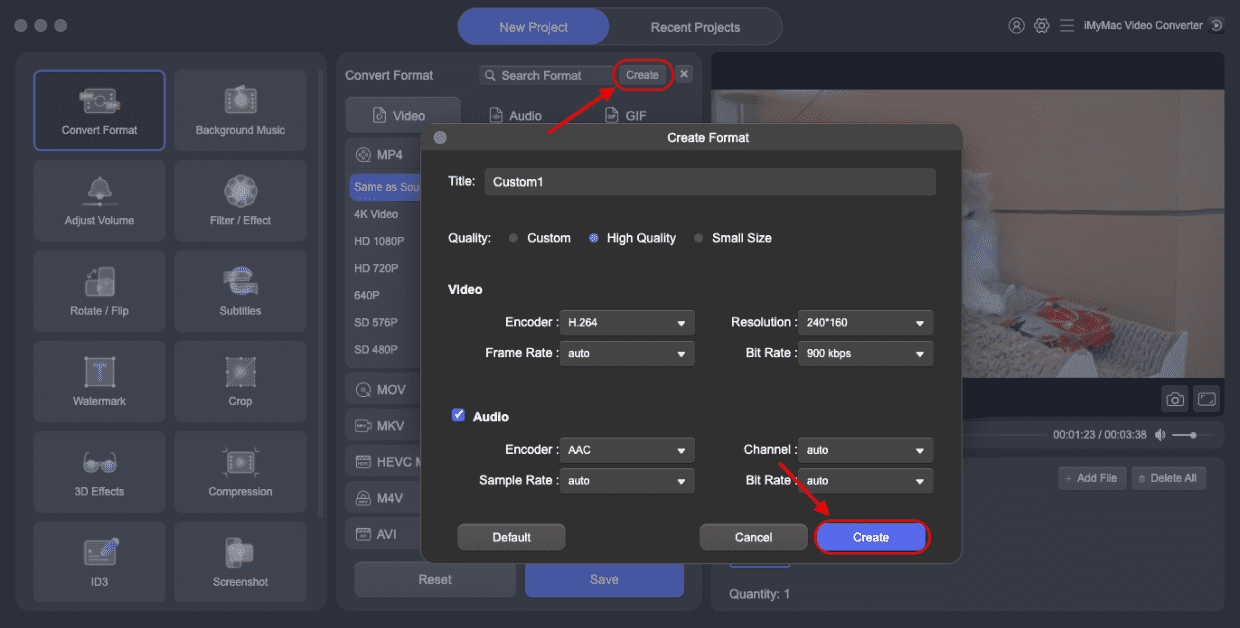
The most effective method for converting video and audio files is provided by the user-friendly but expert iMyMac Video Converter. With excellent quality maintained, it can quickly batch convert RMVB to AVI format. Besides AVI, it can also help you easily convert RMVB into MP4. Additionally, a variety of editing capabilities, including video cutting, cropping, rotating, combining, and compressing, are included.
This program may assist you in customizing the conversion parameters, such as video bitrate, resolution, frame rate, audio channel, and volume, as well as editing the movies by cutting, merging, cropping, and other methods as needed. More significantly, every one of the functions is simple to use for all users; even newcomers can get going right away.
- Start the Mac or Windows version of iMyMac Video Converter on your computer.
- Dragging and dropping the RMVB file onto the system's display is an additional option.
- When you click "Convert Format," a drop-down menu with choices like AVI will appear, enabling you to choose the sort of file the original should be converted into.
- Finding file revisions is made simpler by the UI. You are allowed to edit the files whatever you choose.
- By choosing Save, you may save all of your modifications.
- To start the conversion, choose a conversion option from the toolbar.
Part 2. Online Tools to Convert RMVB to AVI You Should Know
AnyConv
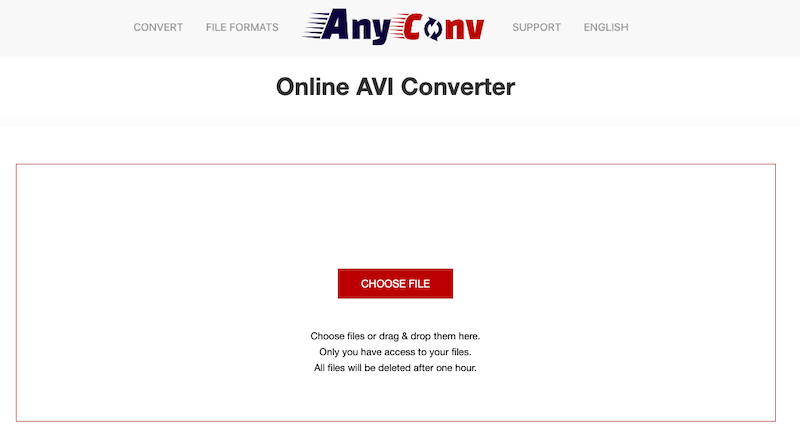
Use AnyConv.com, a online free video converter. Converting files is an easy process. Since everything is done online, there is none to install. Using this online application, you may convert documents, photos, videos, music files, ebooks, and archives. Here, we'll convert RMVB to AVI using AnyConv.
- Select the RMVB files that you would like to convert by clicking the "CHOOSE FILE" button on the AnyConv home page. Files more than 50MB can't be handled, it should be mentioned.
- Select AVI as your final file format after uploading the source file.
- You may now begin the RMVB to AVI conversion procedure. To start the RMVB to AVI conversion, click "Convert". Once the conversion process is complete, the AVI file may be saved.
Converter365
An established online tool you can convert RMVB to AVI is called Converter365. Due to the superior quality of its conversions, it maintains increasing appeal among its devoted clients. Additional file types that this tool may convert include WTV, VOB, SWF, 3GP, AVI, M2TS, and CAVS. If you like using its web-based service, the Chrome plugin would be happy to speed up file conversion for you.
- To find it, type Converter365 into the address bar of your browser. You may upload the RMVB files onto your device by choosing Add Files. You may also add a file's URL in the Add URL area.
- To add other files for batch conversion, click the Add Other Files option. Once a file has been successfully uploaded, use the Convert To option to choose the AVI format.
- Select Start Conversion to start the procedure. You may save and save the resultant files on the device when the procedure is finished.
OnlineConvertFree
One of the top online file converters is usually regarded as being OnlineConvertFree. Movies, music files, eBooks, and documents may all be converted. Along with the conversions, also claim that they can handle 200 more file types, and they let customers upload files via Dropbox or Google Drive.
- To locate your file, select the Choose File button.
- From the To menu, that is found next to the file, you can select AVI as the export format.
- Select the Convert option or add other files to repeat the process.
Part 3. Is RMVB or AVI Higher Quality?
It is important to take into account each format's unique traits when analyzing the variations in quality between RMVB and AVI. Because of its effective compression, RMVB files may be compressed to lower amounts without noticeably sacrificing quality. This compression method helps to reduce the amount of storage space and bandwidth needed. However, RMVB files could have a little inferior quality in comparison to uncompressed formats because of the imposed compression.
On the other hand, AVI is an uncompressed or hardly compressed format that more effectively maintains video quality. It supports a number of codecs, allowing for the playing of high-quality videos. However, compared to RMVB, AVI files often have greater file sizes since they are less compressed.
The decision between RMVB and AVI ultimately comes down to your particular needs. If compatibility and file size are your top priorities, RMVB's effective compression can be recommended. On the other hand, AVI is a good option if keeping the best video quality is a requirement.
Part 4. Conclusion
Unfortunately, this type of file has limited support and compatibility, thus it may not be feasible to play the material on all players and devices. Since AVI is a more common format that works on all important systems, you could decide to convert RMVB to AVI. You need a trustworthy RMVB to AVI converter to get the best quality. In addition to providing details on a desktop and online RMVB to AVI converter, this article also provides instructions on how to convert RMVB files to AVI using iMyMac Video Converter.


