


 Video Converter


Files with the SWF extension are opened with Adobe Flash Player, which has been deprecated as of the year 2020. However, the playback of SWF videos is not supported by a lot of players. As a result, problems with SWF files not playing arise often.
However, there is no need to be concerned since we have identified the top free video converters available for desktop and internet. Therefore, you may convert SWF to MPEG file (with the file extension of.mpeg or.mpg) or any other format that you want in accordance with your specific requirements.
Contents: Part 1. Quickest Way to Convert SWF Files to MPEG on Mac/WindowsPart 2. Online Way to Convert SWF Files to MPEGPart 3. What Is the Difference Between SWF and MPEG?Part 4. Conclusion
Part 1. Quickest Way to Convert SWF Files to MPEG on Mac/Windows
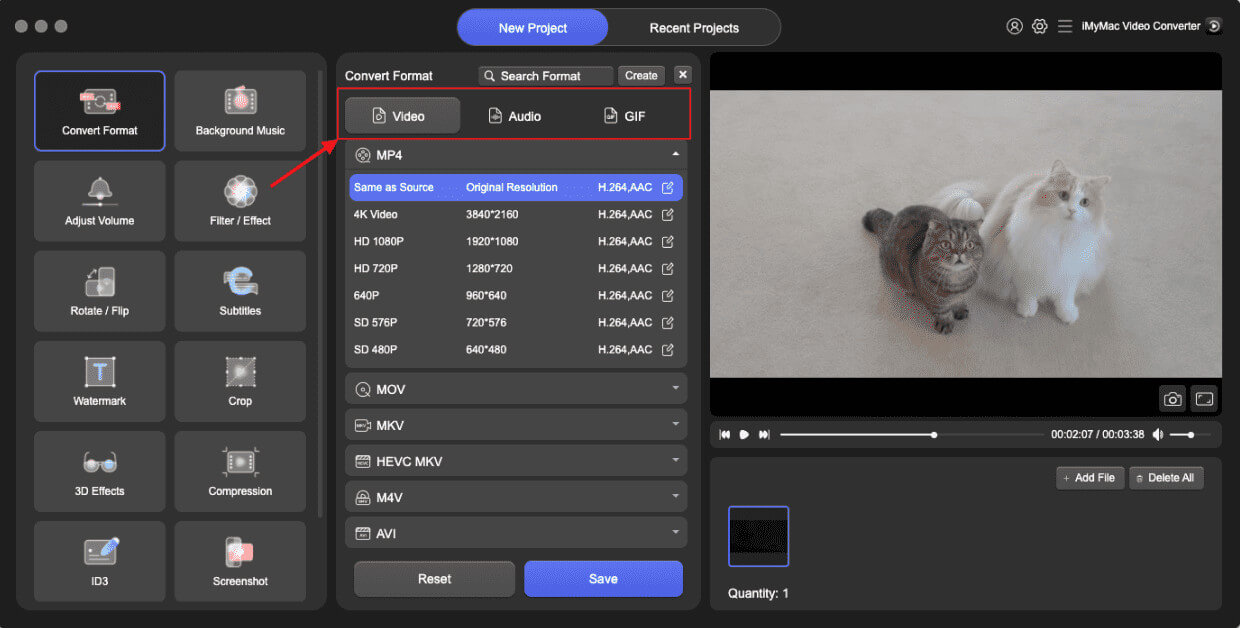
You may find some SWF files fail to open on most devices. In this case, iMyMac Video Converter is one of your best solutions to convert SWF to MPEG, whether you work under Windows or macOS. This is a convenient tool that allows you to convert your files between more than 100 formats. The software is easy to use – it will take you just a few clicks to convert your videos from SWF format to MPEG format. Besides MPEG, you can also convert SWF to MP4.
The app also offers editing features, including trimming, color adjustment, and adding subtitles. You can resize video on Mac and Windows, so that it plays well on other devices and platforms. Utilizes hardware acceleration technologies like NVIDIA CUDA, NVENC, AMD, and Intel HD Graphics to achieve conversion speeds up to six times faster without quality loss.
After downloading and installing iMyMac Video Converter, you can launch the program and follow the steps below to convert SWF to MPEG with iMyMac Video Converter.
- Launch the iMyMac Video Converter software on your computer, either the Mac or Windows version. Once you're done, log into your account.
- Another option is to drag and drop the SWF file onto the system's display.
- A drop-down menu will appear when you click "Convert Format," enabling you to choose the kind of file the original should be converted into, such as MPEG.
- Finding file modifications is now easier as a result of the UI. You are free to change the files, whatever you like.
- You may save all of your changes by selecting Save.
- To start the converting process, choose a conversion option from the toolbar.
Part 2. Online Way to Convert SWF Files to MPEG
If you don't want to download anything on your computer, the online tool is for you. Here are a few popular online converters that can handle this conversion:
Convertio.co
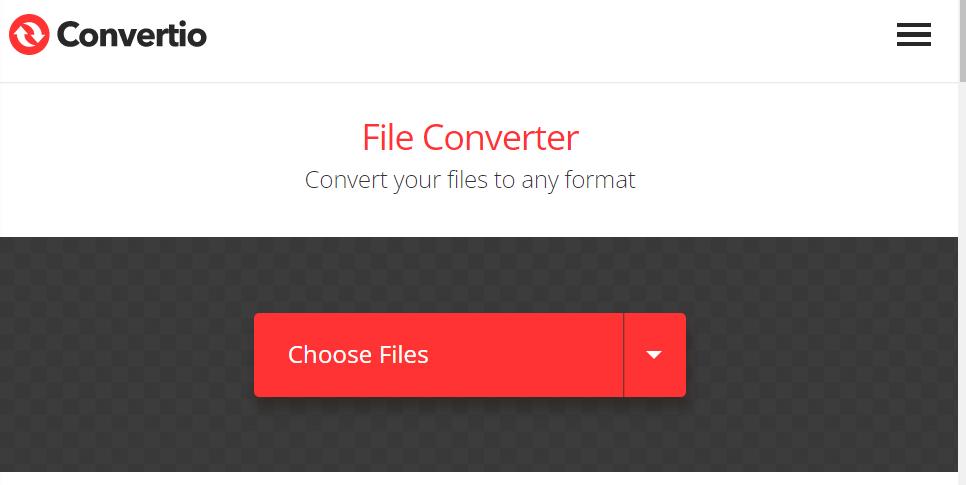
Convertio features a straightforward layout for simple conversion. You shouldn't pass up using this secure online converter. With it, you can quickly convert SWF to MPEG files as well as video files to more uncommon formats, including MP4, MOV, and WMV. But be aware that free users may only upload videos up to 100MB in size. Additionally, it offers several tools, including an MP3 Cutter, a Slideshow Maker, a Video Cutter, a Video Resize Tool, a Video Compress Tool, etc.
- Launch a browser and enter this online converter.
- Input the URL for the SWF file on it or import your SWF files from your PC, Dropbox, or Google Drive.
- Click "Convert" to begin the online conversion of SWF to MPEG.
onlineconvertfree.com
Onlineconvertfree.com is a user-friendly tool for working with a variety of video file formats. Additionally, you may interact with documents and audio recordings that are included on the website. It also works with all widely used web browsers.
- Launch OnlineConvertFree.com, then choose your first SWF videos from your personal file folder by clicking and dragging the original media files within the blue publishing zone or by selecting "CHOOSE FILE."
- To choose "MPEG" under "Video" as the format for the exported video, click the drop-down menu.
- To convert SWF to MPEG, click the blue word "Convert."
- After the MPEG video has been converted, save it to your computer so you may view it.
FreeFileConvert.com
Using the free online SWF to MPEG converter FreeFileConvert. Other trustworthy tools to divide, encrypt, and decrypt files are also available via this online converter. It is compatible with 8372 unique conversion combinations for file kinds, including music, video, picture, document, archive, presentation, e-book, and typeface. Both batch file conversions and conversions between different file formats are supported. It also works across all platforms.
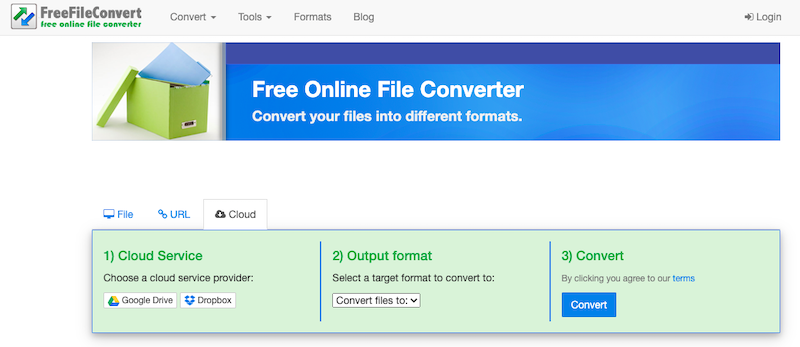
- Select "File" to send a file from your own device or "Cloud" or "URL" to send a file from another location to open the conversion window.
- Select the file you wish to convert by clicking "Choose File" to the left of it.
- To start the conversion process, click "Convert" after selecting the desired format, in this instance, MPEG. According to the size of the submitted movie, the procedure might take some time. When the conversion is finished, a link for downloading the file will be provided.
Part 3. What Is the Difference Between SWF and MPEG?
Adobe created the multimedia file format known as SWF or Shockwave Flash. It became well-known for its capacity to produce animated multimedia, interactive content, and vector graphics online. SWF files are appropriate for web-based games and apps because they may include animations, movies, audio, and interactive components. They may be played by browsers with the aid of Adobe Flash Player or similar suitable software and are often integrated into websites. Compared to video files, SWF files are often less in size and provide excellent vector graphics and animation.
Moving Picture Experts Group, or MPEG, is the name of a group of digital audio and video compression standards. Video files are often encoded and compressed using MPEG for storage, transport, and playback. It is a widely used standard for video compression, and many media players and gadgets are compatible with it. There are many types of MPEG files, including MPEG-1, MPEG-2, and MPEG-4, each with a unique amount of compression and quality. These files work well for offline playing, broadcasting, and streaming of video. High compression levels in MPEG files allow for reduced file sizes without sacrificing acceptable video quality.
In conclusion, SWF files provide excellent vector graphics and interaction for web-based dynamic content and animations. On the other hand, MPEG files are used to compress, store, transmit, and replay video because they provide effective compression while preserving acceptable visual quality. Both formats have distinct qualities in terms of use, file size, and quality, as well as diverse objectives.
Part 4. Conclusion
If you simply want to convert SWF to MPEG, the best option is to use one of the free programs mentioned in the review. Free converters, however, usually have different limitations, like relatively low conversion speed, limited file size, or inability to convert multiple files at one time. To convert files without such limitations, you can use an alternative, like iMyMac Video Converter. It offers ultrafast batch conversion and many editing features. Download the program and check it out!


