


 Video Converter


SWF was used to transmit animation, video, and audio over the internet in the early 2000s. This format was often used for browser-based games. The Flash Player that came pre-installed in web browsers was used to open SWF files. Flash Player, however, is no longer supported. So, if you have any SWF video files and are having trouble opening them on your computer, you may use a video converter to change their format. We will explain how to convert SWF to WMV for free on a Windows PC and online in the instruction that follows.
Contents: Part 1. What Are SWF and WMV Format?Part 2. Best Way to Convert SWF File to WMV Format (Desktop)Part 3. Other Ways to Convert SWF File to WMV (Online)Part 4. Conclusion
Part 1. What Are SWF and WMV Format?
The SWF file format is used by Adobe to hold videos and vector-based animations. ShockWave Format is another name for Small Web Format, which is the acronym. Especially with regard to browser-based gaming, it is often used to transmit video over the internet. Unfortunately, Adobe announced that owing to security and performance issues, it will discontinue supporting the Flash codec by the end of 2020.
The opposite is true with a WMV file, which is a Windows Media Video file that may be compressed using any or all of Microsoft's video encoding formats. Because it's a common video storage format for Windows, several third-party programs use it for things like quick animations. It is designed to function with Microsoft media players, including Movies & TV and Windows Media Player. WMV files may be encrypted to be compatible with Digital Rights Management (DRM) systems.
Part 2. Best Way to Convert SWF File to WMV Format (Desktop)
A multimedia SWF to WMV converter, iMyMac Video Converter transforms almost all popular video and audio files to the specified output format. It can convert video files into more than 150 additional video file formats, with excellent output picture and sound quality. Besides WMV, you can also convert SWF to MP4.
iMyMac Video Converter can perform tasks such as clipping, rotating, adjusting visual parameters (hue, brightness, contrast, saturation), adding watermarks (text or images), incorporating external audio tracks and subtitles, combining multiple videos, cropping unwanted portions, and previewing edits in real-time. Additionally, you can resize video on Mac and Windows, so that it plays well on other devices and platforms.
Follow the following straightforward instructions to convert SWF to WMV using this specific software:
- Start the Mac or Windows version of the iMyMac Video Converter program on your computer. Log into your account after you're finished.
- Dragging and dropping the SWF file onto the system's display is an additional alternative.
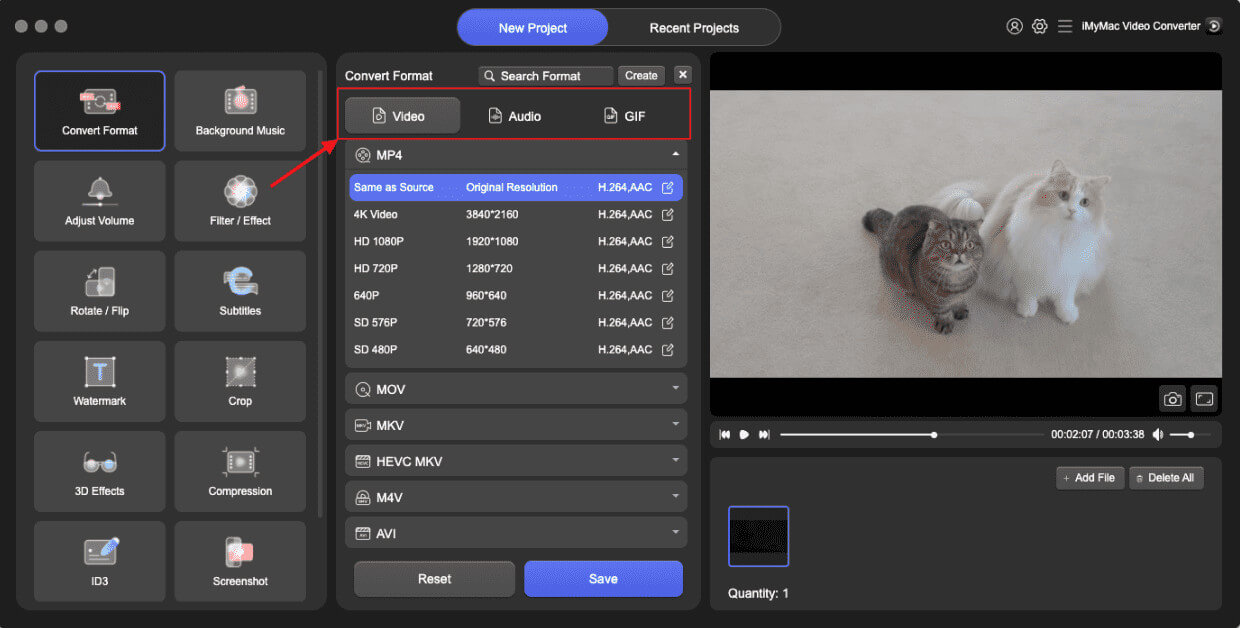
- When you click "Convert Format," a drop-down option allowing you to choose the sort of file the original should be converted into, such as WMV, will display.
- Thanks to the UI, locating file alterations is now simpler. You are allowed to make whatever changes you want to the files.
- By choosing Save, you may save all of your modifications.
- Select a conversion option from the toolbar to begin the conversion process.
Part 3. Other Ways to Convert SWF File to WMV (Online)
Is it possible to convert SWF to WMV without using a desktop app? Yes, you can convert SWF files to WMV using online converters. Many free online tools support this conversion without requiring software installation. Here are a few popular online converters that can handle this conversion:
Convertio. co
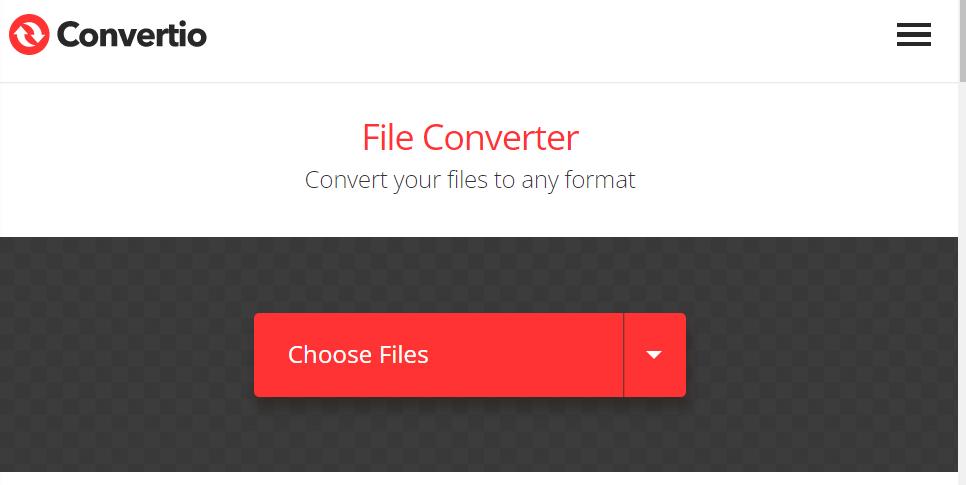
A well-known online video conversion tool is called Convertio. Convertio offers much additional online audio and video converting services in addition to merely SWF file to WMV conversion. Among others, SWF may be converted to GIF, AVI, MP4, and more. Simply follow the instructions below to convert SWF to WMV format.
- Click this link to launch Convertio in your browser: https://convertio.co/swf-wmv/.
- From your computer, Dropbox, or Google Drive, upload your SWF files. Keep in mind that the 100MB upload restriction for SWF is imposed on free accounts.
- From the drop-down menu, choose WMV. Once the Settings box has opened, click the gear-shaped icon to make necessary video and audio adjustments.
- To convert SWF to WMV for free online, click the Convert option.
- Obtain the WMV file and store it locally when the process of conversion is complete.
freefileconvert.com
Using FreeFileConvert, a free SWF to WMV converter online. Through this online converter, other reliable tools to split, decrypt, and encrypt files are also accessible. File types compatible with it include audio, video, pictures, documents, archives, presentations, e-books, and typefaces. It also supports 8372 different conversion combinations. Conversions between multiple file formats and batch file conversions are also supported. Additionally, it operates on all platforms.
- To display the conversion window, click "File" to upload a file from your computer or "Cloud" or "URL" to transfer a file from another place.
- Click "Choose File" to the left of the file you want to convert.
- After choosing the format you want, in this case, WMV, click "Convert" to begin the conversion process. The duration of the process will depend on how big the provided movie is. A download link for the file will be given after the conversion is complete.
FreeConvert.com
Using the free web-based video conversion application FreeConvert, many people converted SWF to WMV files. Additional file types, including photos, documents, audio, e-books, units, and more, may also be converted. You may upload SWF files from a variety of locations, including your PC, Google Drive, Dropbox, or an internet URL.
- Go to the Freeconvert website first.
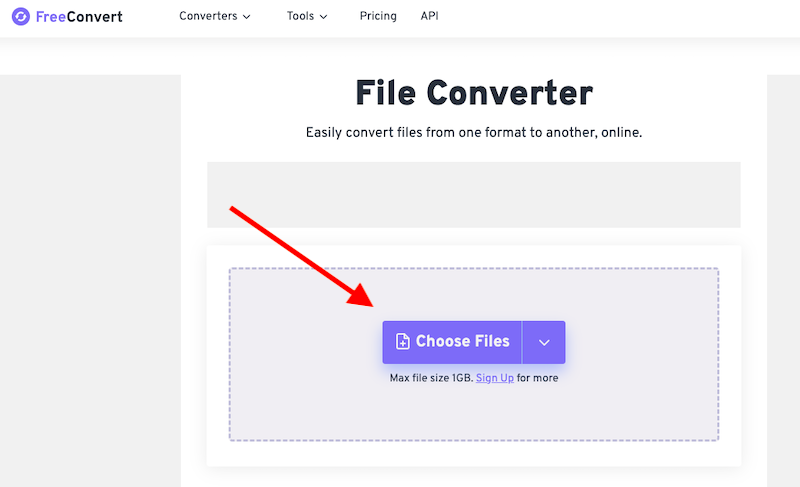
- Click Pick Files, then click Open to select the video you want to convert to an SWF file. You may also include a URL, a file on your computer, Dropbox, or Google Drive. Hit the right arrow next to the "Choose Files" option to choose an option.
- Hover your mouse over the Cogwheel icon to modify the video or audio settings. Then, click Apply Settings.
- Click on "WMV Conversion." Select Download WMV after the conversion is finished.
Part 4. Conclusion
If you've never converted SWF files to WMV before or are just a novice, iMyMac Video Converter is the best choice for you. You don't often convert between different video formats. Due to features like consistent video format conversion, quick video file conversion compared to similar applications, straightforward operation, support for several formats, and others, it has emerged as the top SWF to WMV converter available. The best solutions when it pertains to video converting are iMyMac Video Converter and the online version.


