


 Video Converter


If you’ve ever recorded digital TV broadcasts using a TV tuner card, you may have come across video files with the .tp extension. While TP files offer high-quality video, they’re not widely supported by most media players or video editing software. To improve compatibility and performance, converting TP to a more accessible format like MPG (MPEG) is often necessary. In this guide, we’ll explain the difference between TP and MPG formats and show you how to convert TP to MPG using both desktop software and online tools.
Contents: Part 1. Difference Between TP and MPG FormatPart 2. Convert TP Files to MPG on Windows/MacPart 3. Convert TP Files to MPG OnlinePart 4. Conclusion
Part 1. Difference Between TP and MPG Format
TP and MPG are both video file formats, but they serve different purposes and have distinct characteristics.
TP, short for Transport Stream Packet, is a file format typically created by digital TV tuner cards when recording high-definition broadcasts. It contains video (usually MPEG-2), audio, and additional data such as channel metadata. TP files are optimized for transmission over broadcast systems, which means they’re structured to handle possible data loss and synchronization issues during streaming. Because of this, TP files tend to be larger and less efficient for editing or playback on standard devices.
On the other hand, MPG, often referring to MPEG-1 or MPEG-2 Program Streams, is a more commonly used and broadly supported format. MPG files are designed for local playback and editing, offering better compatibility with media players, editing software, and operating systems. They are typically more compact and structured for seamless decoding, making them more efficient for storage and playback.
 Related Articles: MPG vs MP4: Which is Your Better Format?
In summary, TP is more suited to recording and streaming over broadcast networks, while MPG is ideal for everyday use like watching, editing, and sharing videos. Converting TP to MPG improves usability and accessibility across devices.
Part 2. Convert TP Files to MPG on Windows/Mac
How to convert TP to MPG? iMyMac Video Converter is an efficient, all-in-one video conversion tool designed for Windows and Mac users. It supports over 1000 video and audio formats, including both TP and MPG, and allows high-speed conversion with excellent output quality. The great thing about this tool is that you can also edit your videos with it. For instance, you can rotate, trim, cut, or crop videos. You can also choose to edit saturation, hue, brightness, and other settings with the tool.
Key Features:
- Converts TP to MPG, MP4, MOV, AVI, and more
- Batch conversion for multiple files
- Built-in editor (trim, crop, add subtitles, etc.)
- GPU acceleration for fast processing
- Customizable settings (bitrate, resolution, codec)
Step-by-Step Guide to Convert TP Files to MPG:
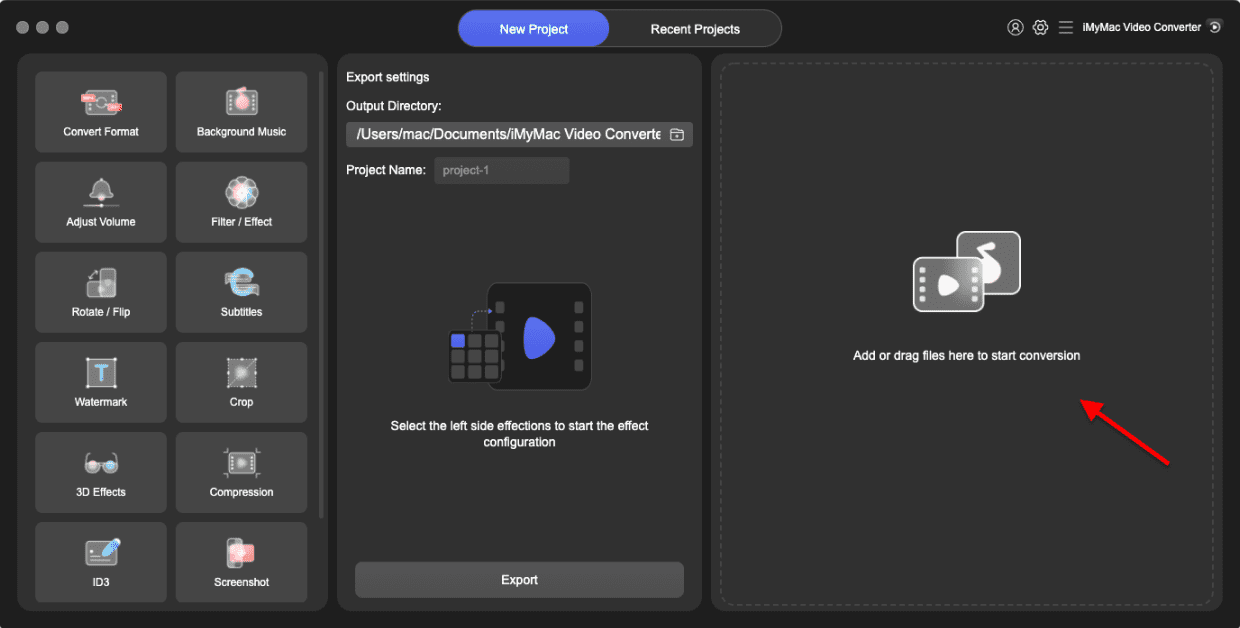
- Start the Mac or Windows version of the iMyMac Video Converter program on your computer. Log into your account after you're finished.
- Dragging and dropping the TP file onto the system's display is an additional option.
- When you click "Convert Format," a drop-down option allowing you to choose the kind of file the original should be converted into, such as MPG, will display.
- Thanks to the UI, locating file alterations is now simpler. You are allowed to make whatever changes you want to the files.
- By choosing Save, you may save all of your modifications.
- Select a conversion option from the toolbar to begin the conversion process.
Part 3. Convert TP Files to MPG Online
If you prefer a fast, browser-based solution with no software installation, several free video converters can convert TP to MPG. Below are some trusted options.
1. Convertio
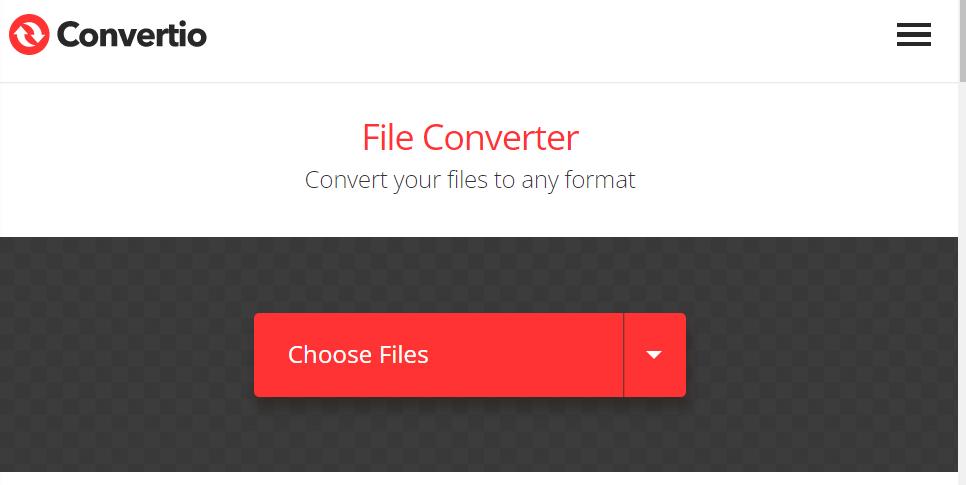
Convertio is a powerful cloud-based converter that supports various formats, including TP and MPG. Its clean, easy-to-use interface is ideal for users who want to perform quick conversions without installing any software. Convertio is accessible from any browser and allows file uploads from your device, Dropbox, Google Drive, or via URL. It is an excellent choice for converting small TP files on the go, especially for users who need one-time or occasional file conversions without needing advanced editing or batch features.
- Visit https://www.convertio.co
- Upload your TP file from your device or cloud storage
- Choose MPG as the output format
- Click “Convert” and wait for the process to complete
- Download the MPG file to your device
2. Online-Convert
Online-Convert is a free, browser-based file conversion platform that supports a wide array of formats, including video, audio, images, documents, and eBooks. It enables users to convert TP to MPG effortlessly without the need for software installation. Online-Convert emphasizes user privacy by deleting uploaded files shortly after processing. While the service is free for basic use, it also offers premium plans that provide faster processing speeds and support for larger file sizes.
- Visit: online-convert.com
- Choose “Convert to MPG”
- Upload your TP file
- Optional: adjust video/audio settings
- Start conversion and download the result
Note:
While online tools like Convertio are convenient and require no installation, they come with limitations. File size caps, slower conversion speeds (especially on free plans), and reliance on internet connectivity can hinder productivity.
In contrast, iMyMac Video Converter provides offline functionality, which ensures faster processing, higher reliability, and no upload limits. It supports batch conversion and includes powerful editing tools that most online platforms lack. For users handling large or multiple TP files frequently, iMyMac offers a more stable, customizable, and efficient experience. If you're looking for speed, control, and advanced functionality, the desktop solution is the superior choice, especially when dealing with high-definition TV recordings.
Part 4. Conclusion
TP files may offer excellent video quality, but they’re not the most practical format for everyday use. Converting TP to MPG enhances compatibility, reduces file size, and makes playback and editing much easier. Whether you choose the robust features of iMyMac Video Converter or the simplicity of online tools like Convertio, you now have multiple options to convert your TP files efficiently.


