


 Video Converter


In spite of the fact that TS is a widely used video file format, users may have difficulties when attempting to play such files on iOS or similar Apple-branded devices. If you find yourself in a situation, the most effective course of action you can take is to convert the file from its current format of TS to MOV, which is the standard file type on Apple products like the iPhone and the Mac. In addition to this, MOV will also be able to deal with resolutions of either 720p or 1080p. You have arrived at the correct location if you are searching for the most effective and user-friendly method to convert TS files to MOV formats. In this section, we will discuss how to easily convert TS files to MOV format.
Contents: Part 1. Best Tool to Convert TS Files to MOV Format on Mac and WindowsPart 2. How to Convert TS Files to MOV Format OnlinePart 3. What Are the Differences between TS and MOV Files?Part 4. Conclusion
Part 1. Best Tool to Convert TS Files to MOV Format on Mac and Windows
It is preferable to alter the file format if a TS file is giving you difficulties playing on your computer, iPhone, or another device. The kind that is most compatible with the gadget is the one you should choose. Consequently, choose MOV. Once you've chosen the format of the file, the following step is to choose a reputable file converter to carry out the task swiftly while maintaining image quality. The versatile iMyMac Video Converter is the best option in such a situation.
Not only MOV, this powerful software also allows you to easily convert your TS files to MP4, WMV, MPG, AVI, and more, with just a few clicks. In addition to format conversion, iMyMac Video Converter also offers built-in editing features such as trimming, cropping, adding subtitles, and adjusting video effects. Whether you're preparing videos for playback, editing, or sharing, this tool provides a user-friendly interface and excellent performance on both Windows and Mac platforms.
Let’s see how to convert TS to MOV with iMyMac Video Converter:
- Start the Mac or Windows version of the iMyMac Video Converter program on your computer. Log into your account after you're finished.
- You may also just drag and drop the TS file onto the system's display as an additional choice.
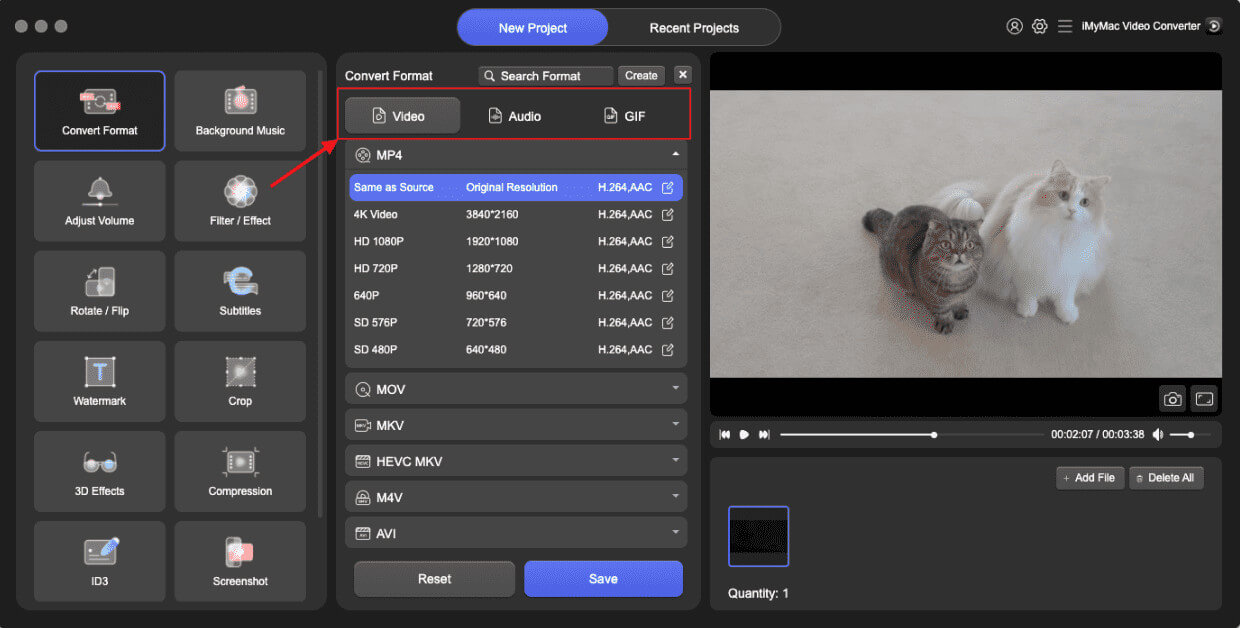
- After clicking "Convert Format," a drop-down option allowing you to choose the kind of file the original should be converted into, such as MOV, will appear.
- Thanks to the UI, locating file alterations is now simpler. You are free to edit the files whatever you choose.
- By choosing Save, you may save all of your modifications.
- Select a conversion option from the toolbar to begin the conversion process.
Part 2. How to Convert TS Files to MOV Format Online
convertio.io
When transcoding TS to MOV video, Convertio only permits files up to 100MB in size. The two internet converters mentioned above are more suited if your video is longer. Convertio has the benefit of supporting a wide variety of video codecs, including older ones like MXF, RMVB, F4V, RM, AVCHD, OGV, and WTV.
- Step 1: Upload your MPG file using the online converter.
- Step 2: Decide whether to convert TS to MOV.
- Step 3: Press the Convert option and wait on the task to complete. You will be given URLs to download the MOV files to your local disk after the cloud server has finished converting your movie.
onlineconvertfree.com
Another effective web-based tool that may convert TS to MOV, M4R, WAV, FLV, and VOB is OnlineConvertFree. It additionally converts a variety of well-known document formats, including DOC, PDF, XLS, and others. Of course, this tool has an easy-to-use interface as well.
How to utilize OnlineConvertFree:
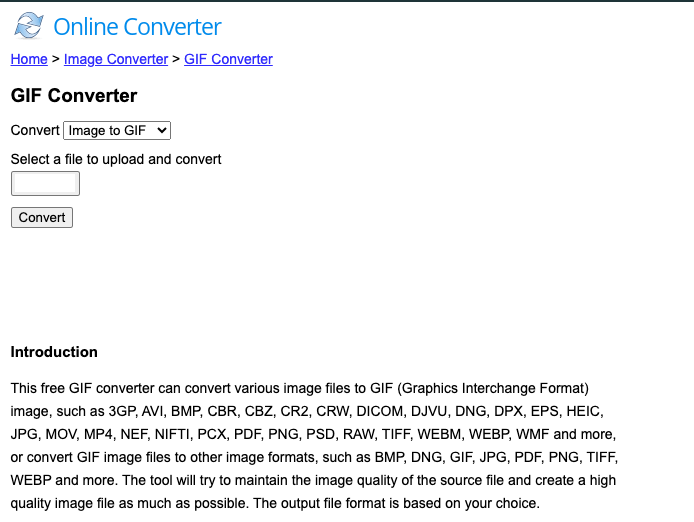
- Step 1: Open OnlineConvertFree and drag and drop your TS files into the software. Additionally, you may download them from Dropbox or Google Drive.
- Step 2: From the default drop-down option, select MOV as the final format.
- Step 3: Select the Convert option from the menu, and the application will do everything else. Once finished, you may download the TS files from the website.
media.io
A free online tool called Media.io, sometimes known as Online UniConverter, enables you to convert a limitless amount of TS files to MOV format without having to install any other software. This online TS to MOV converter reiterates the infinite feature by making it simple to convert huge video files.
Additionally, you can completely customize the output by adjusting a number of factors, including the audio and video codecs as well as the resolution, framerate, and bitrate. The advantage is that these changes may be made to several TS files simultaneously before converting to MOV format. You also get access to an ingenious tool for cutting and integrating cloud services.
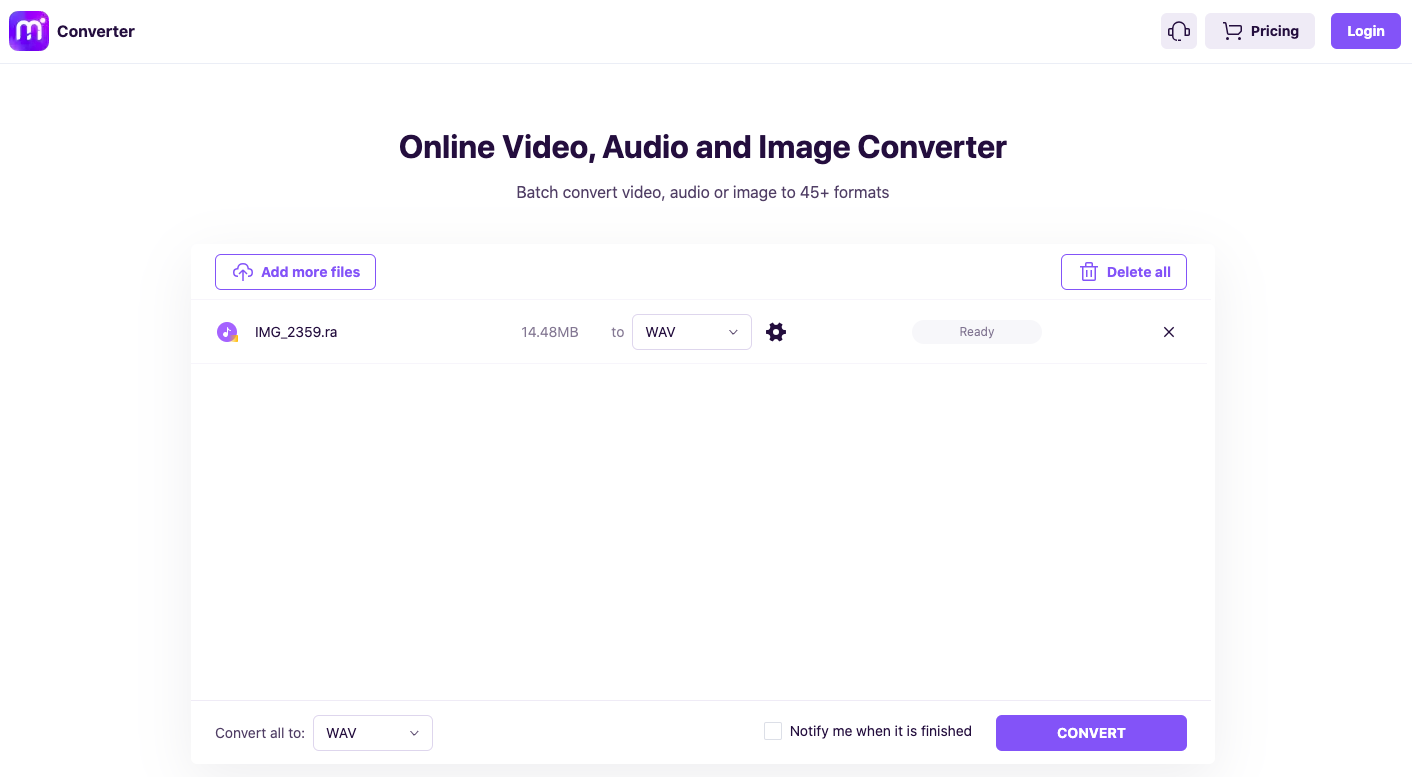
- Step 1: Open Online UniConverter in the browser and click the plus symbol to find and upload your TS videos.
- Step 2: Select MOV format from the drop-down menu that appears under the Convert every file to label.
- Step 3: Select the Checkbox labeled "Notify me when it's finished," and then click the Convert button.
Part 3. What Are the Differences between TS and MOV Files?
The abbreviation TS stands for Transport Stream, and it's also known as MPEG transport stream and frequently appears in actual time broadcast systems. Additionally, players like WinDVD 5.x, VLC Media Player, Elecard Player, etc., can often play TS files. While MOV, the QuickTime format created by Apple, has become one of those most extensively utilized video formats by consumers. To access TS files using QuickTime Player, view them on iTunes, or adjust them in iMovie, however, would not be possible. Better convert TS to MOV, which is the preferred format for the majority of Apple devices. In such cases, converting TS files to MOV files first is advised in this article using strong and reputable video converters.
Part 4. Conclusion
You now know that converting a file from TS to MOV video is really easy. The best approaches for modifying the video format have been explored. The iMyMac Video Converter is the best option out of all the methods since it provides a greater level of dependability and a faster conversion rate than the others.


