


 Video Converter


A TS (Transport Stream) file is commonly used to store MPEG-2 compressed video data and is often seen in HDTV broadcast recordings shared online. On the other hand, WAV is a lossless, uncompressed audio format developed by Microsoft and IBM. It is widely used for high-quality audio applications, including CDs, system sounds, and gaming audio. If you need to extract audio from a TS video file for playback on various media players or editing software, converting TS to WAV is often necessary. In such cases, using a reliable TS file to WAV converter is the most efficient way to obtain a high-quality audio file from your original TS video.
Contents: Part 1. Best Tool to Convert TS Files to WAV Format (Mac and Windows)Part 2. How to Convert TS Files to WAV Format Online?Part 3. What Are the Differences between TS and WAV Files?Part 4. Conclusion
Part 1. Best Tool to Convert TS Files to WAV Format (Mac and Windows)
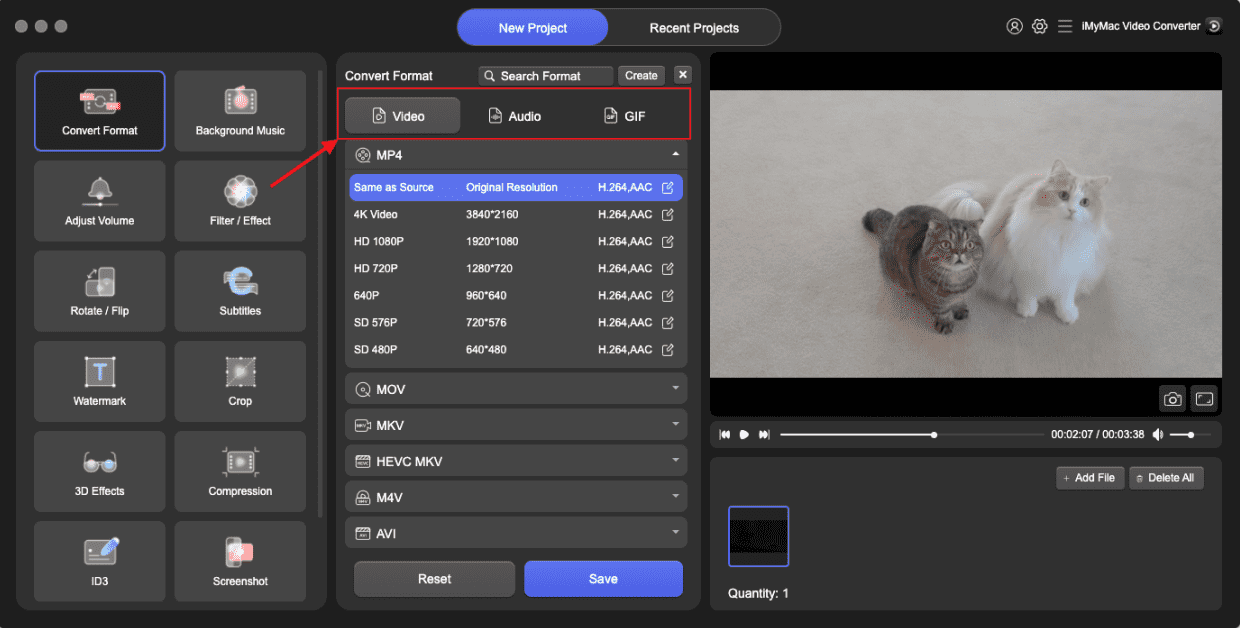
If you are looking for an efficient and reliable way to convert TS to WAV offline, iMyMac Video Converter is a great choice. Not only MPG, this powerful software also allows you to easily convert your TS files to MP4, WMV, MOV, AVI, and more, with just a few clicks.
In addition to format conversion, iMyMac Video Converter also offers built-in editing features such as trimming, cropping, adding subtitles, and adjusting video effects. Whether you're preparing videos for playback, editing, or sharing, this tool provides a user-friendly interface and excellent performance on both Windows and Mac platforms.
Let’s see how to convert TS to WAV with iMyMac Video Converter.
- Launch the iMyMac Video Converter software on your computer, either the Mac or Windows version. Once you're done, log into your account.
- Another option is to drag and drop the TS file into the system's display.
- A drop-down menu will appear when you click "Convert Format," enabling you to choose the sort of file the original should be converted into, such as WAV.
- Finding file modifications is now easier as a result of the UI. The files may be edited in any way you choose.
- You may save all of your changes by selecting Save.
- To start the converting process, choose a conversion option from the toolbar.
Part 2. How to Convert TS Files to WAV Format Online?
convertio.io
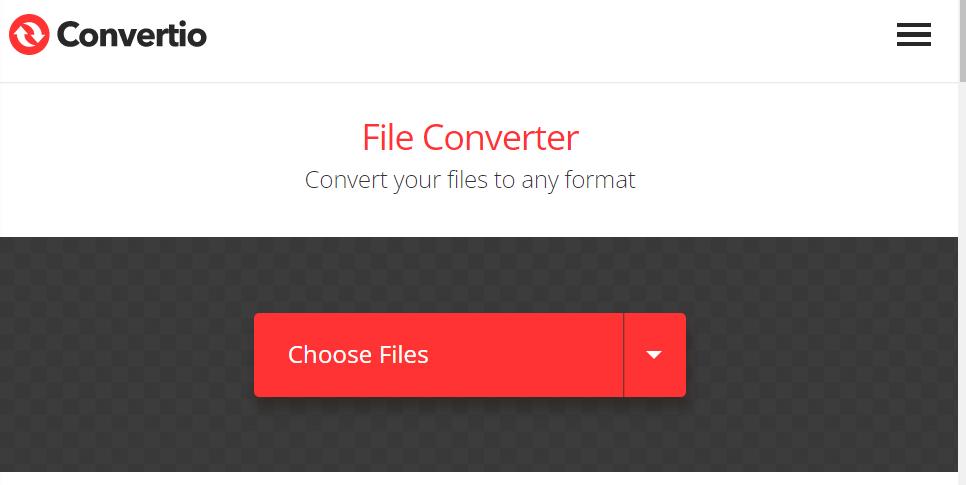
Unquestionably, Convertio is among the finest online video converters available right now. 300+ different formats can be converted with it. In addition to many other formats, it may convert TS to WAV, MP4, VOB, AAC, DTS, and XVID. Additionally, it provides free video editing capabilities, including trimming, resizing, adjusting quality, choosing a codec, and many other options. Convertio also includes a slideshow creator, video compressor, MP3 cutter, and other features. Convertio only permits uploads of up to 100MB each day, however.
- Launch your web browser and go to https://convertio.co/ts-wav/ to use the online tool.
- To upload the TS video, click "Choose Files."
- You just must select "Convert," and the output format of WAV will be chosen automatically.
- At last, save the file to the hard drive.
media.io
One of the best methods to convert TS to WAV is by utilizing Media.io, one of the finest conversion online programs, if you don't want to download large software to your device and clog up the local storage. Its website is devoid of advertisements, which makes it simpler for novice users to explore it without getting lost. It is useful for people who use pcs in cybercafes or other public locations since it is free and offers quick publishing, converting, and download speeds.
The steps to use Media.io to convert TS to WAV are as follows.
- Step 1: Open up Media.io and add all of the files.
- Step 2: Select the destination format and convert.
- Step 3: Download the modified file.
onlineconvertfree.com
Another user-friendly program on Onlineconvertfree.com rounds up the top four online TS converters. Users may convert TS to WAV or another video file, including MPEG, RMVB, M4V, MXF, and more, in just a few simple steps. Additionally, you may convert between the picture and sound formats of your choosing. However, the interface of Onlineconvertfree.com is littered with advertisements, so proceed with caution. Additionally, the upload memory capacity for the free edition is 100MB.
- Step 1: To upload one or more TS video files to your local computer, click "Choose File" and then navigate to the desired files.
- Step 2: Select WAV as the final output format using the drop-down menu next to it.
- Step 3: To begin the TS to WAV conversion, click the "Convert" button. Once the conversion is finished, a link for downloading will be made available. Save the WAV sound file to the computer for playing after downloading it.
Part 3. What Are the Differences between TS and WAV Files?
Audio and video data are sent and stored using the TS container format. It may be used to transmit multimedia via the internet and is often utilized in broadcast systems. The TS format offers a number of compression methods for effective storage and transmission and enables the combining of several video and audio files into a single file.
On Windows-based systems, uncompressed audio data is often stored in the WAV file format. WAV files are often used for making and editing excellent audio recordings, including music or sound effects, and they may include audio data in a number of file types and sample rates. WAV files are extensively supported across several platforms and may be replayed back on a range of hardware and software tools.
Part 4. Conclusion
To sum up, the programs listed here are quite useful for converting TS files to WAV. The ideal video converter for Windows and Mac users would be iMyMac Video Converter, which provides a free trial edition and a cheap premium version with all the features. There is no restriction. While some customers find the other two converter programs a little pricey. When you wish to convert a little video clip but do not have any installed software, the online TS to WAV converters might be a decent choice. Be logical and prudent when selecting a tool, and you will be able to convert TS files to WAV or other formats as quickly as possible.


