


 PowerMyMac


Can you get a virus from opening an email? This is one of the most common questions users ask when it comes to email security. With phishing scams, malware, and ransomware making headlines, it's natural to wonder how much risk lies in just opening an email.
The short answer? It depends. In most modern email systems, simply opening a plain-text email is usually safe, but the danger often lies in attachments, links, and embedded scripts. In this article, we’ll break down how email-based viruses work, when opening an email becomes dangerous, and how to protect yourself. We’ll also explore how can keep your Mac clean, optimized, and secure from hidden threats that sneak in through email.
Contents: Part 1: Can You Get a Virus When You Open an Email?Part 2: How Email Viruses Work?Part 3: Warning Signs of a Malicious EmailPart 4: How to Stay Safe from Email Viruses?Part 5: Conclusion
Part 1: Can You Get a Virus When You Open an Email?
Let’s answer the key question: Can you get a virus from opening an email?
In most cases, just opening an email in a modern email client (like Gmail, Apple Mail, or Outlook) won't give your device a virus. These clients are designed to display emails in a safe format, and they often block suspicious scripts or media by default.
However, the danger increases if:
- The email contains malicious attachments (e.g., .exe, .zip, .js files).
- You click on links leading to phishing sites or malware downloads.
- The email client auto-loads remote images that track behavior.
- You open the email in an outdated or vulnerable email application.
So while the answer to “can you get a virus from opening an email” is usually “no,” it's not a guarantee of safety. A compromised email system or user mistake can still lead to infection.
Part 2: How Email Viruses Work?
Understanding how email-based viruses work will help you better spot and avoid them. Here's how cybercriminals often deliver malware:
- Phishing Emails: These emails pretend to be from legitimate companies and trick you into clicking fake login pages or downloading infected attachments.
- Malicious Attachments: Files like .exe, .js, .docm (macro-enabled Word files), or even PDFs can carry viruses. Once opened, they can install malware silently.
- Embedded Code or Scripts: Some HTML emails contain JavaScript or iframe elements designed to auto-run in vulnerable email clients. This is rare but possible if security patches aren’t up to date.
- Drive-by Downloads: These occur when clicking a link downloads malware without your explicit consent, often by exploiting browser or system vulnerabilities.
The question, can you get a virus from opening an email, becomes more critical when attackers get creative with these methods. For example, even a seemingly harmless email signature or image could hide tracking pixels or redirect links.
To stay protected, always update your system, email app, and browser. Tools like iMyMac PowerMyMac help by clearing browser cache, removing harmful extensions, and scanning your system for suspicious files.
 Related Article:
How Do I Clear Chrome Cache on Mac?
How to Clear Cache on Mac Firefox Browser?
How to Empty Cache on Safari for Mac?
Part 3: Warning Signs of a Malicious Email
Even if you’re cautious, it helps to recognize red flags. If you’re asking “can you get a virus from opening an email,” look out for these warning signs:
- Unfamiliar senders or spoofed addresses (e.g., support@amaz0n.com)
- Poor grammar or generic greetings (“Dear User”)
- Unexpected attachments or download prompts
- Urgency or threats, like “Your account will be closed!”
- Hyperlinked text leading to mismatched URLs
Even opening these messages may expose you to risk, especially on outdated systems. Always hover over links before clicking, and never open attachments from unknown sources.
Part 4: How to Stay Safe from Email Viruses?
Here’s how to prevent getting a virus from an email, even if you accidentally open one:
1. Use a Modern Email Client
Stick to Gmail, Outlook, or Apple Mail. These are regularly updated with security patches.
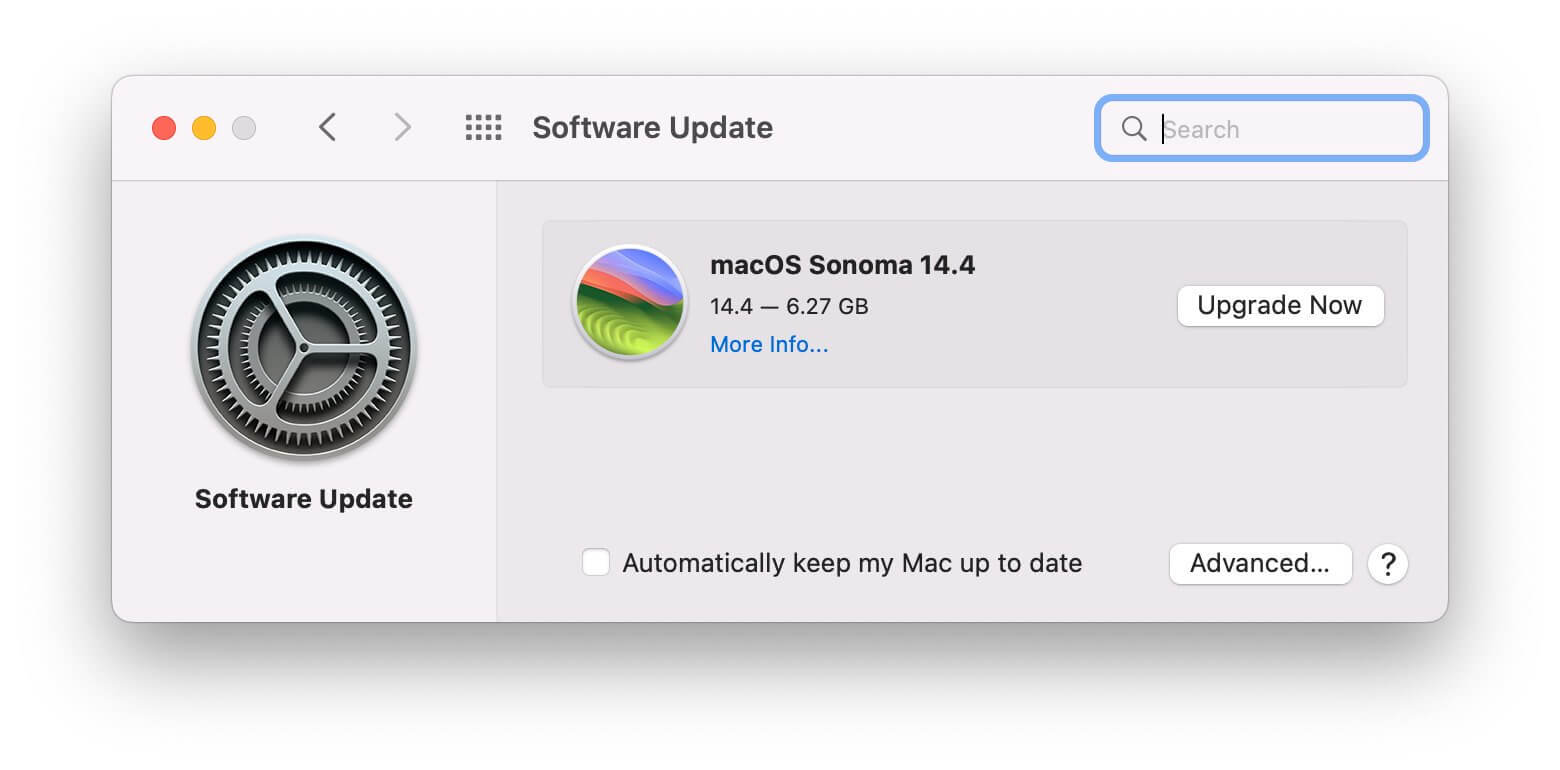
2. Keep Your Software Updated
Hackers often exploit old system vulnerabilities. Update macOS, browsers, and apps regularly.
3. Disable Auto Image Loading
In Apple Mail, go to Settings > Viewing > Uncheck “Load remote content in messages.”
4. Avoid Clicking Suspicious Links
Always inspect URLs before clicking. Use a browser extension or URL scanner if unsure.
5. Use iMyMac PowerMyMac for Cleanup and Monitoring
If you're worried about background malware, iMyMac PowerMyMac is a powerful optimization tool for Mac. It helps:
- Scan for system junk and suspicious files
- Disable unknown startup items
- Monitor CPU and memory activity in real-time
- Free up space and keep your Mac running fast
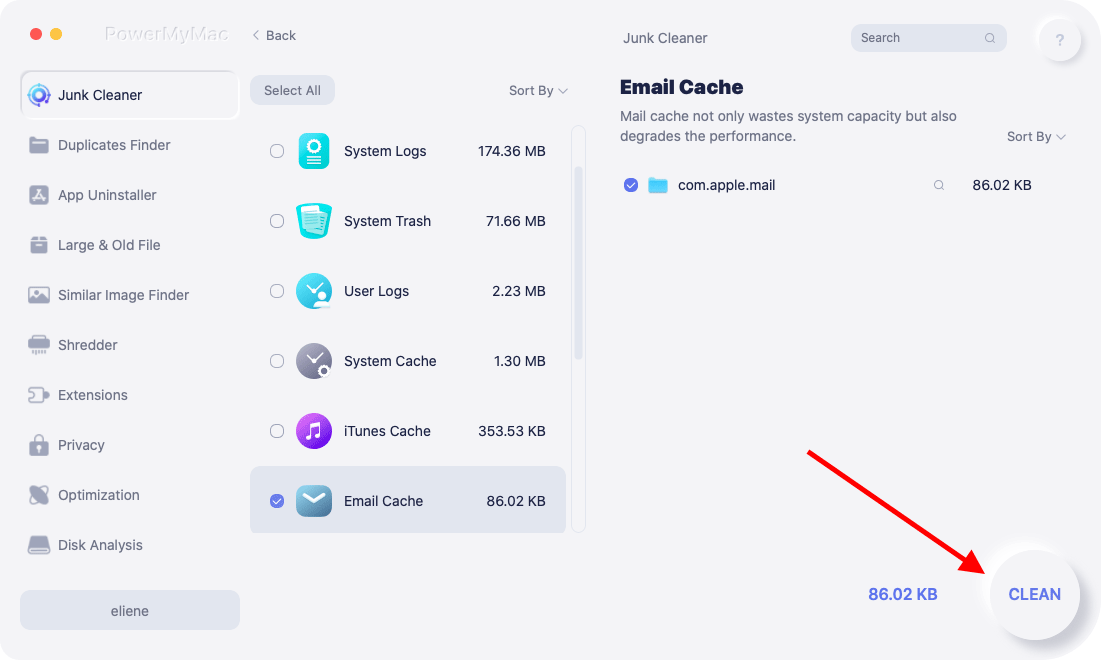
These features are particularly useful if you've recently opened a suspicious email and want to make sure your system is clean.
Part 5: Conclusion
So, can you get a virus from opening an email? Technically yes, but it’s highly unlikely with just the open action, unless you click or download something inside. That said, the threat is real. Use smart email habits, keep your system updated, and monitor performance using tools like iMyMac PowerMyMac. It helps you clean your Mac, manage memory, and stay protected against hidden threats that come through email or elsewhere.
The next time you get a suspicious email, you’ll know exactly what to do—and more importantly, what not to do.


