


 PowerMyMac


As our lives become increasingly hectic, it's more important than ever to manage our time effectively. Using a time tracking app can help you stay on top of your work and make the most of your day. In this article, we'll explore the top time tracking apps for Mac users. Whether you need to track billable hours, manage tasks, or simply understand how you spend your time, the right app can make a big difference. So, let's dive in and find the perfect time tracking app for you!
Contents: Part 1. Top 8 Time Tracking Software for Mac UsersPart 2. How to Chose the Best Time Tracking Apps?Part 3. Tip: Optimize Mac’s Performance to Boost Your ProductivityPart 4. Conclusion
Part 1. Top 8 Time Tracking Software for Mac Users
To help you improve productivity and reduce administrative burdens, I've rounded up the best time tracking apps for Mac on the market today. See and choose the app and its features that match your work style best.
1. Toggl Track
Price: Free plan available; Paid plans start at $10/month
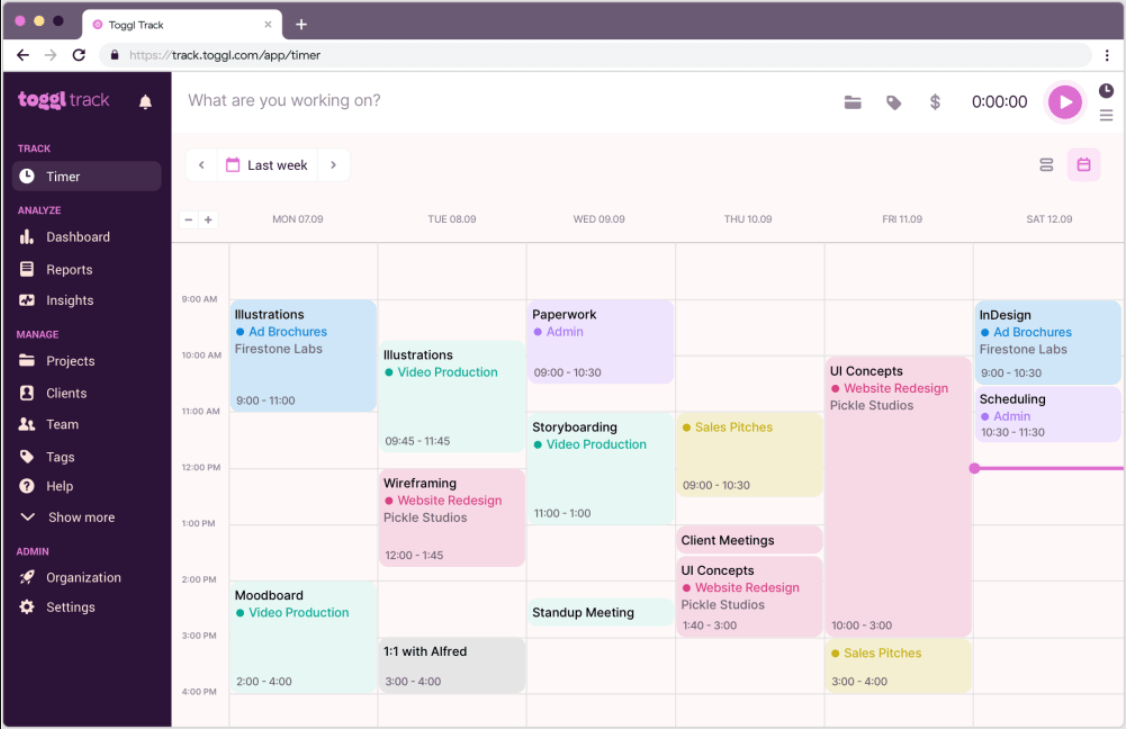
Toggl Track is a user-friendly and versatile time tracking app for Mac. Ideal for freelancers and small teams, it enables effortless time logging with a sleek interface. Key features include one-click timers, project/task labeling, reporting tools, and integrations with tools like Asana, Trello, and Slack. It’s great for users who want simplicity without sacrificing power. Toggl Track also offers mobile and web access, making it easy to track time across devices.
Pros:
- Easy to use
- Excellent reporting tools
- Generous free plan
Cons:
- Limited advanced features in the free version
2. RescueTime
Price: Free plan; Premium at $12/month
RescueTime is one of the automatic time tracking apps for Mac that runs in the background to monitor how time is spent. Rather than manually starting timers, users get a real-time view of productivity across websites and applications. It categorizes activities into productive and distracting, helping identify habits. Weekly reports and goal-setting features make it a powerful tool for behavior change.
Pros:
- No manual tracking required
- Insightful productivity reports
Cons:
- Less suited for billing clients
- Can be too passive for task-specific tracking
3. Harvest
Price: Free for 1 user, 2 projects; Paid starts at $12/month
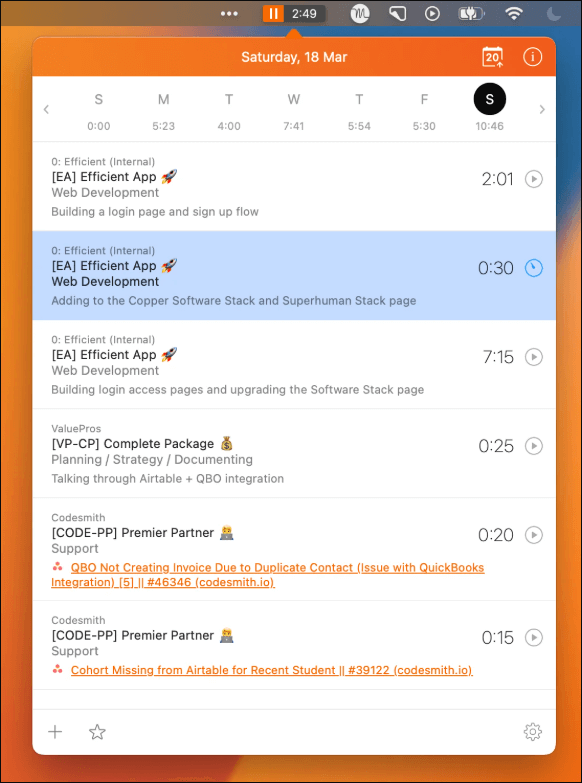
Harvest is also on the list of robust time tracking apps for Mac geared toward freelancers and teams. It includes time tracking, invoicing, expense tracking, and team management. Harvest integrates with over 100 tools like QuickBooks, Asana, and Basecamp. It's particularly useful for businesses that need both time tracking and billing features in one place.
Pros:
- Built-in invoicing
- Excellent integration support
Cons:
- Limited features in free plan
- Can be complex for solo users
4. Timely by Memory
Price: Starts at $11/month
Timely is an AI-powered time tracking app for Mac that automates time logs using intelligent activity tracking. It monitors app usage, websites, emails, and more—building an accurate timeline without manual input. Timely ensures privacy by allowing users to control what data is logged. It’s excellent for users who want effortless tracking without micromanagement.
Pros:
- Smart automatic tracking
- Clean, modern interface
Cons:
- Some learning curve
- Pricier than basic apps
5. Clockify
Price: Free for unlimited users; Paid features from $3.99/month
Clockify is one of the popular time tracking apps for Mac that’s perfect for teams and individuals. It includes timers, manual entry, project management, and detailed reporting. Users can track billable hours, generate timesheets, and even set hourly rates. Its free tier offers immense value for startups and growing teams.
Pros:
- Completely free plan with great features
- Works well for teams
Cons:
- Interface can feel basic
- Advanced features require payment
6. Timing
Price: Starts at $10/month
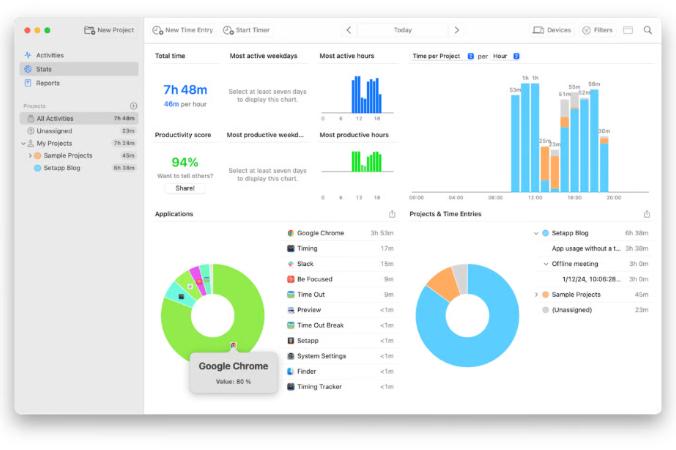
Timing is a Mac-exclusive app known for its detailed automatic tracking. It logs time spent on every app and document and allows users to categorize tasks later. This app is perfect for solo professionals who want a granular view of their digital habits. With its beautiful timeline view, users can easily spot productivity gaps.
Pros:
- Automatic tracking
- Native Mac experience
Cons:
- Only available on Mac
- No team collaboration features
7. Hubstaff
Price: Starts at $7/month
Hubstaff combines time tracking with employee monitoring, making it ideal for remote teams. It features screenshots, activity levels, GPS tracking, and payroll integration. For Mac users managing freelancers or remote employees, this is a powerful solution to monitor productivity and manage payments.
Pros:
- Powerful team monitoring features
- Supports payroll and GPS
Cons:
- Invasive for some users
- Overkill for individual use
8. Qbserve
Price: One-time purchase of $40
Qbserve is an offline, privacy-focused time tracking app for Mac. It automatically logs time and generates productivity reports. It’s especially useful for those who don’t want cloud syncing or subscriptions. Qbserve also supports invoice generation and real-time productivity stats.
Pros:
- One-time payment
- Fully offline
Cons:
- No team features
- Mac-only
Part 2. How to Chose the Best Time Tracking Apps?
With dozens of time tracking apps for Mac available these days, selecting the right one can feel overwhelming. Not all apps are created equal, and the best choice depends on your goals. Here’s a detailed breakdown of the key criteria I used to evaluate and select the top apps on this list.
1. Mac Compatibility and Performance
First and foremost, the app must work seamlessly on macOS. That means a native Mac version or a well-optimized web app that doesn’t slow down your system. I paid special attention to apps that run well on both Intel and Apple Silicon Macs. Performance is crucial, especially for background tracking apps like RescueTime and Timing. Poorly optimized software can drain your battery or clog up system resources, which defeats the purpose of improving productivity.
 Related Topics: How To Make Mac Battery Last Longer?
2. Ease of Use and Interface Design
A time tracking app should simplify your workflow—not complicate it. I prioritized apps with intuitive interfaces, clear dashboards, and easy onboarding. Whether you’re a tech-savvy user or a beginner, a good app should let you start tracking with just a few clicks.
3. Tracking Methods: Manual vs. Automatic
Different users prefer different tracking styles. Manual timers work great if you like control, but they can be a hassle if you forget to start or stop the clock. That’s why automatic tracking is growing in popularity—it monitors your activity in the background and builds your time log for you.
4. Features and Integrations
Not every user needs the same features. Freelancers might prioritize billing and invoice generation, while teams may need project tracking, time approvals, and collaboration tools. The more customizable and well-integrated an app is, the more value it brings to a diverse range of users.
5. Security and Privacy
With apps that track detailed activity and sometimes log personal data, privacy matters. I considered how each app handles your information, especially those that use background tracking. Apps like Qbserve and Timely emphasize user control and data security, which is a huge plus.
Related Topics: The Best Mac Security Software To Consider For Mac
Part 3. Tip: Optimize Mac’s Performance to Boost Your Productivity
Your productivity isn't just about time tracking apps for Mac—it also depends on how well your system runs. No matter how advanced or well-designed your time tracker is, it won’t help much if your Mac is running slow, overheating, or constantly crashing. That’s why optimizing your Mac should go hand-in-hand with time management.
By regularly optimizing your Mac, you ensure your time tracking software runs smoothly and without hiccups, making it easier to stay focused, avoid distractions, and keep your workflow uninterrupted. One of the most effective tools for optimizing your Mac is iMyMac PowerMyMac.
Designed specifically for macOS, this all-in-one utility improves performance, clears out clutter, and monitors system health—all from one clean, intuitive interface. Here’s how PowerMyMac helps:
- Smart Cleaner: Removes system junk, cache files, old logs, and broken downloads that eat up space and slow down performance.
- App Uninstaller: Fully deletes unwanted or unused applications, including hidden leftover files that standard uninstalls miss.
- Memory Manager: Frees up RAM instantly, helping your time tracking apps load and respond faster.
- Duplicate Finder: Finds and deletes duplicate files that waste disk space—especially useful for creatives working with lots of media files.
- Startup Optimization: Lets you manage login items and launch agents, speeding up your Mac’s boot time.
- Privacy Cleaner: Deletes browser traces, cookies, and sensitive data to maintain privacy and keep your system secure.
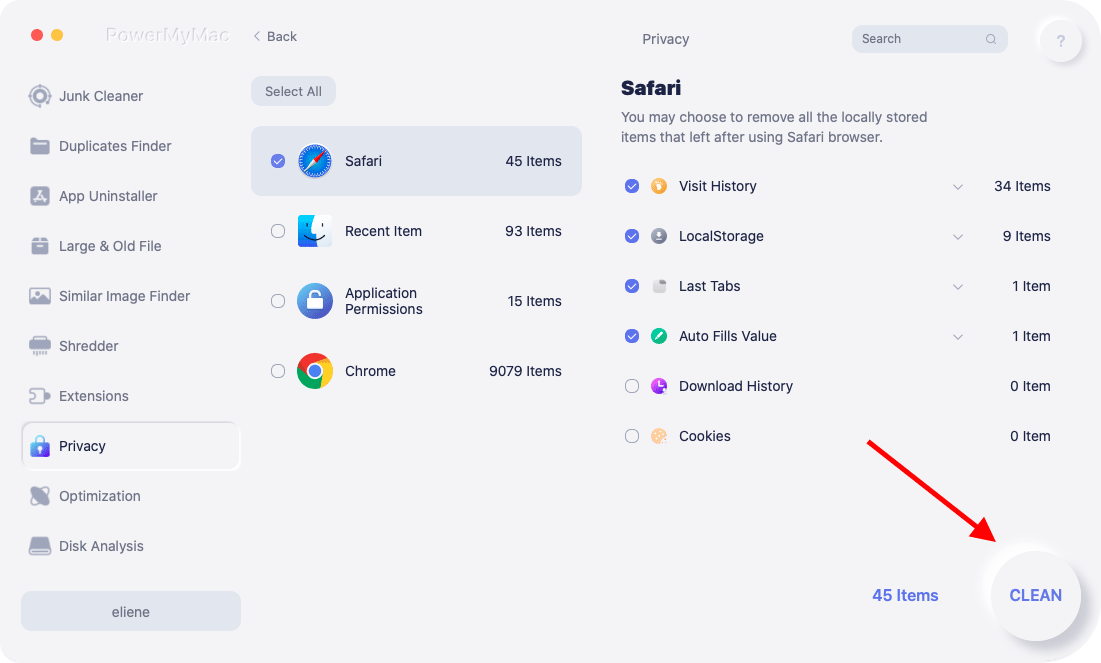
Think of PowerMyMac as the silent partner to your time tracking solution. With your system running clean and fast, you’ll be able to launch apps quickly, track your time accurately, and generate productivity reports without lag or crashes. It removes technical barriers and lets you focus on what matters most—your work and your goals.
Part 4. Conclusion
Using time tracking apps for Mac can dramatically improve your workflow, accountability, and focus. Whether you're a freelancer looking for simple logging, or a manager overseeing remote teams, there's a perfect tool out there. And don’t forget—boosting productivity starts with a well-optimized Mac. Tools like iMyMac PowerMyMac can ensure your device stays fast, clean, and reliable, so your time tracking tools run without interruption.


